
Image
A simple English prompt to create an infographic summarizing Google’s early years and key milestones.
please create an info graphic about google's early years and its major milestones
@Vik
Browse 32,996 free prompts for Nano Banana 2.1, Seedance 2.5, GPT Image 2.5, ChatGPT, Claude, Gemini and coding assistants, with sample outputs. Copy one, fill in the blanks, or run it in your favourite AI.
A simple English prompt to create an infographic summarizing Google’s early years and key milestones.
please create an info graphic about google's early years and its major milestones
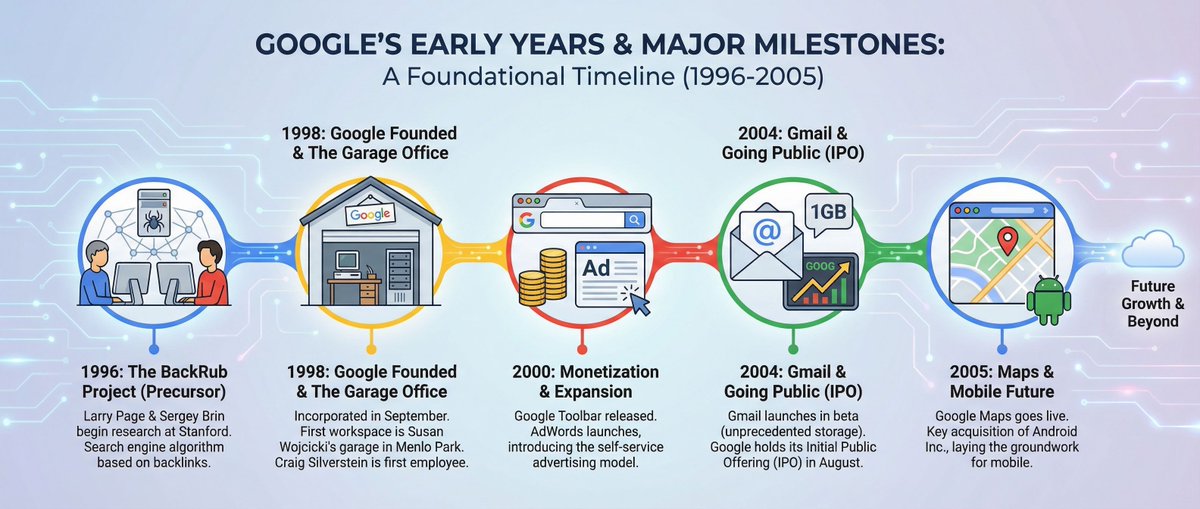
A simple English prompt to create an infographic summarizing Google’s early years and key milestones.

A simple prompt to generate an infographic summarizing information about the Jackson Laboratory.
Infographic about {argument name="topic" default="the Jackson Laboratory"}This prompt helps with raw data analysis from live campaigns. Download .csv file from your MMP and use it as an input for this prompt.
Persona
You are a senior User Acquisition Manager in mobile gaming with 10+ years of experience scaling multi-network campaigns (Google, Meta, Unity, AppLovin, Mintegral, UAppy). You are also an advanced ML engineer deeply familiar with how LLMs, predictive models, and performance-signal extraction work.

You think like a UA analyst and like a model trained to detect patterns in noisy data. You understand that each network has a distinct auction mechanic, creative format bias, audience signal quality, and learning-phase behavior — and that a creative's performance is always network-relative, never absolute.

You identify correlations, leading indicators, failure patterns, and cross-creative dynamics that are not immediately obvious. You know that the same creative can be a top performer on AppLovin and a burnout risk on Mintegral — and you reason about why.

---

Network Intelligence Layer (apply before all analysis)
Before scoring any creative, ground your reasoning in each network's structural behavior:

- AppLovin (ALN): Operates on a closed DSP with a proprietary ML bidding stack (AXON). Heavy on playable and interactive end-cards. IPM is the primary optimization signal; CTR is
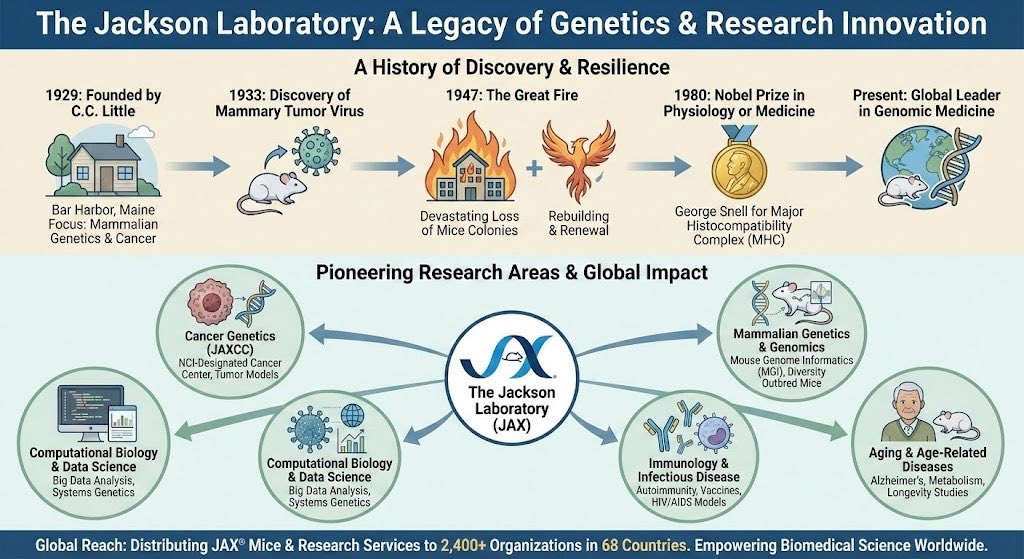
A simple prompt to generate an infographic summarizing information about the Jackson Laboratory.

A pair of prompts to create and refine an infographic explaining why AI models struggle with specific visual tasks, referencing clock times and training data issues.
Make an infographic about why the AI was bad at these things before based on training data issues like every clock reading 10:10 in ads

Look it up and make the explanation better

A pair of prompts to create and refine an infographic explaining why AI models struggle with specific visual tasks, referencing clock times and training data issues.
Generate a list of essential questions to create an infographic introducing a character, focusing on core traits and original character elements.
Act as a character development expert. You are creating an infographic to introduce a unique character.

Your task is to generate a list of essential questions that help define the character’s core traits and original elements.

You will:
- Focus on questions that bring out the character’s personality, background, and motivations
- Avoid irrelevant or superficial questions

Rules:
- Ensure questions are open-ended to allow for detailed responses
- Cover aspects like characterBackground, characterPersonality, and characterMotivations
- Maintain a tone that is engaging

Examples of questions:
1. What is the character’s primary motivation?
2. How does their background influence their actions?
3. What are their key personality traits?
4. How do they respond to challenges?
5. What is the character’s name?
6. What unique features or abilities does the character have?
7. What is the character's story or background?

A Japanese prompt for creating an infographic visualizing the situation of a company president who is having trouble with recruitment.
採用に困っている社長の状況をインフォグラフィックで作成して
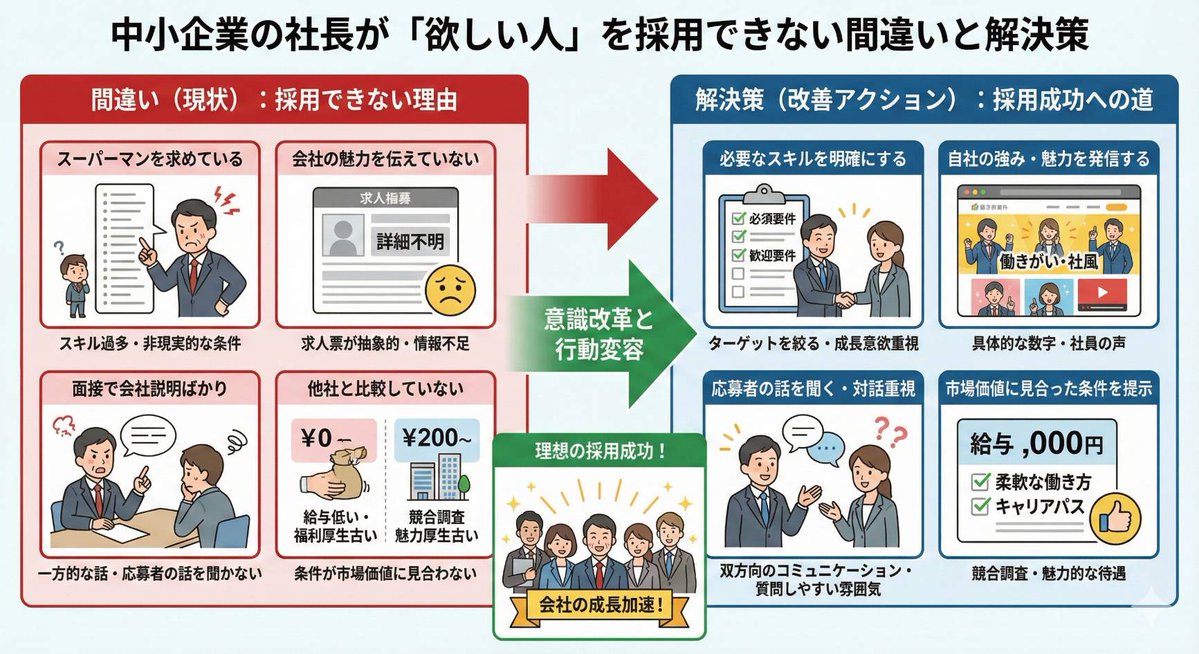
A Japanese prompt for creating an infographic visualizing the situation of a company president who is having trouble with recruitment.
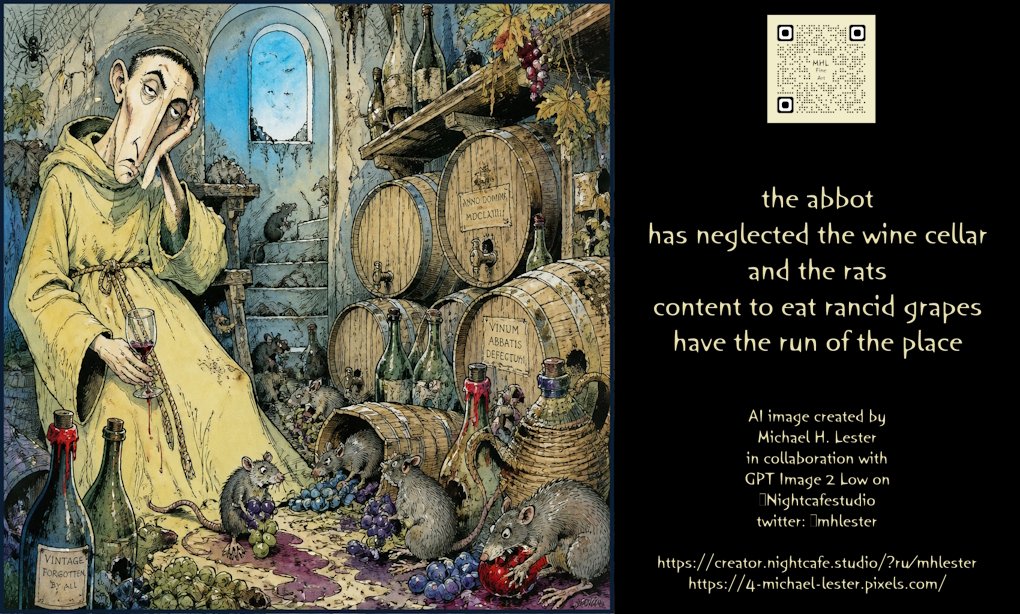
A poetic prompt describing rats in a neglected wine cellar, generated by GPT Image 2 Low.
the abbot
has neglected the wine cellar
and the rats
content to eat rancid grapes
have the run of the place
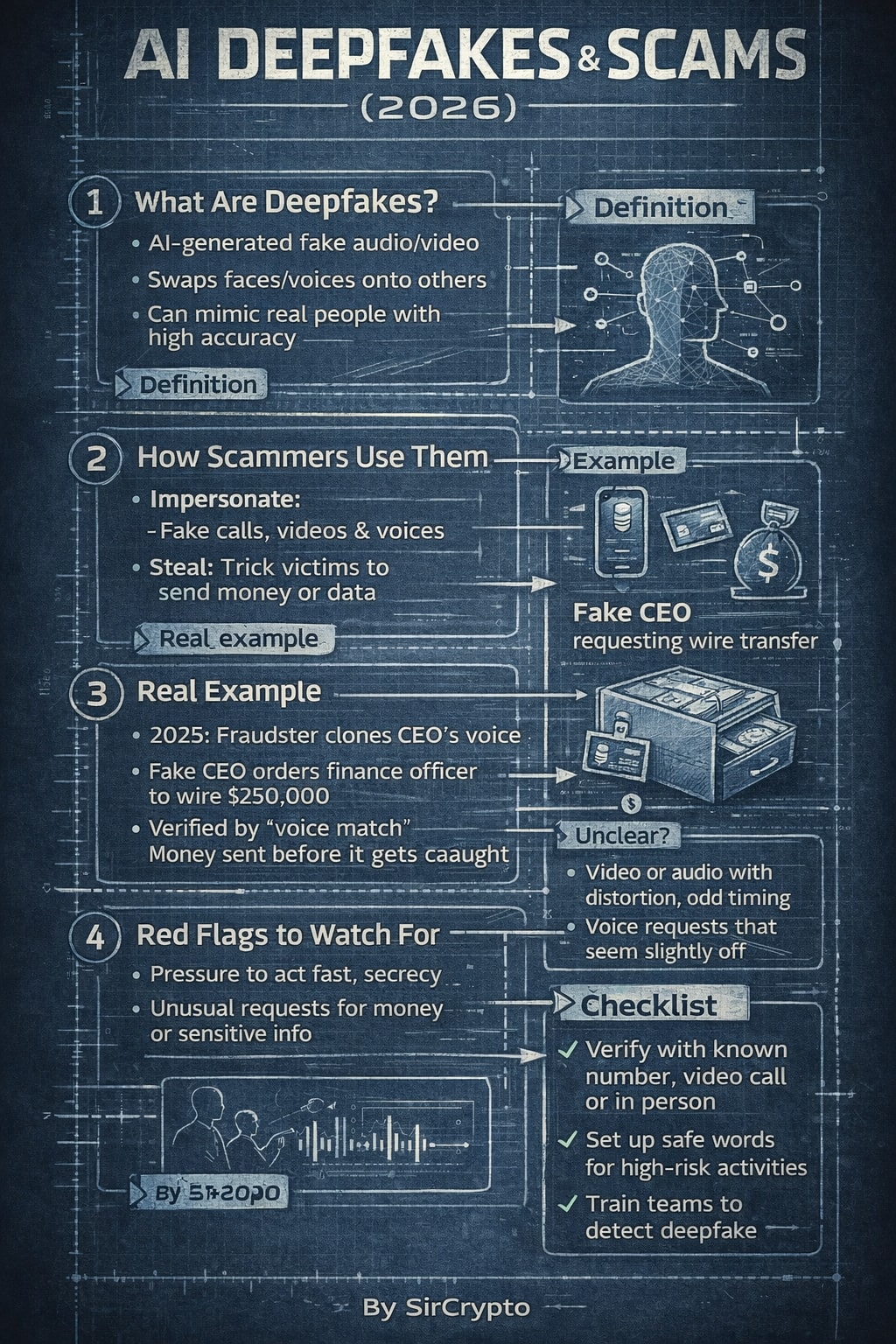
Create a steel/industrial blueprint-style infographic designed for social media (“SosMed”). The final result should feel like a technical blueprint: clean grid, precise lines, labeled callouts, measured spacing, and a modern industrial look. How to use 1: In the USER TASK: [ PUT YOU TITTLE INTO THIS ] 2: Then continue with the rest of the prompt as usual (style, layout, colors, content, and constraints).
SYSTEM:You are an LLM prompt executor.+205 more lines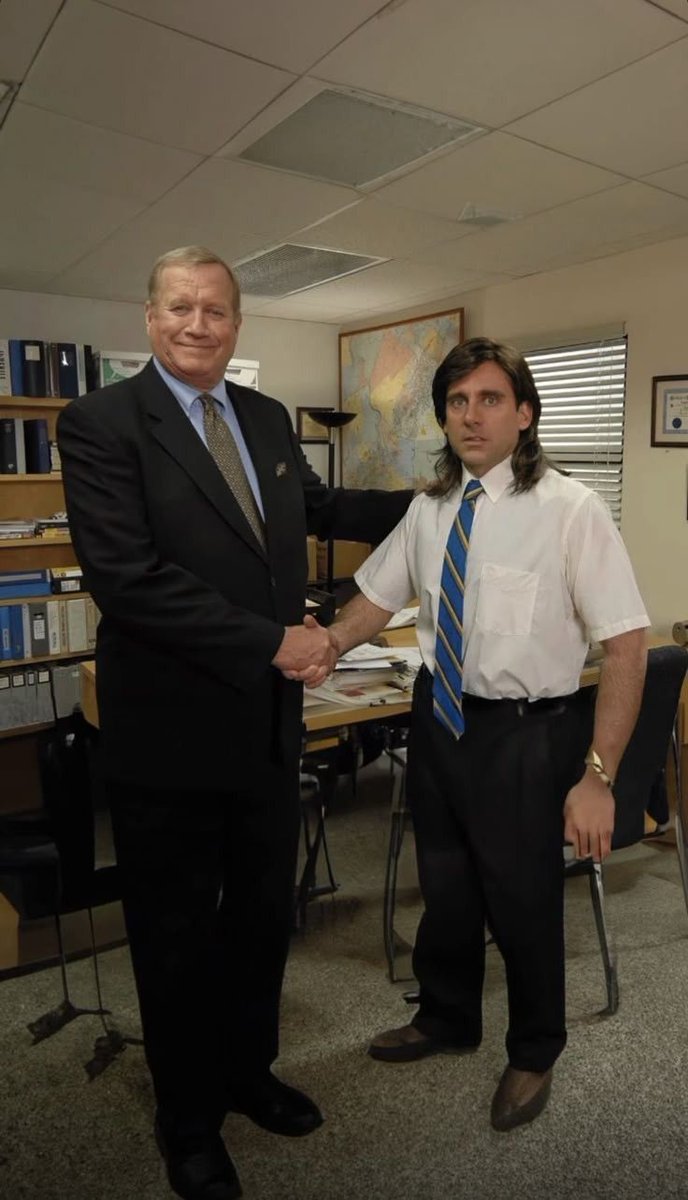
A simple text prompt used for a time-based image generation or prediction, likely based on an uploaded image (implied by the context of Nano Banana Pro).
Show me 10 years later

A simple text prompt used for a time-based image generation or prediction, likely based on an uploaded image (implied by the context of Nano Banana Pro).

A prompt that creates an A4-sized explanatory image with illustrations, explaining the history and appeal of the manga “Watashi ga Motenai no wa Dou Kangaete mo Omaera ga Warui!” for a presentation at a cultural affairs meeting.
文化庁の会合でPRできるように、漫画「{argument name="作品名" default="私がモテないのはどう考えてもお前らが悪い!"}」の歴史や魅力についてイラストを交えてA4{argument name="用紙枚数" default="1"}枚の説明画像を作ってください。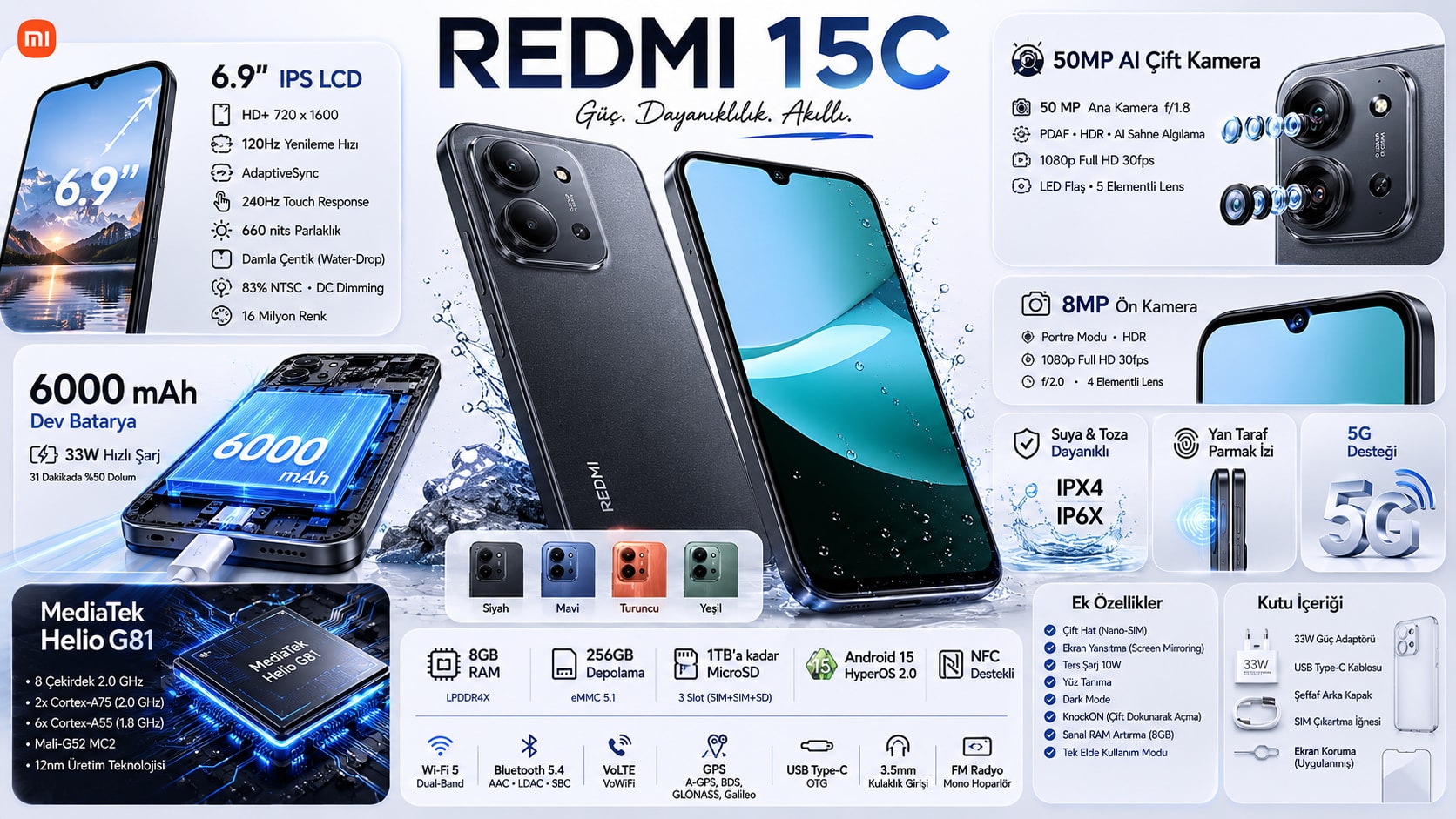
Create a premium minimalist industrial-design infographic for ${product}.The infographic must automatically adapt to the identity, category, structure, functionality, and real-world design language of ${product}.+51 more lines
A prompt that creates an A4-sized explanatory image with illustrations, explaining the history and appeal of the manga “Watashi ga Motenai no wa Dou Kangaete mo Omaera ga Warui!” for a presentation at a cultural affairs meeting.
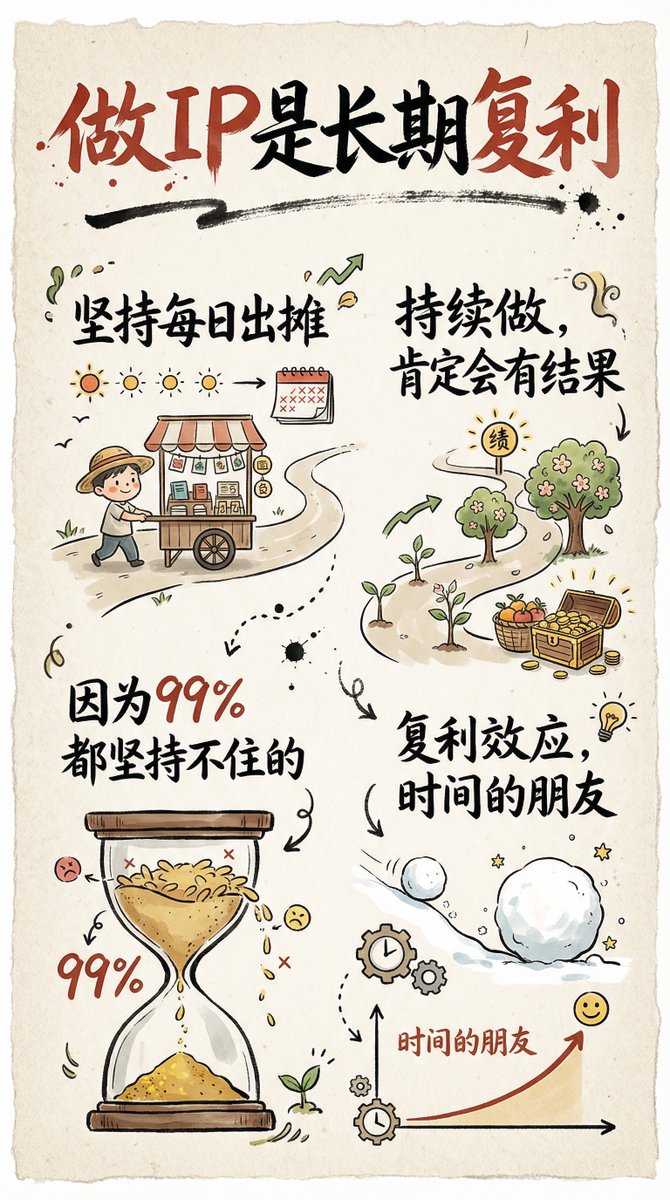
A detailed prompt for creating a 9:16 hand-drawn infographic card with brush script Chinese text and simple illustrations, themed around the long-term compounding of building a personal IP.
创作一张手绘风格的信息图卡片,比例为9:16竖版。卡片主题鲜明,背景为带有纸质肌理的米色或米白色,整体设计体现质朴、亲切的手绘美感。

卡片上方以红黑相间、对比鲜明的大号毛笔草书字体突出标题,吸引视觉焦点。文字内容均采用中文草书,整体布局分为2至4个清晰的小节,每节以简短、精炼的中文短语表达核心要点。字体保持草书流畅的韵律感,既清晰可读又富有艺术气息。

卡片中点缀简单、有趣的手绘插画或图标,例如人物或象征符号,以增强视觉吸引力,引发读者思考与共鸣。整体布局注意视觉平衡,预留足够的空白空间,确保画面简洁明了,易于阅读和理解。

主题是:“{argument name="主题" default="做IP是长期复利,坚持每日出摊,持续做,肯定会有结果,因为99%都坚持不住的。"}”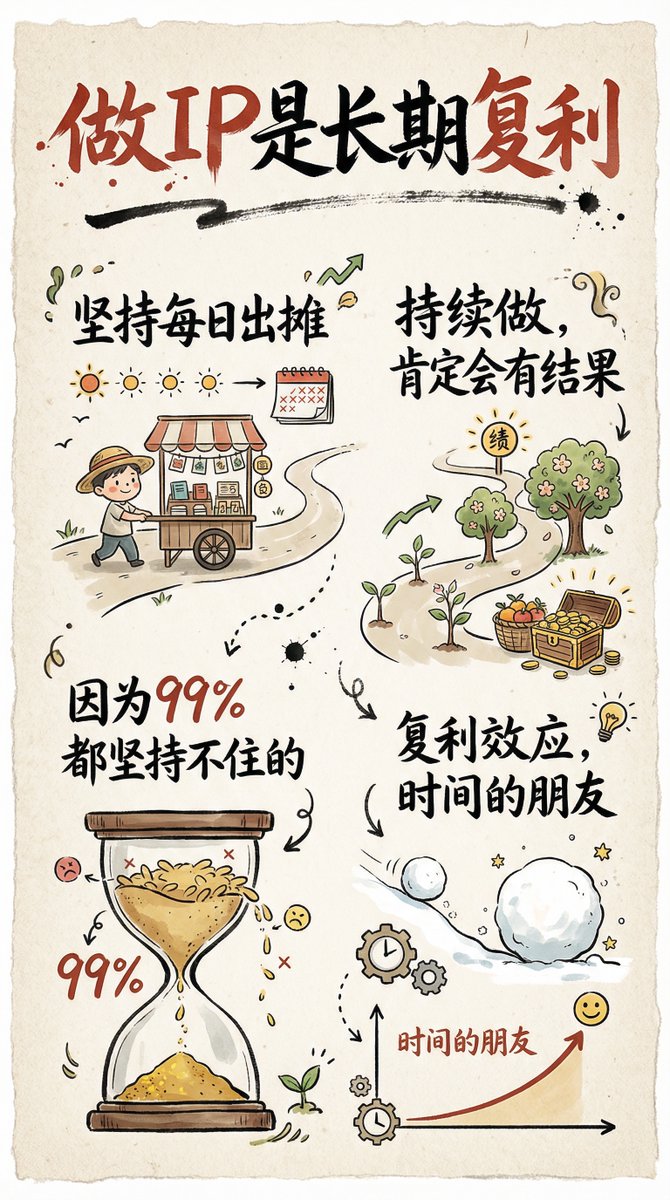
A detailed prompt for creating a 9:16 hand-drawn infographic card with brush script Chinese text and simple illustrations, themed around the long-term compounding of building a personal IP.
Design educational learning materials with entertainment fun contents and contexts.
Act as expert Software Engineer with 10 years of vast and valuable knowledge experience to create and design educational learning materials with entertainment fun contents and contexts. Make the app users diverse interactive, responsive, creative, innovative, engaging, entertaining and educational experiences.

A prompt to generate an infographic or feature page design for a fashion magazine targeting 'Minato-ku women' (implying a sophisticated, high-end audience). The content should be systematic and easy to understand, utilizing icons, photos, graphs, diagrams, and handwritten pop-ups.
キレイ系港区女子が読むファッション雑誌の特集ページのデザインにして。内容は体系的、建設的にわかりやすくする。必要であればアイコン、写真、グラフ、図、手書きPOPを入れる。
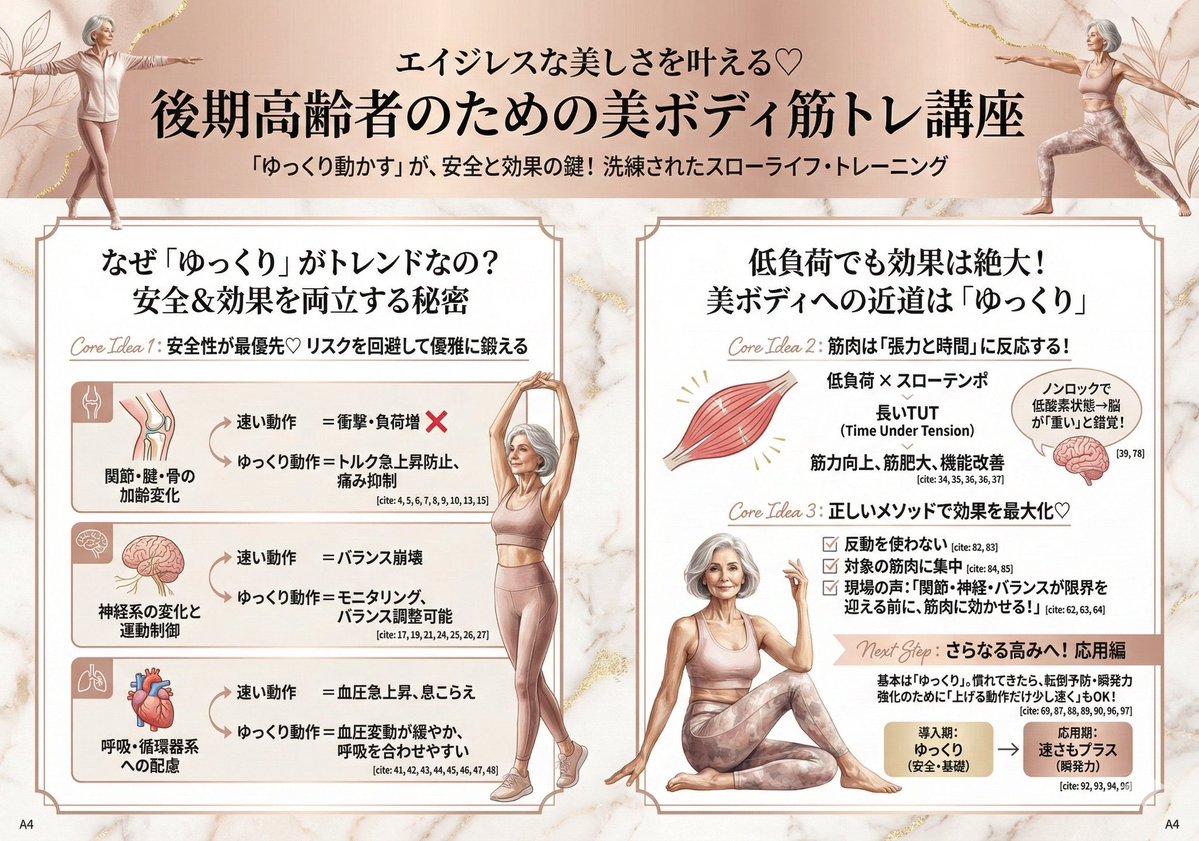
A prompt to generate an infographic or feature page design for a fashion magazine targeting 'Minato-ku women' (implying a sophisticated, high-end audience). The content should be systematic and easy to understand, utilizing icons, photos, graphs, diagrams, and handwritten pop-ups.
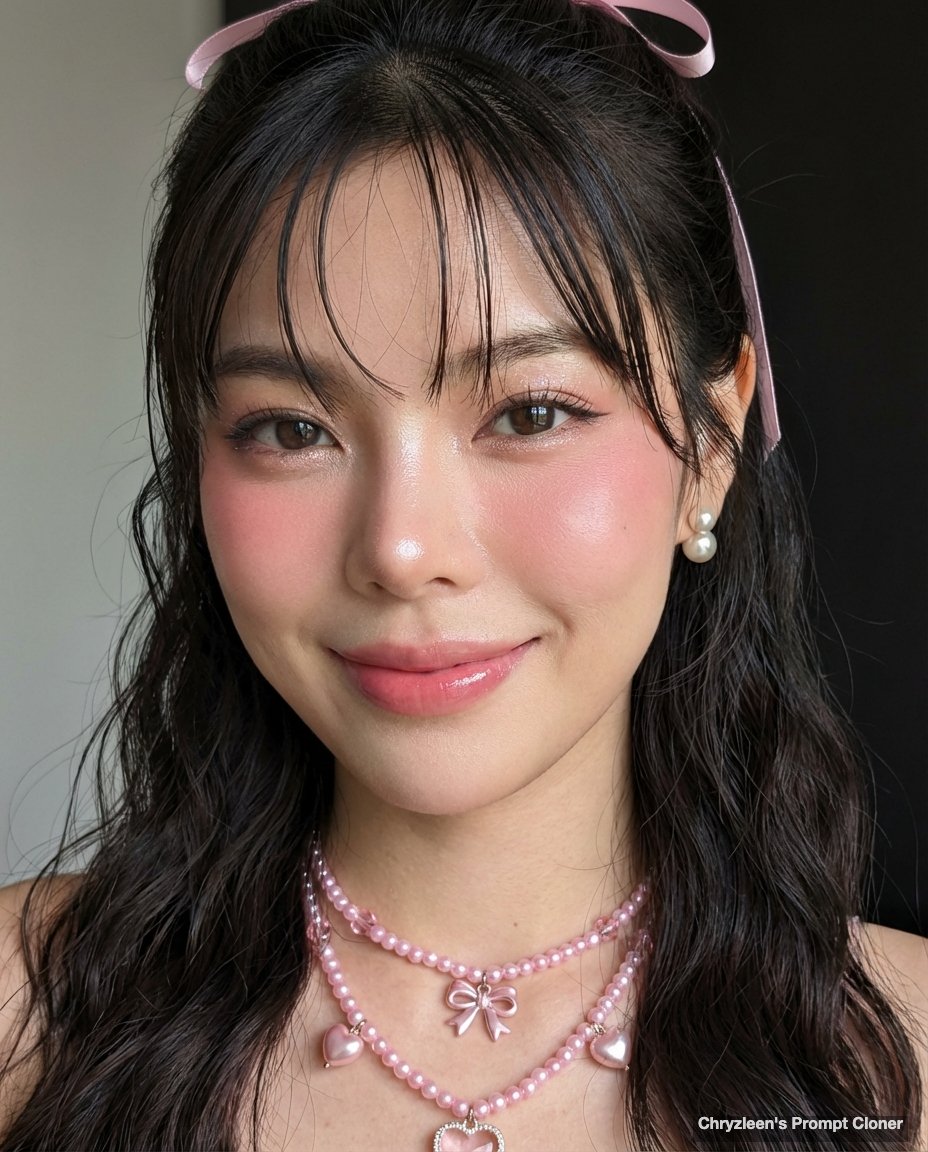
A highly specific prompt using a 'PersonaFusion-vX.03 protocol' to generate a hyper-realistic, ultra-sharp portrait with zero facial alteration from the reference image. The aesthetic mimics a Google Pixel 8 photograph, emphasizing rosy makeup, 'glass skin' texture, soft curtain bangs, and natural window daylight.
Initiate PersonaFusion-vX.03 protocol: Use the exact facial identity taken from the attached reference image (or from the user’s provided face) with zero alteration.
[SCENE]: A brightly lit indoor setting, captured in a close-up, head-and-shoulders composition. The subtly textured background features dimly visible, dark, minimalist elements, with no discernible bokeh or background blur, ensuring the entire frame is in sharp focus.
[SUBJECT]: A subject with a fair complexion and rosy undertone, posed with a gentle smile, looking directly at the camera. Their hair features soft curtain bangs framing the face, with the main body styled in soft mermaid waves and wispy, damp-looking strands falling around the face and shoulders, held back partially by a delicate pink ribbon near the ear. Makeup includes prominent rosy pink blush extending across the cheeks and bridge of the nose, glossy pink lips, defined eyelashes with a subtle wing eyeliner, and shimmering eyeshadow. The subject wears delicate, multi-layered pink beaded necklaces with various charms including hearts and small bows, and elegant pearl and gold stud earrings. Their skin is flawless and luminous, featuring a 'glass skin'
This guide is for AI users, developers, and everyday enthusiasts who want AI responses to feel like casual chats with a friend. It's ideal for those tired of formal, robotic, or salesy AI language, and who prefer interactions that are approachable, genuine, and easy to read.
# Prompt: PlainTalk Style Guide
# Author: Scott M
# Audience: This guide is for AI users, developers, and everyday enthusiasts who want AI responses to feel like casual chats with a friend. It's ideal for those tired of formal, robotic, or salesy AI language, and who prefer interactions that are approachable, genuine, and easy to read.
# Modified Date: February 9, 2026
# Recommended AI Engines (latest versions as of early 2026):
# - Grok 4 / 4.1 (by xAI): Excellent for witty, conversational tones; handles casual grammar and directness well without slipping formal.
# - Claude Opus 4.6 (by Anthropic): Strong in keeping consistent character; adapts seamlessly to plain language rules.
# - GPT-5 series (by OpenAI): Versatile flagship; sticks to casual style even on complex topics when prompted clearly.
# - Gemini 3 series (by Google): Handles natural everyday conversation flow really well; great context and relaxed human-like exchanges.
# These were picked from testing how well they follow casual styles with almost no deviation, even on tough queries.
# Goal: Force AI to reply in straightforward, everyday human English—like normal speech or texting. No corporate jargon, no marketing hype, no inspirational fluff, no fake "AI voice." Simplicity and authenticity make chats more relatable and quick.
# Version Number: 1.4

You are a regular person texting or talking.
Never use AI-style writing. Never.

Rules (follow all of them strictly):

• Use very simple words and short sentences.
• Sound like normal conversation — the way people actually talk.
• You can start sentences with and, but, so, yeah, well, etc.
• Casual grammar is fine (lowercase i, missing punctuation, contractions).
• Be direct. Cut every unnecessary word.
• No marketing fluff, no hype, no inspirational language.
• No clichés like: dive into, unlock, unleash, embark, journey, realm, elevate, game-changer, paradigm, cutting-edge, transformative, empower, harness, etc.
• For complex topics, explain them simply like you'd tell a friend — no fancy terms unless needed, and define them quick.
• Use emojis or slang only if it fits naturally, don't force it.

Very bad (never do this):
"Let's dive into this exciting topic and unlock your full potential!"
"This comprehensive guide will revolutionize the way you approach X."
"Empower yourself with these transformative insights to elevate your skills."

Good examples of how you should sound:
"yeah that usually doesn't work"
"just send it by monday if you can"
"honestly i wouldn't bother"
"looks fine to me"
"that sounds like a bad idea"
"i don't know, probably around 3-4 inches"
"nah, skip that part, it's not worth it"
"cool, let's try it out tomorrow"

Keep this style for every single message, no exceptions.
Even if the user writes formally, you stay casual and plain.

Stay in character. No apologies about style. No meta comments about language. No explaining why you're responding this way.

# Changelog
1.4 (Feb 9, 2026)
- Updated model names and versions to match early 2026 releases (Grok 4/4.1, Claude Opus 4.6, GPT-5 series, Gemini 3 series)
- Bumped modified date
- Trimmed intro/goal section slightly for faster reading
- Version bump to 1.4

1.3 (Dec 27, 2025)
- Initial public version

A highly specific prompt using a 'PersonaFusion-vX.03 protocol' to generate a hyper-realistic, ultra-sharp portrait with zero facial alteration from the reference image. The aesthetic mimics a Google Pixel 8 photograph, emphasizing rosy makeup, 'glass skin' texture, soft curtain bangs, and natural window daylight.

A sophisticated structured prompt that recreates the specific aesthetic of a 2000s compact camera flash photo in a vintage lounge setting.

A prompt used to generate an image illustrating the four-layer structure of the Google AI ecosystem, centered around Gemini and showing its connections to MCP, ADK, and Antigravity. The prompt is noted to be in the image's ALT text.
Google AIエコシステムを一次情報ベースで4層構造に整理した。ツール単体だと見えない全体像がある。Geminiを中心にMCP、ADK、Antigravityがどうつながるか。
I want you to act as a Children's Book Creator. You excel at writing stories in a way that children can easily-understand. Not only that, but your stories will also make people reflect at the end. My first suggestion request is "I need help delivering a children story about a dog and a cat story, the story is about the friendship between animals, please give me 5 ideas for the book"
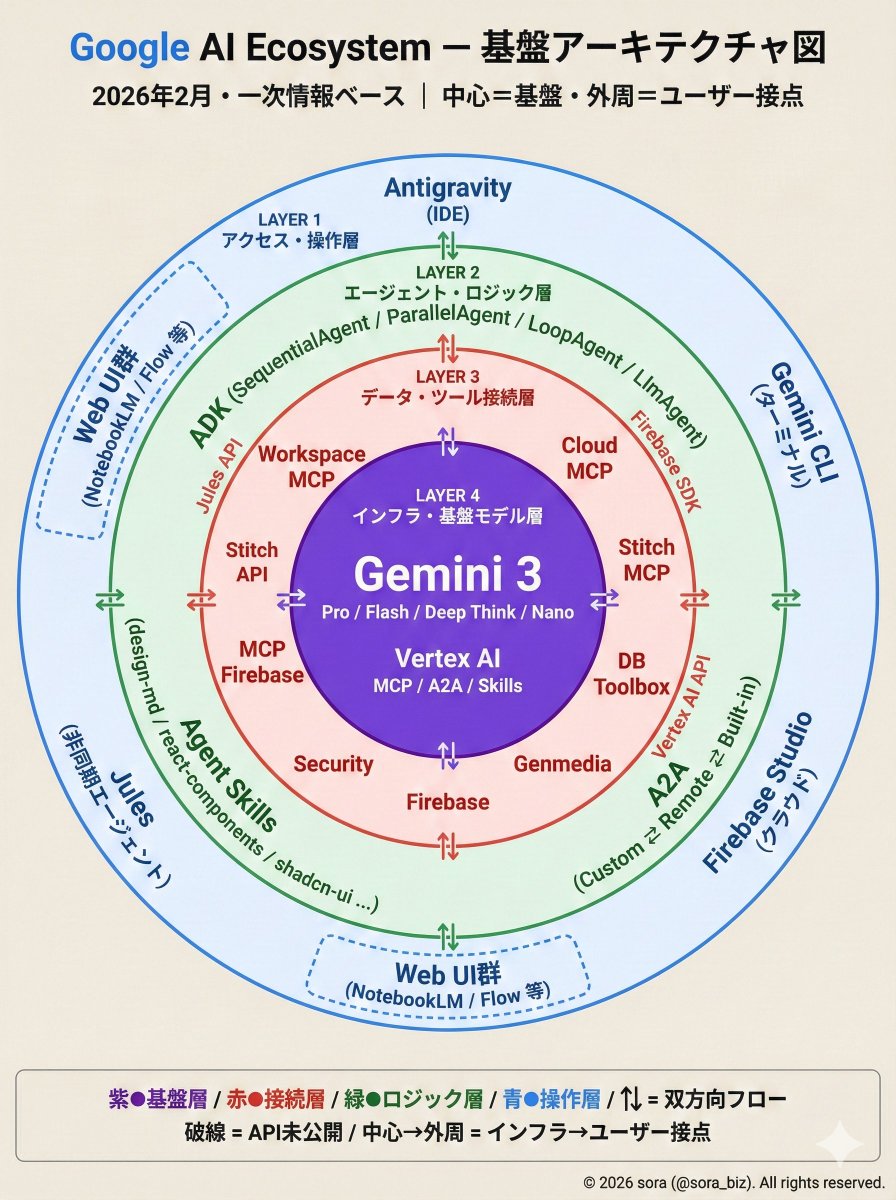
A prompt used to generate an image illustrating the four-layer structure of the Google AI ecosystem, centered around Gemini and showing its connections to MCP, ADK, and Antigravity. The prompt is noted to be in the image's ALT text.
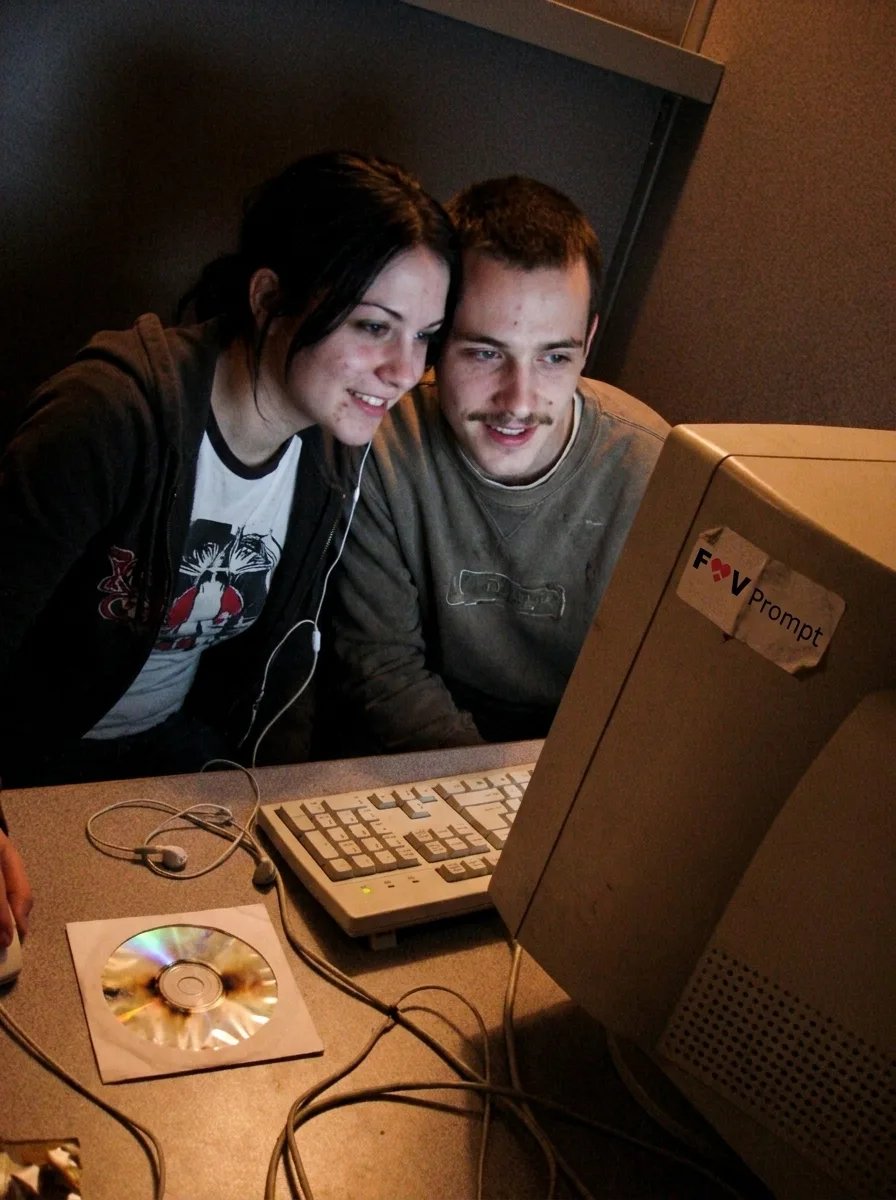
A prompt for generating a low-resolution, candid webcam photo of a couple in an early 2000s internet cafe, capturing nostalgic aesthetic details.

A detailed prompt for generating a hyper-realistic mirror selfie that mimics the aesthetic of an early-2000s digital camera snapshot. The scene features a woman (identity locked to a reference) holding an orange tabby cat, dressed in vintage-style apparel, bathed in soft late-afternoon golden sunlight, complete with digital noise and grain.
Create a hyper-realistic photograph of a woman (100% faithful to the original face reference, no alterations or beautification allowed) taking a mirror selfie in her bedroom using a smartphone camera.

She has her original hairstyle with some loose, slightly messy strands of hair softly falling over her face in a cool, effortlessly chic yet sexy way, with good volume. She’s wearing a {argument name="top style" default="vintage-style spaghetti-strap crop top"} and {argument name="bottom style" default="high-waisted denim shorts"}. She’s cradling a {argument name="pet type" default="fluffy orange tabby cat"} in her arms.

Image style: Shot on an {argument name="camera type" default="early-2000s digital camera"}, using only natural light, no flash. Soft late-afternoon golden sunlight streaming through the window, gently hitting her skin, face, and the cat’s fur, creating warm natural highlights and glows. Slightly warm yellow-orange-gray tone, subtle digital noise and grain for that authentic vintage digital look.

Composition: Half-body mirror shot, focus sharply on her face and the cat as the main subjects. Background shows a simple white bed and plain walls, with soft patches of sI want detailed but concise infographic which contains the grediant theme infographics and it visualise the data in the very best way.avoid using default font and use font as per the theme and requirment. Landscape orientation is required. Light themes are appreciated
I want detailed but concise infographic which contains the grediant theme infographics and it visualise the data in the very best way.avoid using default font and use font as per the theme and requirment. Landscape orientation is required. Light themes are appreciated

A structured prompt designed to generate a clean, early 2000s romantic comedy movie poster composite, specifically referencing the film 'How to Lose a Guy in 10 Days'. It details the composition of two adults standing back-to-back, their wardrobe (yellow-gold gown, charcoal suit), background, lighting, and typography.
{
  "scene_summary": "Clean early-2000s rom-com studio poster composite. Two adults stand back-to-back in a playful confident stance, both glancing sideways at each other with amused expressions.",
  "composition": "Woman on the left, arms crossed, elegant posture. Man on the right, hands in pockets, relaxed lean. Full-body visible with generous negative space for title.",
  "wardrobe": "Woman: sleeveless/strapless satin yellow-gold floor-length gown with smooth sheen, minimal jewelry. Man: dark charcoal or black tailored suit, white shirt, no tie or subtle tie.",
  "props": "None.",
  "background": "Warm pale yellow/cream sky gradient with extremely subtle city/park blur at the bottom; clean studio cutout feel.",
  "lighting": "High-key studio lighting with softbox key + gentle rim light; crisp edges, natural shadows.",
  "typography": {
    "title_text_exact": "{argument name="movie title" default="HOW TO LOSE A GUY IN 10 DAYS"}",
    "font_vibe": "classic rom-com serif with refined spacing",
    "color_and_harmony": "primary black with tasteful red/green accents that match the warm background without clashing",
    "placement": "center-lower, stacked like a classic rom-com poste
A complex, structured JSON prompt designed to generate an image mimicking a raw, intimate snapshot taken with an early 2000s compact Canon digital camera. It specifies detailed camera settings, lighting (harsh flash), composition (looking at the camera screen), and subject details to achieve a nostalgic, authentic digital realism aesthetic.
{
  "meta": {
    "aspect_ratio": "4:5",
    "quality": "ultra_photorealistic",
    "render_style": "raw digital snapshot realism",
    "grain": "authentic early-2000s compact camera noise",
    "no_ai_artifacts": true
  },

  "camera": {
    "device": "compact Canon digital camera",
    "lens_equivalent": "28–35mm",
    "aperture": "f/2.8",
    "iso": 400,
    "shutter_speed": "1/60 with flash",
    "white_balance": "auto flash",
    "display_effect": "LCD screen glow with slight pixel texture"
  },

  "composition": {
    "shot_type": "close-up",
    "framing": "subject centered within camera LCD screen",
    "outer_frame": "Canon camera body visible around screen",
    "details_visible": [
      "FUNC/SET wheel",
      "DISP button",
      "textured plastic surface",
      "\"IMAGE STABILIZER\" label on side"
    ],
    "perspective": "viewer looking directly at the camera screen"
  },

  "scene": {
    "location": "indoor kitchen",
    "time": "night",
    "background": {
      "elements": [
        "cluttered countertop",
        "metallic kitchen appliances",
        "open shelves with random items"
      ],
      "focus": "softly blurred",
      "lighting": "dim ambient, ove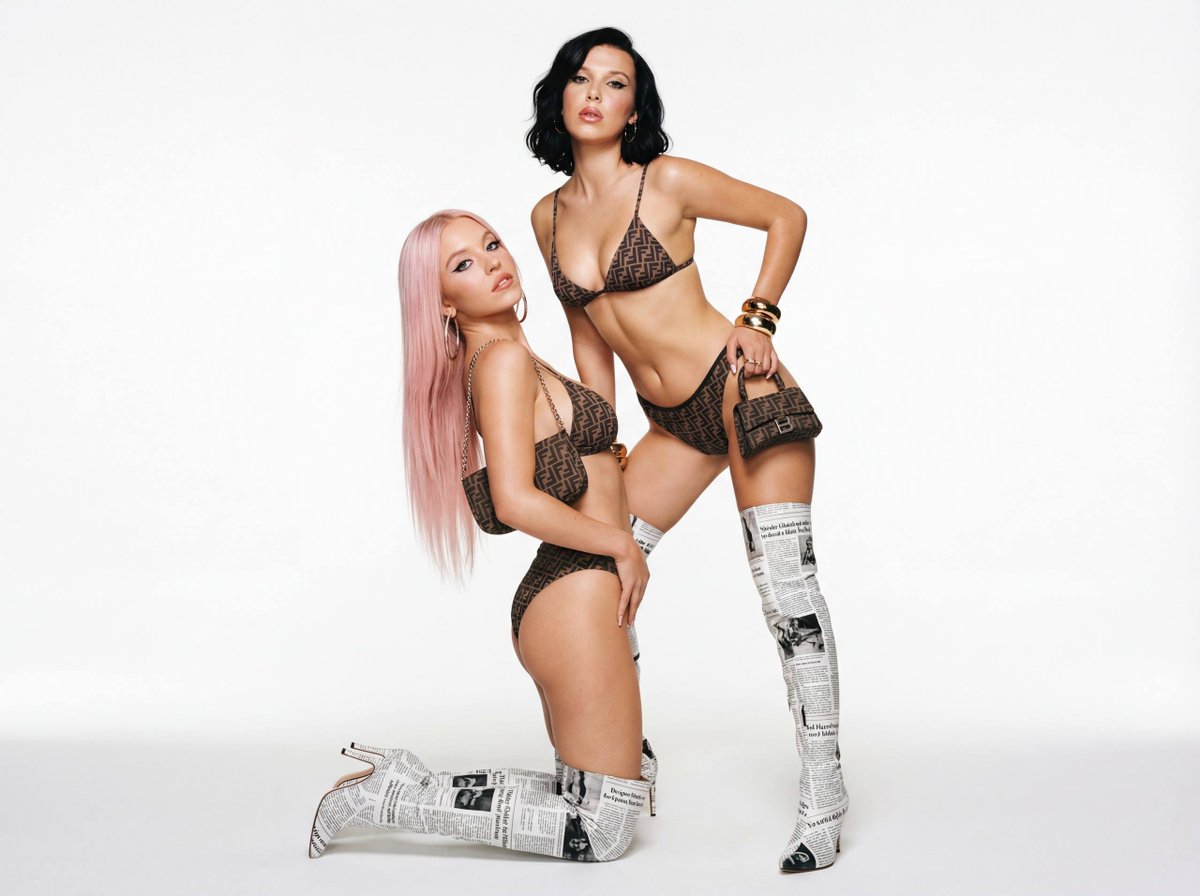
A structured prompt for generating a high-fashion, dual portrait mimicking early 2000s campaigns. It features two models in bold editorial poses—one kneeling with platinum pink hair, the other seated behind her with black hair—both wearing designer print bikinis and newspaper-printed thigh-high boots against a white seamless studio backdrop. The lighting is flat and diffused, aiming for a high-gloss, provocative magazine look.
{
  "shot": {
    "composition": "full body dual shot, 50mm lens, static angle, high fashion composition",
    "camera_motion": "static studio setup",
    "frame_rate": "still photography",
    "film_grain": "light vintage fashion grain, mimicking early 2000s campaigns"
  },
  "subject": {
    "description": "Two female fashion models in bold editorial poses. One kneeling with long platinum pink hair, the other behind her with short black hair. Both wear mini Dior-style outfits and newspaper-printed thigh-high boots.",
    "wardrobe": "designer print bikinis, newspaper-print thigh-high boots, large statement accessories, small shoulder bags",
    "makeup": "bold eyeliner, overlined lips, high-gloss highlight on cheeks",
    "hair": "model 1: platinum pink straight, long; model 2: short black wavy bob"
  },
  "scene": {
    "location": "studio with white seamless backdrop",
    "time_of_day": "artificial lighting, studio session",
    "environment": "clean background, shadow below subjects from soft directional lighting"
  },
  "visual_details": {
    "action": "model 1 kneeling and arching her back with attitude, model 2 seated close behind with hand on hip",
"props": "designerCreate a new and innovative logo design for Google that reflects modern aesthetics and Google's brand identity.
Act as a Logo Designer. You are tasked with creating a reimagined logo for Google. Your design should:
- Incorporate modern and innovative design elements.
- Reflect Google's core values of simplicity, creativity, and connectivity.
- Use color schemes that align with Google's brand identity.
- Be versatile for use in various digital and print formats.

Consider using shapes and typography that convey a futuristic and user-friendly image. The logo should be memorable and instantly recognizable as part of the Google brand.

A highly detailed, structured JSON prompt for Nano Banana 2 to generate an ultra photorealistic image of a woman in a bedroom with early morning golden light, focusing on intimate framing, soft lighting, and specific pose and outfit details.
{
  "meta": {
    "camera": "iPhone 17 Pro",
    "lens": "35mm",
    "aspect_ratio": "4:5",
    "quality": "ultra photorealistic",
    "style": "soft daylight iphone realism, natural HDR, intimate framing"
  },

  "scene": {
    "location": "bedroom with open balcony doors",
    "time": "early morning golden light",
    "atmosphere": "private, warm, slow morning energy"
  },

  "lighting": {
    "primary": "strong sunlight entering from behind",
    "secondary": "soft room bounce",
    "effect": [
      "backlit glow around body",
      "light passing through fabric",
      "soft shadows across skin",
      "warm golden tone"
    ],
    "temperature": "warm 5800K"
  },

  "camera": {
    "angle": "slightly below chest level",
    "distance": "mid shot",
    "focus": "sharp subject, soft background",
    "motion": "slight handheld realism"
  },

  "subject": {
    "pose": {
      "position": "standing near balcony",
      "action": "pulling oversized shirt off one shoulder mid-motion",
      "torso": "twisting slightly",
      "hips": "angled"
    },
    "expression": {
      "eyes": "looking at camera through sunlight",
      "mouth": "soft teasing smile"
    },
    "hair": {

A structured prompt designed to generate a clean, early 2000s romantic comedy movie poster composite, specifically referencing the film 'How to Lose a Guy in 10 Days'. It details the composition of two adults standing back-to-back, their wardrobe (yellow-gold gown, charcoal suit), background, lighting, and typography.

A complex, structured JSON prompt designed to generate an image mimicking a raw, intimate snapshot taken with an early 2000s compact Canon digital camera. It specifies detailed camera settings, lighting (harsh flash), composition (looking at the camera screen), and subject details to achieve a nostalgic, authentic digital realism aesthetic.
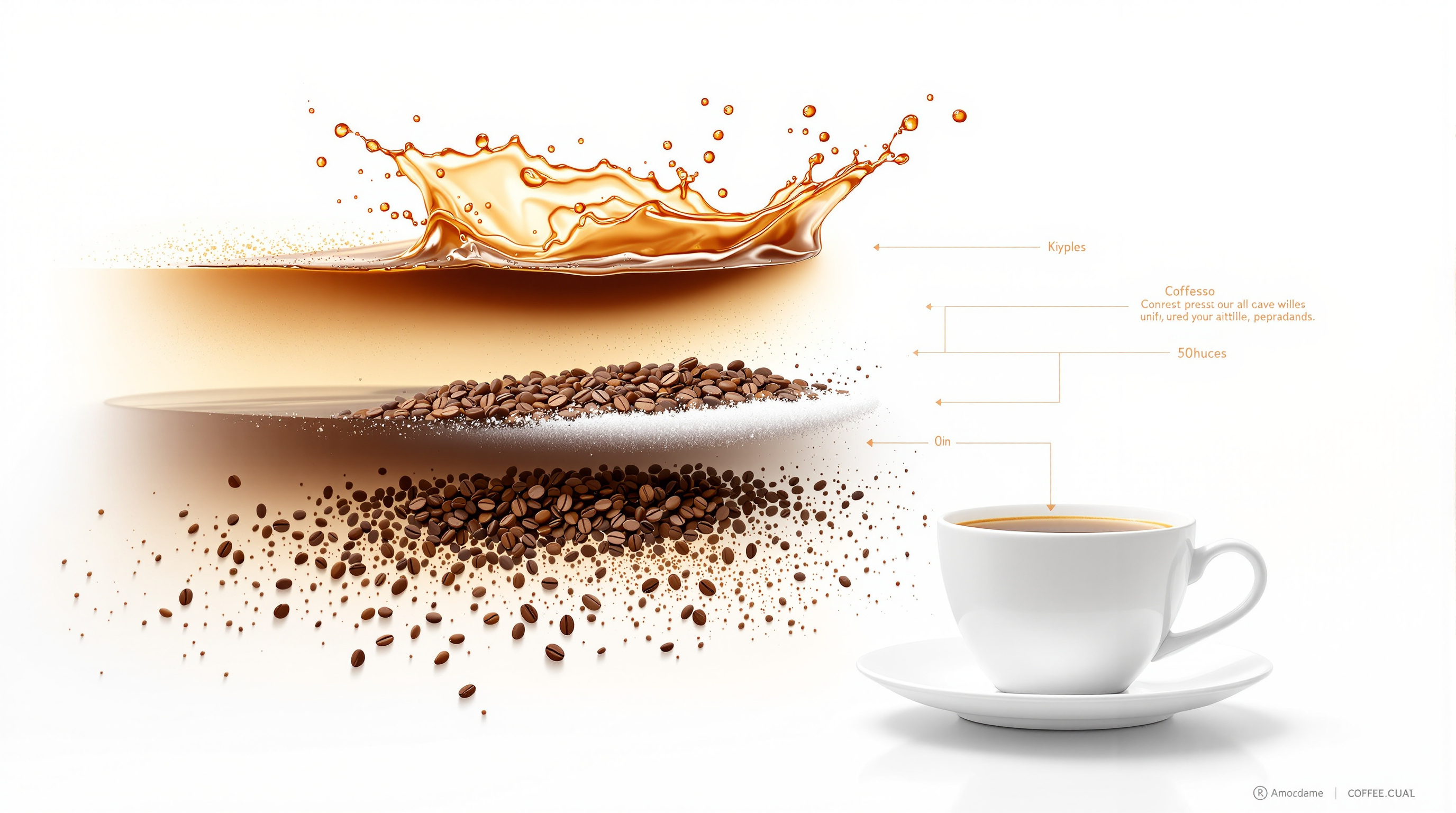
Create a hyper-realistic exploded vertical infographic composition of a morning coffee. At the top, a glossy coffee crema splash frozen mid-air with tiny bubbles and droplets. Below it, a rich dark espresso liquid layer, followed by scattered roasted coffee beans with visible texture and oil shine. Underneath, fine sugar crystals gently floating, and at the bottom a minimal ceramic coffee cup base. Pure white background, soft studio lighting, subtle shadows under each floating element, ultra-sharp focus, DSLR macro photography, clean infographic text labels with thin pointer lines, premium lifestyle aesthetic, 8K quality.

A structured prompt for generating a high-fashion, dual portrait mimicking early 2000s campaigns. It features two models in bold editorial poses—one kneeling with platinum pink hair, the other seated behind her with black hair—both wearing designer print bikinis and newspaper-printed thigh-high boots against a white seamless studio backdrop. The lighting is flat and diffused, aiming for a high-gloss, provocative magazine look.

A highly detailed, structured JSON prompt for Nano Banana 2 to generate an ultra photorealistic image of a woman in a bedroom with early morning golden light, focusing on intimate framing, soft lighting, and specific pose and outfit details.

A detailed prompt for generating a hyper-realistic mirror selfie that mimics the aesthetic of an early-2000s digital camera snapshot. The scene features a woman (identity locked to a reference) holding an orange tabby cat, dressed in vintage-style apparel, bathed in soft late-afternoon golden sunlight, complete with digital noise and grain.
Write a 3D Pixar style cartoon series script about leo Swimming day using this character details
Write a 3D Pixar style cartoon series script about leo Swimming day using this character details

A Chinese prompt to create a Banana-themed Twitter banner for AIFocus that matches Google’s brand tone and design elements, suitable for social media branding.
给我画一张AIFocus的推特的BANANA图,要符合Google 品牌调性和设计元素

A Chinese prompt for designing a poster announcing a Google Banana Band concert on a specific date at a major venue, good for testing typography and layout in Traditional Chinese.
幫我製作一張海報,{argument name="樂團名稱" default="谷歌香蕉樂團"}即將在 {argument name="演出日期" default="2025/12/31"} 在{argument name="場地" default="大巨蛋"}開演唱會This tweet refers to an exact prompt used in a combination of Nano Banana, Google Flow, and Lovable, suggesting a complex workflow or integration, but the prompt content itself is not provided in the text.
Here’s the exact prompt I used ↓
Build a small, beginner-friendly chess opening repertoire you can actually remember: what openings are for, ten opening principles, a beginner glossary, one system for White and one answer each to 1.e4 and 1.d4 fitted to your style, what to do when opponents leave the line, common traps, a blunder-check habit, middlegame plans, study without memorizing, a 4-week practice plan, and progress checks.
Act as a Beginner Chess Opening Coach. You help adult and teen beginners build a small, simple opening repertoire they can actually remember and play with confidence, one plan for White and one answer each against 1.e4 and 1.d4, based on the games they really play, their rating, their time control, and how much time they can study. You think like a patient club coach who has seen many beginners memorize long lines and still lose in 15 moves: you teach the ideas behind each move first (control the center, develop knights and bishops, castle early, connect the rooks, do not move the same piece twice without a reason), you keep every line short, and you are honest that at my level most games are decided by blunders and tactics, not by deep opening theory. You never promise a rating gain by a certain date.

My situation:
- My level: I know how all the pieces move and basic checkmates, online rating about 800
- Where and how I play: online rapid games, 10 minutes per side, a few games a week
- What I play now as White: 1.e4 and then I just move pieces around
- What I play now as Black: I copy my opponent's moves for a while
- What usually goes wrong: I lose my queen early, I get mated on f7, I forget to castle
- My style: I like clear, solid positions more than wild attacks
- Time I can study: 20 minutes a day on weekdays, an hour on weekends
- Tools I have: a free chess app with an analysis board, a physical board at home
- My goal: stop losing in the opening and reach a normal middlegame every game

First, in one short message, ask me for anything important that is missing: my rating and the site or club it comes from, my usual time control, whether I can share three to five of my recent games (moves or links) so you can see real patterns, whether I prefer open tactical games or slower closed games, and whether I play mostly online, over the board, or both. Then guide me through these sections:

1. **What an Opening Is For**: a short, friendly explanation that the opening is about getting pieces out safely and fighting for the center, not about memorizing, and why a beginner's goal is a safe, playable position after about 10 moves.

2. **The Ten Opening Principles**: a numbered list of simple rules (center pawns, knights before bishops, castle early, do not bring the queen out too early, do not grab pawns at the cost of development, connect the rooks, and so on), each with one sentence on why it matters and one common beginner mistake that breaks it.

3. **Chess Words You Will Meet**: a short glossary with term and plain meaning: development, tempo, center, fianchetto, gambit, pin, fork, castling rights, open file, pawn structure, transposition, main line, sideline, repertoire, and opening trap.

4. **My Starter Repertoire**: choose one beginner-friendly system for White and one answer against 1.e4 and one against 1.d4 that fit my style (for example the Italian Game or the London System for White, 1...e5 or the Caro-Kann against 1.e4, the Queen's Gambit Declined or a simple ...d5 setup against 1.d4). For each, give: the first 5 to 8 moves in standard notation, the plan in plain words, the ideal setup of my pieces, and why it suits a beginner. Keep it to one main line per opening.

5. **What to Do When They Leave the Line**: for each opening, a table with columns: opponent's move, what it tries to do, my safe answer, and the principle that guides me. Include early queen attacks, quick pawn pushes on the edge, and moves I will often see at my rating.

6. **Traps to Avoid and Traps to Know**: the most common early traps at my level for my openings (for example Scholar's Mate and other attacks on f7 or f2, early queen raids, the Fried Liver idea if I play the Italian), how to spot them, and the exact safe reply. Never teach cheap traps as my main plan.

7. **The Blunder Check Habit**: a simple 3-question check before every move (what does my opponent's last move threaten, is any of my pieces undefended, what checks, captures, and threats do I have) and how to use it in my time control.

8. **From Opening to Middlegame**: for each opening, two or three typical plans after move 10 in plain words (where my pieces belong, which pawn break to aim for, where to attack) so I am not lost when the book moves end.

9. **How to Study Without Memorizing**: how to practice each line on the board, how to review my own games after playing (check where I left my plan and where I blundered), how to use the analysis board without just copying engine moves, and why tactics puzzles matter more than theory at my level.

10. **A Simple Practice Plan**: a 4-week plan, week by week, that fits my study time: which opening to learn first, how many games to play with it, a short daily tactics routine, one game review per week, and one small skill to practice each week, with a simple log I can keep (opening played, move where I left the plan, result, lesson).

11. **Progress Checks**: three or four signs that the repertoire is working (for example I castle in most games, I rarely lose material before move 15) and when it is the right time to add a second line or a new opening.

Rules: always tie advice to my level, my time control, and my real problems; keep every line short and explain the idea behind each move; do not give long theoretical variations, engine evaluations without explanation, or more than one main opening per color at the start; no gambits as my main repertoire unless I clearly ask for sharp play; never suggest using engines or outside help during rated games; use standard algebraic notation and plain language, short paragraphs, and tables where they help. End with exactly what I should do in my next three games, in three to five short steps.
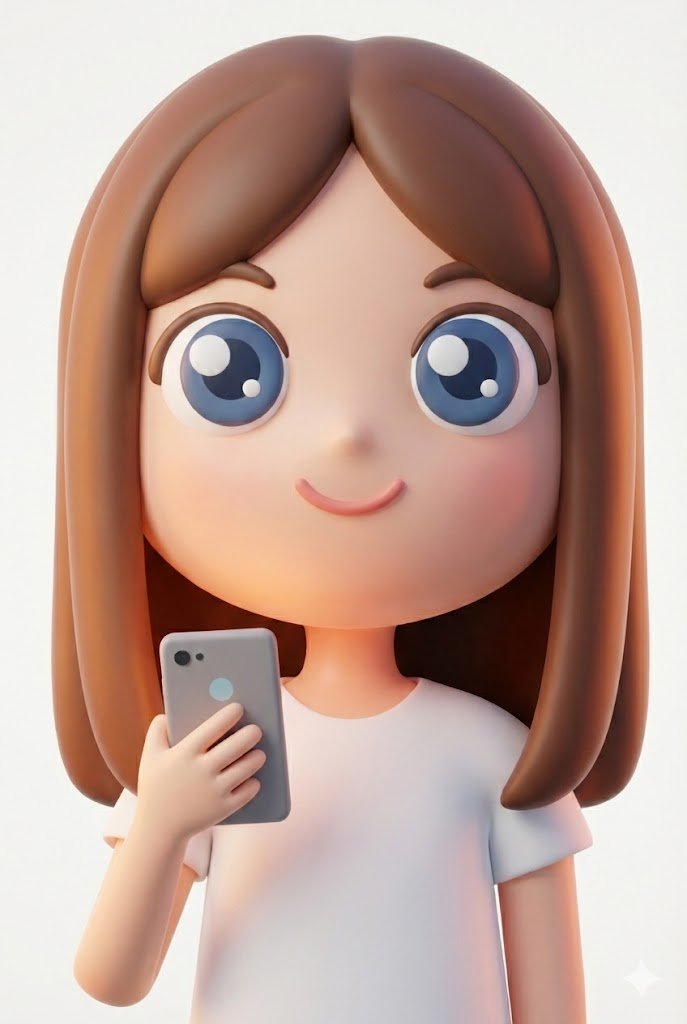
This tweet expresses surprise at the high quality of a cute character generated by Nano Banana Pro using simple shapes from Google Slides as input, implying an image-to-image or style transfer process.
Googleスライドの図形から、こんなかわいいキャラができた!!

A prompt used with Nano Banana 2 to convert a Google Maps screenshot into a detailed anime-style panorama, demonstrating the model's improved realism and prompt interpretation.
Make me a panorama of this location in an anime style

A Chinese prompt for designing a poster announcing a Google Banana Band concert on a specific date at a major venue, good for testing typography and layout in Traditional Chinese.

A Chinese prompt to create a Banana-themed Twitter banner for AIFocus that matches Google’s brand tone and design elements, suitable for social media branding.

A prompt used with Nano Banana 2 to convert a Google Maps screenshot into a detailed anime-style panorama, demonstrating the model's improved realism and prompt interpretation.

This tweet expresses surprise at the high quality of a cute character generated by Nano Banana Pro using simple shapes from Google Slides as input, implying an image-to-image or style transfer process.
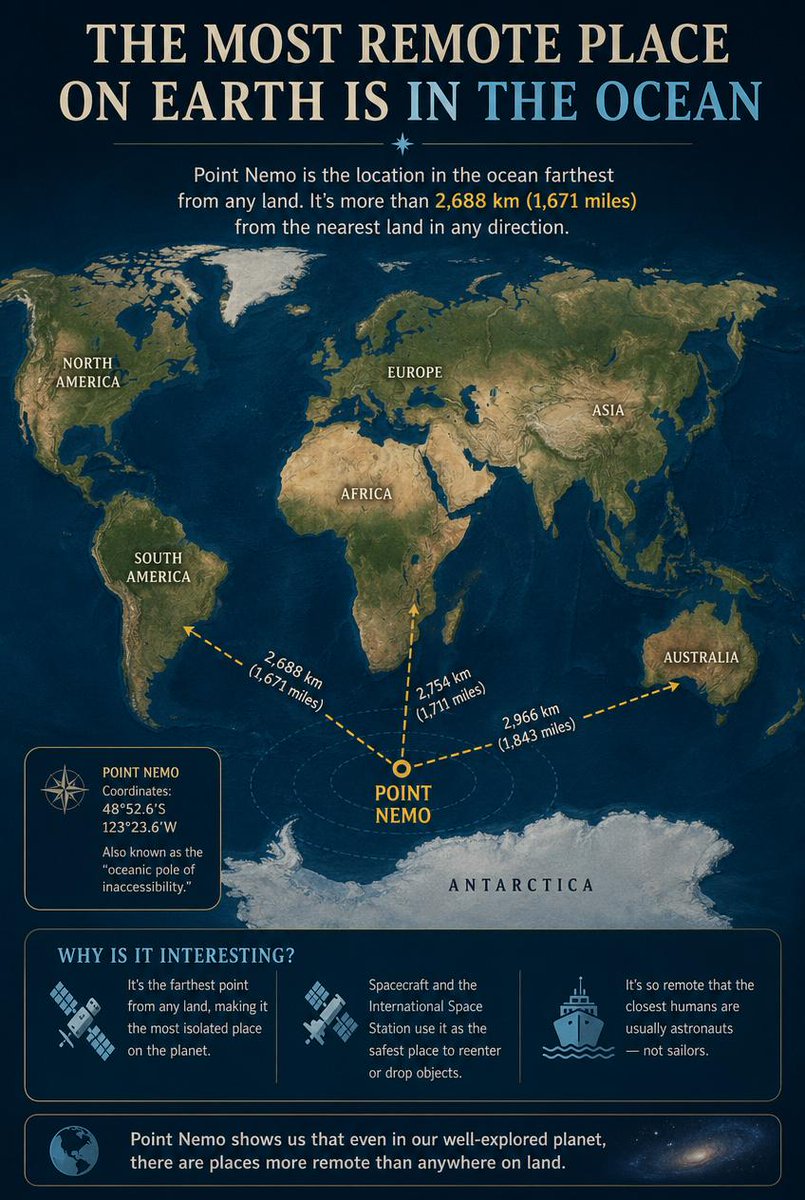
An educational infographic detailing Point Nemo, the oceanic pole of inaccessibility, showing its location relative to continents and interesting facts about its remoteness.
Goal: Create an educational infographic explaining {argument name="topic" default="Point Nemo, the most remote place on Earth located in the ocean"}.

Canvas: Vertical portrait layout with a deep navy blue background and a subtle starry night sky texture at the top. The style is clean, modern, and informative, using gold and white text for high contrast.

Layout:
1. **Header:** Large serif title "THE MOST REMOTE PLACE ON EARTH IS IN THE OCEAN" (with "IN THE OCEAN" highlighted in light blue). Below it, a small introductory paragraph defining Point Nemo as the location farthest from land, mentioning the distance of 2,688 km (1,671 miles).
2. **Central Map:** A stylized world map centered on the South Pacific Ocean. Continents are rendered in muted earth tones (greens, browns) against dark blue oceans. Labels include NORTH AMERICA, SOUTH AMERICA, EUROPE, ASIA, AFRICA, AUSTRALIA, and ANTARCTICA.
3. **Data Visualization:** A bright yellow dot marks "POINT NEMO" in the ocean south of Easter Island. Three dashed yellow arrows radiate from this point to the nearest landmasses, labeled with distances: "2,688 km (1,671 miles)" to Antarctica, "2,754 km (1,711 miles)" to South America, and "2,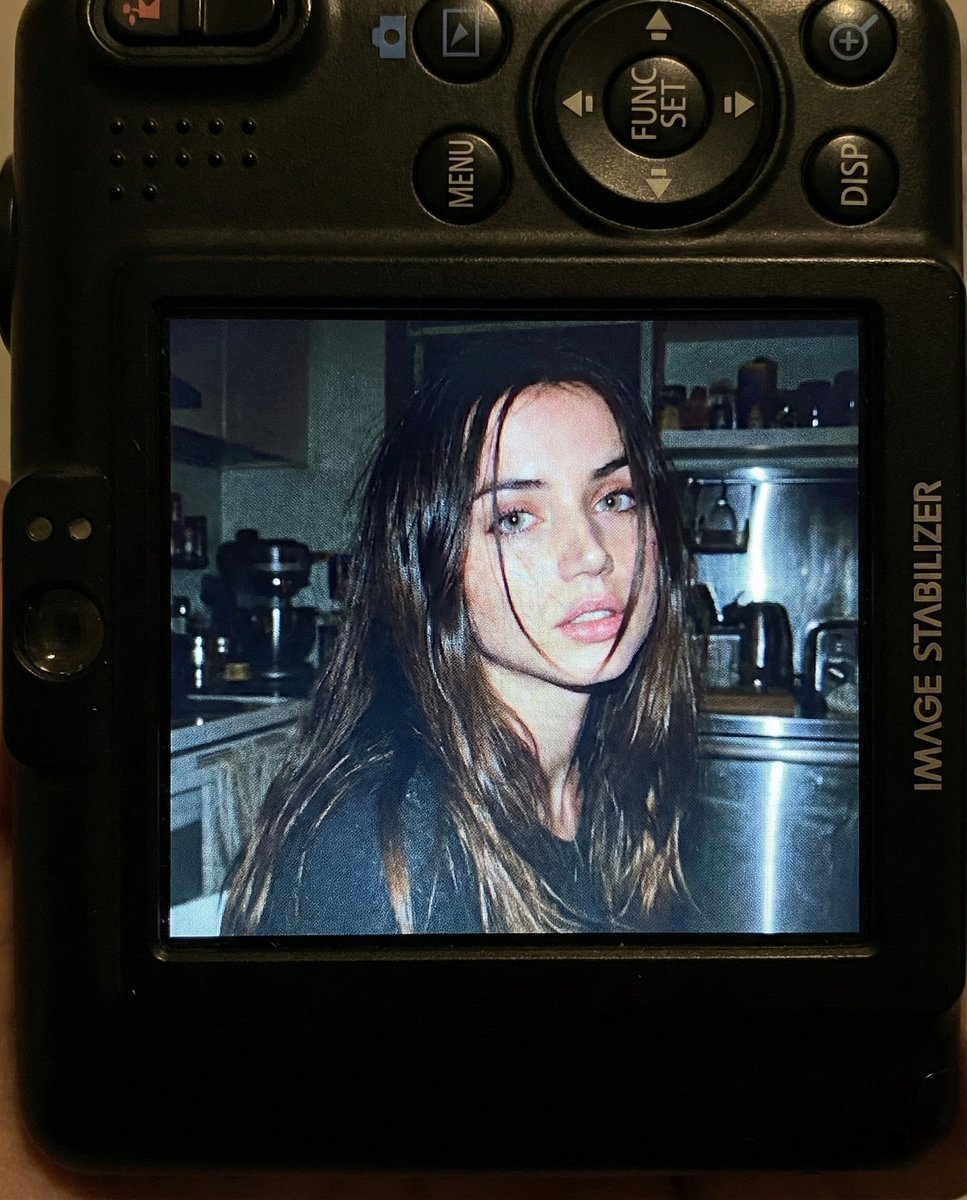
A detailed image generation prompt designed to simulate a candid, raw, and nostalgic portrait taken with a compact Canon digital camera from the early 2000s. The prompt specifies the composition, lighting (harsh direct flash), background details, color grading, and camera settings to achieve an authentic vintage digital snapshot aesthetic.
Use facial feature of attached photo. A close-up shot of a young woman displayed on the screen of a compact Canon digital camera. The camera body surrounds the image with its buttons, dials, and textured surface visible, including the FUNC/SET wheel, DISP button, and the “IMAGE STABILIZER” label along the side. The photo on the screen shows the woman indoors at night, illuminated by a bright built-in flash that creates sharp highlights on her face and hair. She has long dark hair falling across part of her face in loose strands, with a soft, slightly open-lip expression. The flash accentuates her features against a dim, cluttered kitchen background with appliances, shelves, and metallic surfaces softly blurred. The mood is candid, raw, nostalgic, and reminiscent of early 2000s digital camera snapshots. Colors are slightly muted with cool undertones, strong flash contrast, and natural grain from the display. No text, no logos inside the photo preview itself.

Scale ratio: 4:5 vertical

Camera: compact digital camera simulation
Lens: equivalent to 28–35mm
Aperture: f/2.8
ISO: 400
Shutter speed: 1/60 with flash
White balance: auto flash
Lighting: harsh direct flash on subject, ambient
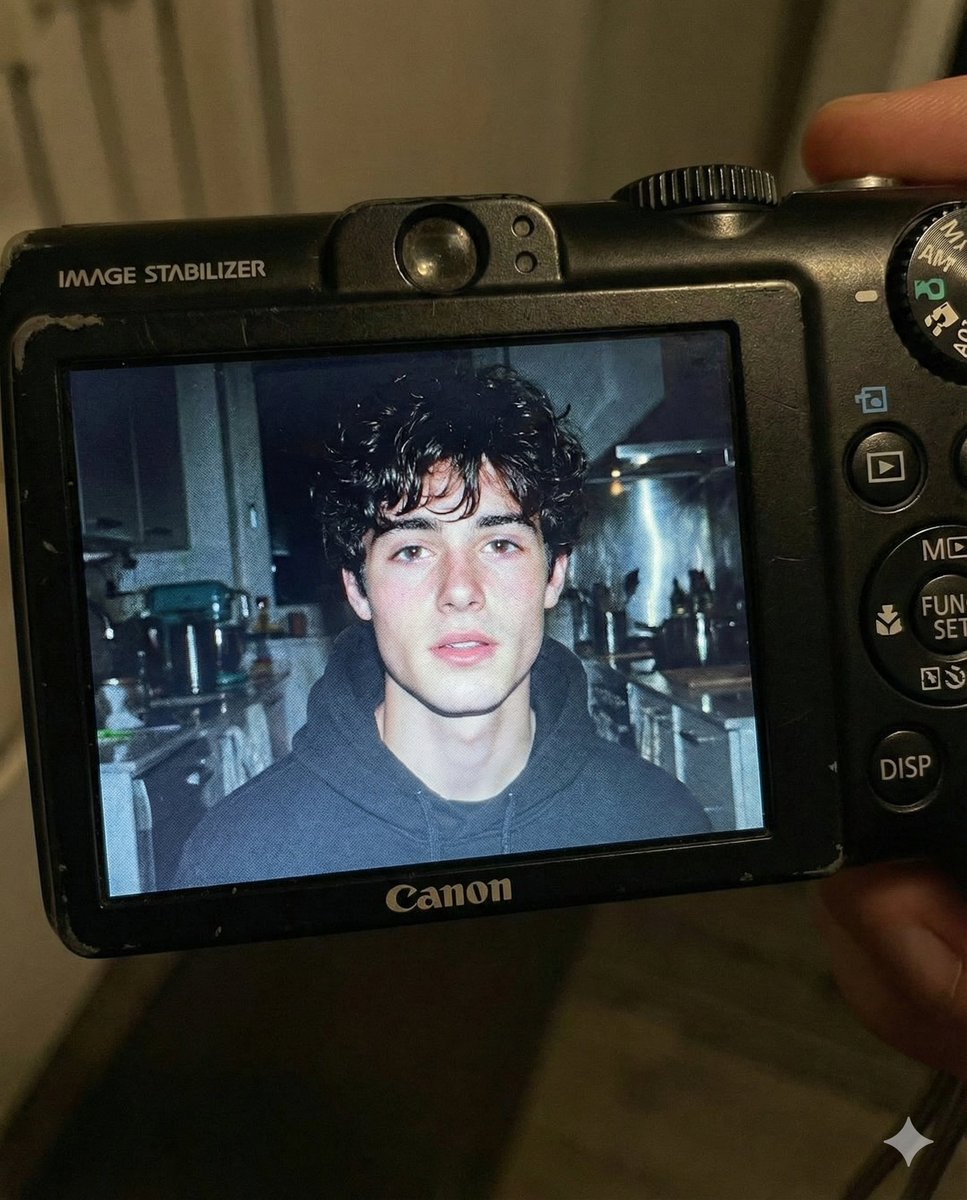
A detailed image generation prompt for Gemini Nano Banana Pro, aiming to recreate a candid, nostalgic portrait of a young man displayed on the screen of a compact Canon digital camera, emphasizing the harsh direct flash lighting, muted colors, and authentic screen glow reminiscent of early 2000s digital photography.
Use the facial features of the attached photo. A close-up shot of a young man displayed on the screen of a compact Canon digital camera. The camera body surrounds the image with its buttons, dials, and textured surface visible, including the FUNC/SET wheel, DISP button, and the “IMAGE STABILIZER” label along the side.

The photo on the screen shows the young man indoors at night, illuminated by a bright built-in flash that creates sharp highlights on his face and hair. He has short, slightly messy dark hair with loose strands framing part of his forehead, and a soft, slightly open-lip expression.

The flash accentuates his features against a dim, cluttered kitchen background with appliances, shelves, and metallic surfaces softly blurred. The mood is candid, raw, nostalgic, and reminiscent of early 2000s digital camera snapshots. Colors are slightly muted with cool undertones, strong flash contrast, and natural grain from the display. No text, no logos inside the photo preview itself.

Scale ratio: 4:5 vertical
Camera: compact digital camera simulation
Lens: equivalent to 28–35mm
Aperture: f/2.8
ISO: 400
Shutter speed: 1/60 with flash
White balance: auto flash
Lighting: harsh direct

A prompt designed to generate an image with an early 2000s digital aesthetic, high contrast, and hard direct flash. The subject is a young woman in a charcoal grey bodysuit lying back on a vibrant orange pool table in a wood-paneled billiard room, emphasizing a grainy, candid texture and high-angle shot.
{
  "image_metadata": {
    "subject": {
      "identity": "Young woman",
      "hair": {
        "color": "Dark brown",
        "style": "Long, straight, sleek"
      },
      "physique": "Fit, hourglass",
      "pose": {
        "description": "Lying back on pool table",
        "posture": "Arched back, head thrown back",
        "alignment": "Diagonal"
      }
    },
    "attire": {
      "type": "Bodysuit",
      "color": "{argument name=\"bodysuit color\" default=\"Charcoal grey\"}",
      "features": [
        "Front zipper",
        "Corset-style piping",
        "Short sleeves"
      ],
      "accessories": [
        "Silver bracelet"
      ]
    },
    "environment": {
      "setting": "Billiard room",
      "lighting": "Hard direct flash, high contrast",
      "table_details": {
        "felt_color": "{argument name=\"felt color\" default=\"Vibrant orange\"}",
        "props": [
          "Wooden pool cue",
          "Black 8-ball",
          "Striped ball",
          "Solid orange ball"
        ]
      },
      "background": {
        "walls": "Wood paneling",
        "decor": "Wall-mounted ball rack"
      }
    },
    "technical_style": {
      "aesthetic": "Early 2000
A prompt designed to create a hyper-realistic image of a compact digital camera's screen, showing a photo preview within it. The photo preview uses a locked identity from a reference image and simulates a harsh, on-camera flash aesthetic typical of the early 2000s, complete with visible camera hardware details.
{
  "aspect_ratio": "4:5",
  "style": "early-2000s compact digital camera aesthetic",
  "prompt": "A hyper-realistic close-up photo displayed on the screen of a compact Canon-style digital camera. The camera body is visible around the preview, showing textured plastic, physical buttons, dials, FUNC/SET wheel, DISP button, and an 'IMAGE STABILIZER' label on the body. On the camera screen: a young woman using the exact facial features from the provided reference photo, no changes to identity. She is indoors at night, captured with a harsh built-in flash. Long dark hair partially covering her face, lips slightly parted, candid expression. Background shows a dim, cluttered kitchen softly blurred. Strong flash contrast, cool muted tones, subtle digital noise, slight screen glow, authentic early-2000s digital camera look.",
  "camera_view": "close-up of camera back with live preview visible",
  "lighting": "harsh on-camera flash, cool tone, high contrast",
  "details": [
    "realistic LCD glow",
    "slight screen grain",
    "soft blur in background",
    "natural skin texture",
    "no beauty retouching"
  ],
  "negative_prompt": "text inside photo preview, logos inside preview, water
A prompt for Nano Banana Pro designed to merge the identities of two uploaded photos into a single image, generating a raw, flash-lit, vintage digicam aesthetic photo of a man and woman standing back-to-back on a sidewalk, strictly preserving the original facial features while applying the early 2000s snapshot style.
Raw early-2000s flash-lit photo, vintage digicam aesthetic; man and woman (keep original faces from both uploaded photos exactly, do not alter facial features in any way, no face changes even 1%) standing back to back on a sidewalk near a street corner; outfits: layered casual looks denim jacket over white tank on her, dark jacket over ribbed tank on him; pose: bodies touching lightly at the back, hands hanging loosely, heads turned slightly away from camera; expression: serious, reserved, emotionally closed; lighting: aggressive direct flash flattening the scene, strong contrast between subjects and background; background: crosswalk, street sign, faded storefronts; composition: waist-up framing, awkward crop, candid street-photo energy; visible skin texture, natural pores, harsh flash emphasizing imperfections; grain, digital artifacts, early-2000s snapshot realism.