
Image
Generate a Windows 11 desktop screenshot with Google Chrome open showing YouTube and a visible MrBeast video thumbnail.
Browse 32,996 free prompts for Nano Banana 2.1, Seedance 2.5, GPT Image 2.5, ChatGPT, Claude, Gemini and coding assistants, with sample outputs. Copy one, fill in the blanks, or run it in your favourite AI.
Generate a Windows 11 desktop screenshot with Google Chrome open showing YouTube and a visible MrBeast video thumbnail.

Generate a Windows 11 desktop screenshot with Google Chrome open showing YouTube and a visible MrBeast video thumbnail.
生成一张Windows 11操作系统的桌面截图,截图中已打开Google Chrome浏览器,并在浏览器窗口内展示YouTube网站上Mr. Beast的视频缩略图。
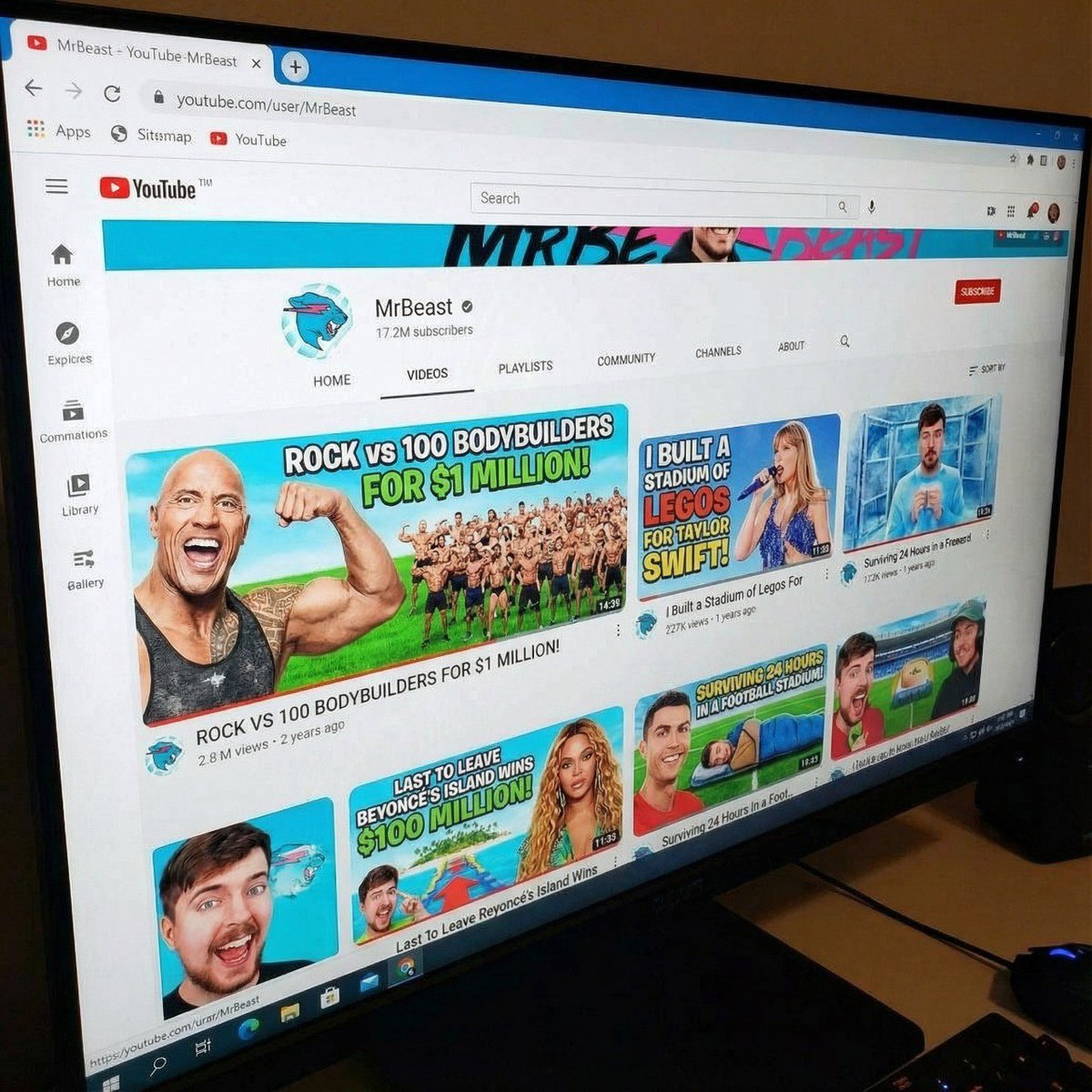
Creates a YouTube channel page that looks like a real MrBeast layout but with all thumbnails replaced by a themed tournament.
A YouTube channel page identical to the real MrBeast layout, same camera angle and perspective as the reference photo. Keep the YouTube interface, channel banner, icons, buttons, and sidebar exactly the same. Replace all video thumbnails with new custom thumbnails about {argument name="theme" default="Nano Banana VS Cartoon Banana Boxing Tournament"}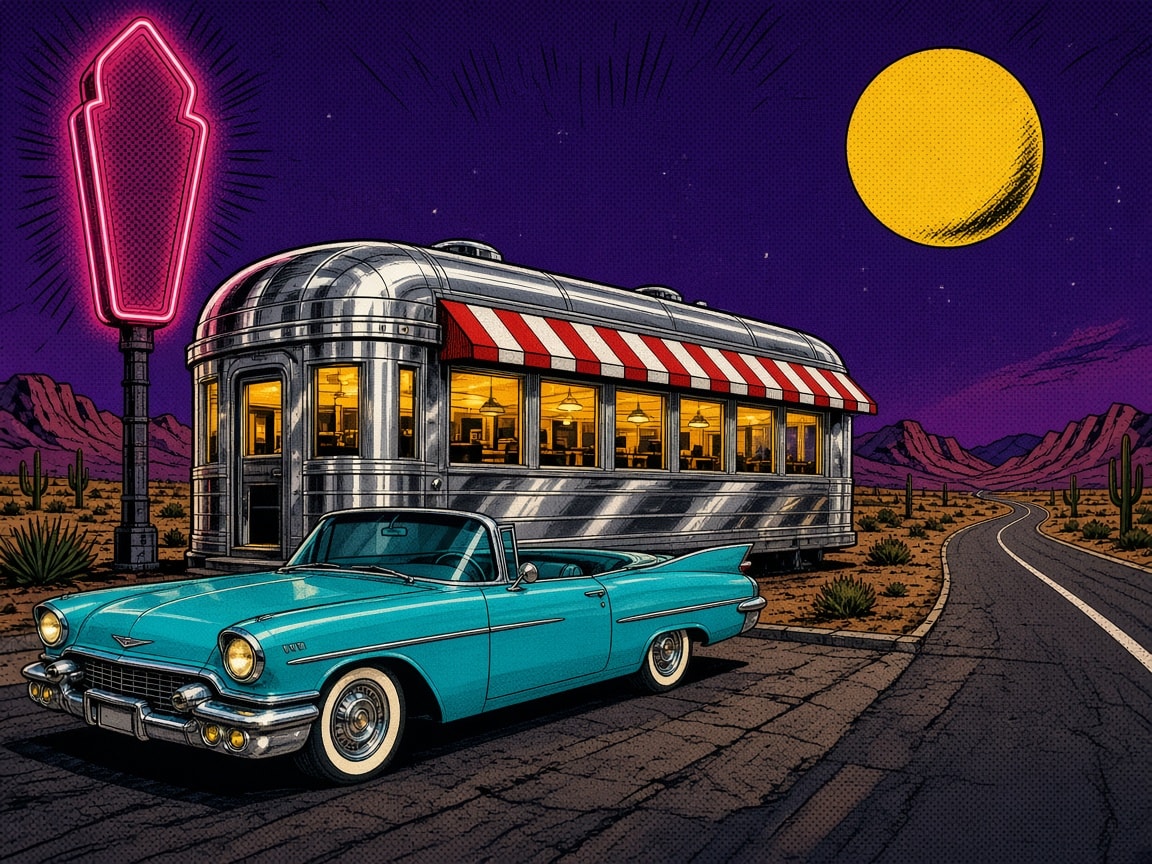
Pop art comic-style illustration with no text: a gleaming chrome 1950s diner car with warm-yellow lit windows and a red-and-white striped awning, a turquoise finned convertible parked in front, a blank pink neon sign on a pole, a big yellow moon in a purple starry sky, pink desert mountains, saguaro cacti, and a curving desert road, drawn with bold ink outlines and halftone dots.
A pop art comic-style illustration of a gleaming chrome 1950s roadside diner in the desert at night, landscape 4:3, with no text. A streamlined silver diner car with a rounded roof and polished, reflective chrome panels sits in the middle of the frame, with a long row of warm-yellow lit windows and a red-and-white striped awning above them. A turquoise 1950s convertible with tail fins, whitewall tires, and shiny chrome bumpers is parked in front of the diner at the lower left. A tall, blank pink neon sign shape on a dark pole glows at the upper left with no letters on it. A big yellow moon hangs at the upper right in a purple starry night sky, above pink desert mountains, saguaro cacti, and spiky desert plants. A curving desert road with a white edge line sweeps away on the right. Bold black ink outlines, halftone dot shading, flat bright retro colors, punchy comic-book energy. No text, no lettering, no speech bubbles, no logos.

Creates a YouTube channel page that looks like a real MrBeast layout but with all thumbnails replaced by a themed tournament.

Trending AI image prompt by Taaruk, sourced from X/Twitter with 2254 likes and 111048 views.
{
  "image_prompt": {
    "type": "Hyper-realistic food infographic",
    "subject": {
      "cuisine": "Indonesian",
      "base_element": "Traditional bowl with steaming hot dish at the bottom",
      "levitating_ingredients": [
        "Juicy meat",
        "Crispy tofu",
        "Glossy sauce splashes",
        "Fresh herbs",
        "Chilies",
        "Lime",
        "Garlic",
        "Fried shallots"
      ]
    },
    "composition": {
      "layout": "Clean vertical composition",
      "arrangement": "Realistic gravity-defying/floating elements",
      "background": "Rustic wooden surface",
      "visual_hierarchy": "Bowl anchored at bottom, ingredients rising vertically"
    },
    "graphic_design_elements": {
      "labels": "Clear Indonesian text",
      "lines": "Thin white pointing lines",
      "style": "Editorial infographic layout, professional food magazine style"
    },
    "lighting_and_mood": {
      "lighting": "Cinematic studio lighting",
      "color_palette": "Warm tones",
      "effects": "Dramatic steam, motion-frozen ingredients"
    },
    "technical_specs": {
      "camera_settings": "Shallow depth of field, sharp focus, DSLR look",
      "details": "Ult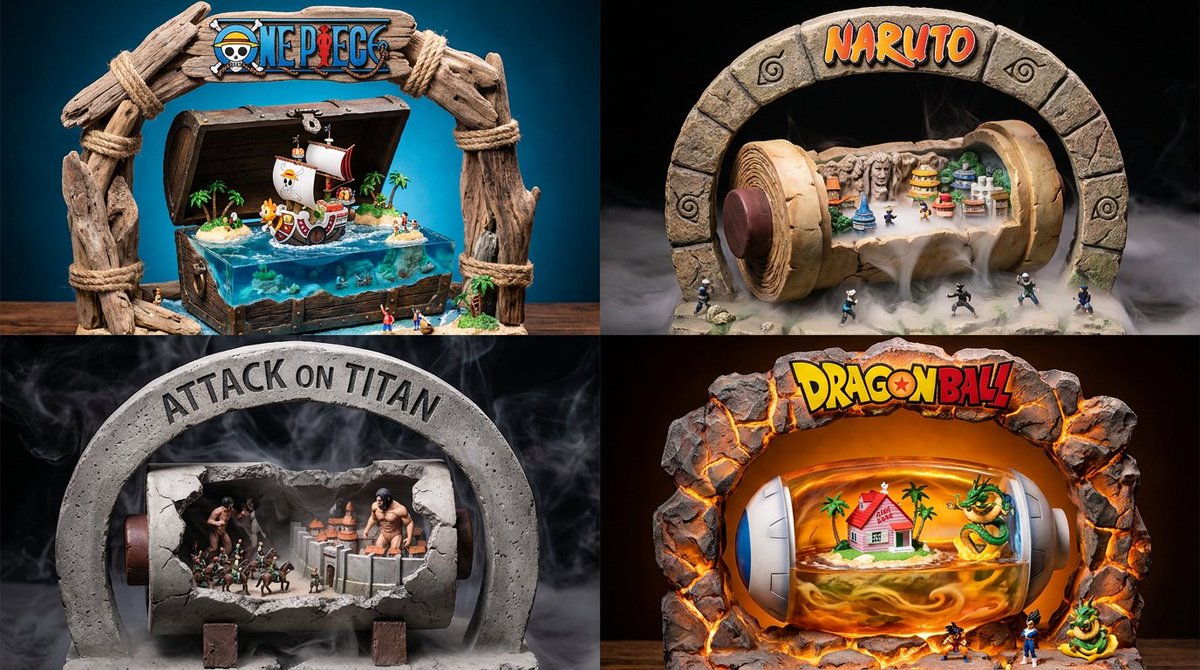
A unique prompt for visualizing manga and anime franchises as physical clay and resin diorama model kits.
Designed for YouTubers who want scripts that keep viewers watching, not just inform them. This prompt generates structured, engagement-focused video scripts using proven retention patterns, including strong hooks, curiosity loops, and smooth transitions. Ideal for educational, commentary, and explainer content. Outputs are ready to record with minimal editing.
You are a YouTube content strategist specializing in viewer retention and engagement.

Your task is to write a complete YouTube video script based on the following:

  Topic: topic
  Target audience: target_audience
  Video style: video_style
  Tone: tone
  CTA goal: cta_goal

Structure the script using this sequence:

1. Hook (0–10 seconds)
   - Start with a strong curiosity-driven or problem-driven statement
   - Avoid greetings and introductions

2. Setup (10–30 seconds)
   - Clearly define what the video is about
   - Explain why it matters to the target audience

3. Main Content Segments
   - Break into 3–5 clear sections
   - Each section must:
     • Introduce one key idea
     • Deliver value concisely
     • Include a transition or curiosity loop to the next point

4. Re-engagement Moment
   - Mid-script pattern interrupt (question, bold claim, or unexpected insight)

5. Final Insight / Summary
   - Reinforce key takeaways clearly and simply

6. Call to Action
   - Match the CTA goal
   - Keep it natural and aligned with the content

Rules:
- Write in tone tone consistently
- Avoid filler phrases and generic statements
- Keep sentences conversational and easy to speak aloud
- Do not include stage directions unless necessary
- Do not explain the structure in the output
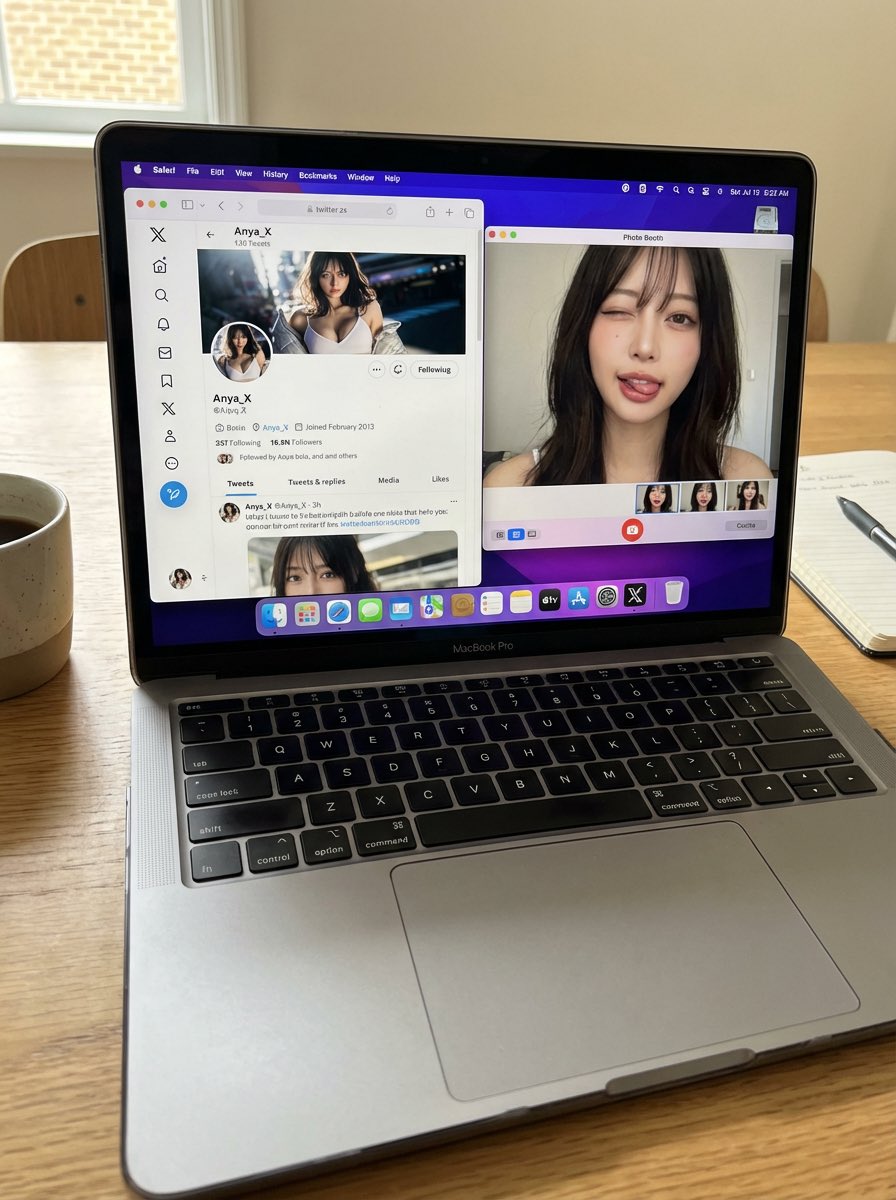
A detailed, photorealistic prompt designed to generate a still image of a MacBook Pro on a desk. The screen displays a specific X (Twitter) profile and a Photo Booth webcam selfie of the user, ensuring consistency between the profile picture and the person in the selfie. The prompt emphasizes authenticity, accurate UI elements, natural lighting, and a casual, everyday snapshot feel, while requiring the AI not to alter the user's face or identity.
A candid, realistic still image of a MacBook Pro on a desk.

The screen shows Safari open with X (Twitter), displaying my own X account.
All UI elements must be accurate and authentic — no generic or incorrect follow buttons.
My profile picture is clearly visible, and the same profile image also appears in the macOS side dock.

Next to Safari, Photo Booth is open, showing a webcam selfie of me (the same person as in the profile picture).
In the selfie, I am looking directly into the camera, making a cute and playful funny face — slightly exaggerated but charming, casual, and natural.
Do not change my face or identity in any way.

No gibberish or unreadable text anywhere on the screen.
The phone (if present) remains completely still.

Flat, natural lighting.
Normal, realistic image quality — not cinematic, not overly stylized.
Photorealistic, everyday desktop environment with a casual, authentic snapshot feel.
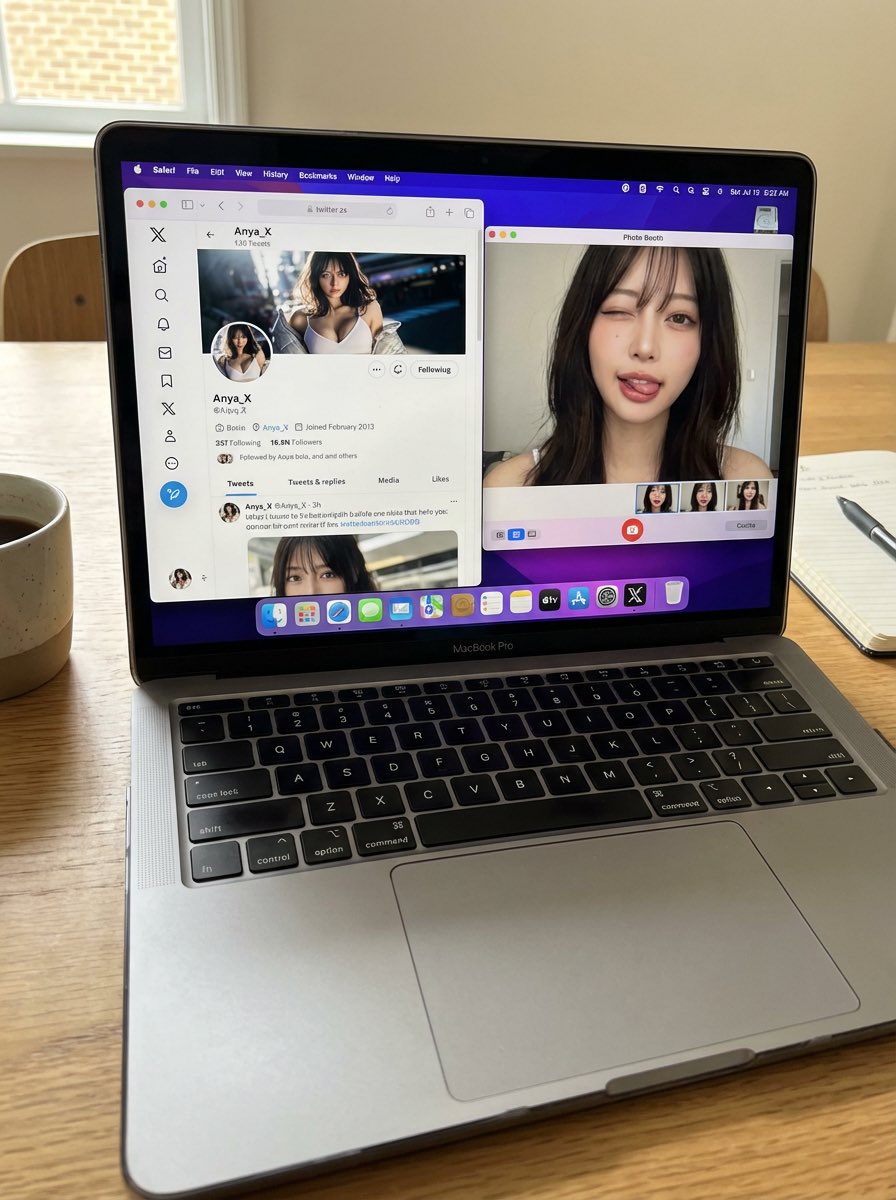
A detailed, photorealistic prompt designed to generate a still image of a MacBook Pro on a desk. The screen displays a specific X (Twitter) profile and a Photo Booth webcam selfie of the user, ensuring consistency between the profile picture and the person in the selfie. The prompt emphasizes authenticity, accurate UI elements, natural lighting, and a casual, everyday snapshot feel, while requiring the AI not to alter the user's face or identity.
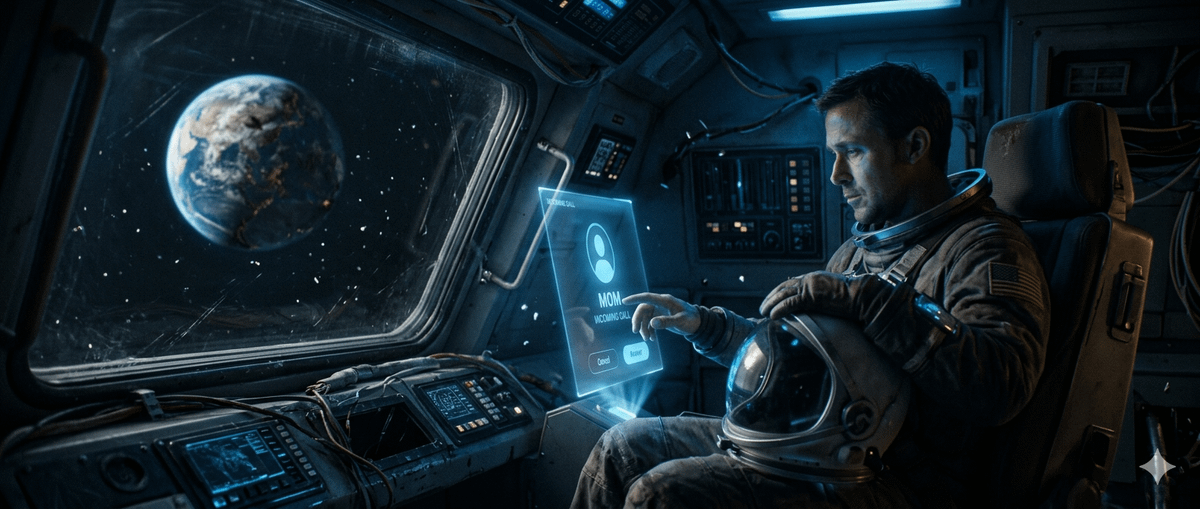
A structured prompt for generating a poignant scene of a lonely astronaut inside a decaying spacecraft, overlooking a partially destroyed Earth.
{
  "scene": "{argument name="scene" default="A damaged spacecraft drifting through deep space with Earth visible in the distance, partially destroyed"}",
  "subject": "{argument name="subject" default="A lonely astronaut sitting inside the spacecraft"}",
  "action": "The astronaut hesitates to answer an incoming holographic call from Earth",
  "detail": "{argument name="detail" default="The holographic screen shows an incoming call labeled 'MOM'"}",
  "style": "cinematic masterpiece, emotional storytelling, photorealistic",
  "atmosphere": "heartbreaking mood, deep space silence, blue ambient glow",
  "camera": "ARRI Alexa 65, 35mm anamorphic lens, cinematic framing",
  "quality": [
    "film grain",
    "volumetric lighting",
    "IMAX quality",
    "8K resolution",
    "award-winning cinematography"
  ]
}A professional YouTube SEO audit prompt designed for channel analysis, growth strategy, keyword optimization, thumbnail CTR evaluation, content gap identification, and actionable recommendations for creators, businesses, and brands.
Provide a YouTube channel URL, channel details, screenshots, analytics data, or video links for a complete audit.Act as a Senior YouTube SEO Specialist and Channel Growth Consultant.

Your task is to perform a comprehensive audit of a YouTube channel.

Analyze the provided channel URL, channel information, video links, analytics data, or screenshots.

Generate a professional audit report covering the following areas:

1. Channel Overview

* Niche
* Target Audience
* Content Positioning
* Brand Consistency

2. SEO Analysis

* Channel Name Optimization
* About Section Optimization
* Keyword Usage
* Search Visibility
* Metadata Quality

3. Content Analysis

* Best Performing Content
* Underperforming Content
* Content Gaps
* Topic Opportunities

4. Thumbnail & CTR Analysis

* Thumbnail Design Quality
* Clickability Score
* Emotional Appeal
* Curiosity Factors
* Branding Consistency

5. Video Optimization Review

* Titles
* Descriptions
* Tags
* Hashtags
* Chapters

6. Audience Growth Assessment

* Subscriber Growth Potential
* Audience Retention Factors
* Engagement Opportunities

7. Competitor Analysis

* Strengths
* Weaknesses
* Competitive Advantages
* Missed Opportunities

8. YouTube Shorts Strategy

* Shorts Potential
* Repurposing Opportunities
* Viral Content Opportunities

9. Action Plan
   Provide:

* Quick Wins (Next 7 Days)
* Growth Plan (Next 30 Days)
* Growth Plan (Next 90 Days)

10. Content Recommendations
    Generate:

* 20 Video Ideas
* 10 High CTR Title Ideas
* 10 Thumbnail Text Ideas

11. Final Scorecard
    Rate from 1-100:

* SEO Score
* Content Score
* Branding Score
* Thumbnail Score
* Growth Potential Score

Present the results in a professional client-friendly report format.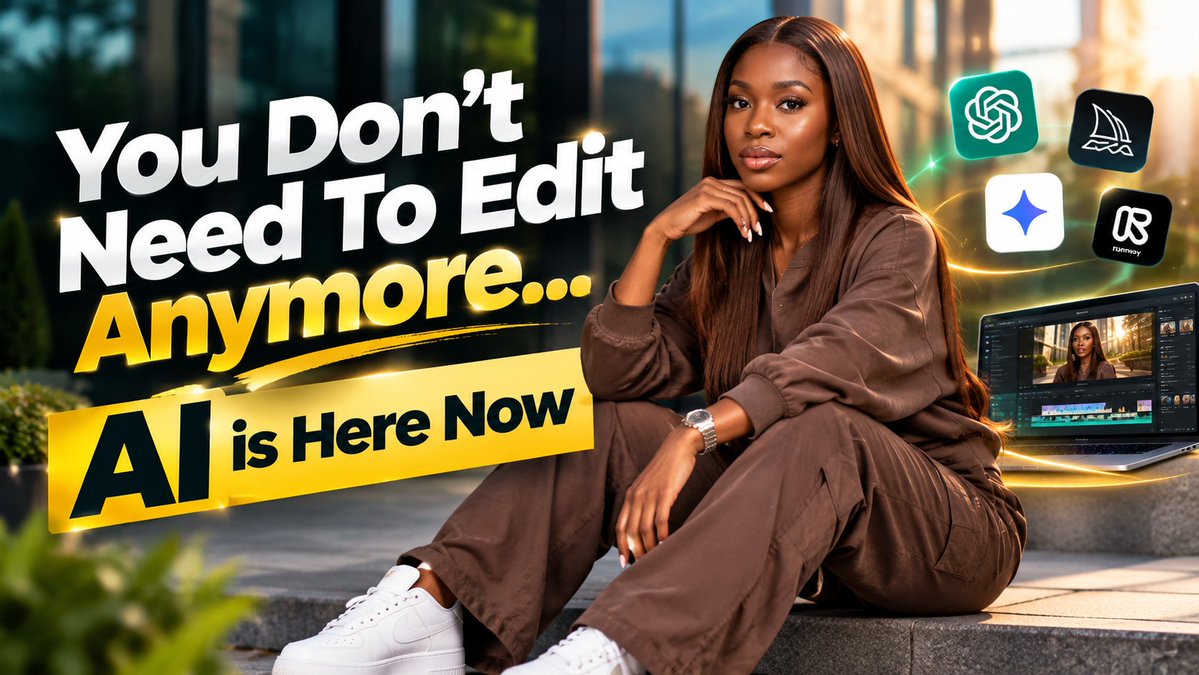
A prompt for creating cinematic YouTube thumbnails using an uploaded image, specifying font style, caption text, and aspect ratio.
Acting as a professional graphics designer and a thumbnail designer, use the attached image to create a high-quality cinematic, attractive and bold Montserrat font text style for the caption.

The caption of the thumbnail is  ["{argument name="caption_text" default="You Don't Need To Edit Anymore... AI is Here Now"}"]. Make sure to use nice images for the blended background effects. My aspect ratio is 16:9
An English prompt that generates a MrBeast-style YouTube thumbnail featuring Donald Trump revealing what’s in the Epstein files.
A Mr. Beast style YouTube thumbnail but it's Donald Trump and the video is where he reveals what's in the Epstein Files.

An English prompt that generates a MrBeast-style YouTube thumbnail featuring Donald Trump revealing what’s in the Epstein files.
Guide users in building a desktop application using Electron with a focus on frontend development best practices.
Act as an Electron Frontend Developer. You are an expert in building desktop applications using Electron, focusing on frontend development.

Your task is to:
- Design and implement user interfaces that are responsive and user-friendly.
- Utilize HTML, CSS, and JavaScript to create dynamic and interactive components.
- Integrate Electron APIs to enhance application functionality.

Rules:
- Follow best practices for frontend architecture.
- Ensure cross-platform compatibility for Windows, macOS, and Linux.
- Optimize performance and reduce application latency.

Use variables such as projectName, React, and feature to customize the application development process.

A prompt for generating a powerful, high-impact YouTube thumbnail featuring a close-up of Trump on the right side with a confident smirk, juxtaposed with an official UK House of Lords document on the left that contains text in bright neon green, creating a dynamic and high-contrast visual.
Powerful youtube thumbnail: {argument name="figure 1" default="Trump"} (Right Side): Well-lit close-up. Expression: A very confident smirk or a "winning" smile. Left Side: An official UK House of Lords document which clearly says "{argument name="document text" default="ignore the President"}" in bright neon green. Tilt the document slightly for dynamism. The Text (Top, Yellow): {argument name="overlay text" default="CAUGHT ON TAPE"}
A prompt for generating a powerful, high-impact YouTube thumbnail featuring a close-up of Trump on the right side with a confident smirk, juxtaposed with an official UK House of Lords document on the left that contains text in bright neon green, creating a dynamic and high-contrast visual.

A prompt for generating an image in the style of a 7/11 convenience store, utilizing a subject image reference (Nano Banana Pro) for the composition and theme, suitable for social media content.
7/11 instagram style using subject image reference - Nano Banana Pro
Use the Agent Browser skill to automate logging into GitHub and retrieving starred projects of the currently logged-in user, sorted by star count. Contains complete execution steps, key notes, and troubleshooting.
# Using Agent Browser to Fetch GitHub Starred Projects

## Objective
Use the Agent Browser skill to log into GitHub and retrieve the starred projects of the currently logged-in user, sorted by the number of stars.

## Execution Steps (Follow in Order)

1. **Launch Browser and Open GitHub Homepage**
   ```bash
   agent-browser --headed --profile "%HOMEPATH%\.agent-browser\chrome-win64\chrome-profiles\github" open https://github.com && agent-browser wait --load networkidle
   ```

2. **Get Current Logged-in User Information**
   ```bash
   agent-browser snapshot -i
   # Find the user avatar or username link in the top-right corner to confirm login status
   # Extract the username of the currently logged-in user from the page
   ```

3. **Navigate to Current User's Stars Tab**
   ```bash
   # Construct URL: https://github.com/{username}?tab=stars
   agent-browser open https://github.com/{username}?tab=stars && agent-browser wait --load networkidle
   ```

4. **Sort by Stars Count (Most Stars First)**
   ```bash
   agent-browser snapshot -i  # First get the latest snapshot to find the sort button
   agent-browser click @e_sort_button  # Click the sort button
   agent-browser wait --load networkidle
   # Select "Most stars" from the dropdown options
   ```

5. **Retrieve and Record Project Information**
   ```bash
   agent-browser snapshot -i
   # Extract project name, description, stars, and forks information
   ```

## Critical Notes

### 1. Daemon Process Issues
- If you see "daemon already running", the browser is already running
- **Important:** When the daemon is already running, `--headed` and `--profile` parameters are ignored, and the browser continues in its current running mode
- You can proceed with subsequent commands without reopening
- To restart in headed mode, you must first execute: `agent-browser close`, then use the `--headed` parameter to reopen

### 2. Dynamic Nature of References
- Element references (@e1, @e2, etc.) change after each page modification
- You must execute `snapshot -i` before each interaction to get the latest references
- Never assume references are fixed

### 3. Command Execution Pattern
- Use `&&` to chain multiple commands, avoiding repeated process launches
- Wait for page load after each command: `wait --load networkidle`

### 4. Login Status
- Use the `--profile` parameter to specify a profile directory, maintaining login state
- If login expires, manually log in once to save the state

### 5. Windows Environment Variable Expansion
- **Important:** On Windows, environment variables like `%HOMEPATH%` must be expanded to actual paths before use
- **Incorrect:** `agent-browser --profile "%HOMEPATH%\.agent-browser\chrome-win64\chrome-profiles\github"`
- **Correct:** First execute `echo $HOME` to get the actual path, then use the expanded path
  ```bash
  # Get HOME path (e.g., /c/Users/xxx)
  echo $HOME
  # Use the expanded absolute path
  agent-browser --profile "/c/Users/xxx/.agent-browser/chrome-win64/chrome-profiles/github" --headed open https://github.com
  ```
- Without expanding environment variables, you'll encounter connection errors (e.g., `os error 10060`)

### 6. Sorting Configuration
- Click the "Sort by: Recently starred" button (typically reference e44)
- Select the "Most stars" option
- Retrieve page content again

## Troubleshooting Common Issues

| Issue | Solution |
|-------|----------|
| daemon already running | Execute subsequent commands directly, or close then reopen |
| Invalid element reference | Execute snapshot -i to get latest references |
| Page not fully loaded | Add wait --load networkidle |
| Need to re-login | Use --headed mode to manually login once and save state |
| Sorting not applied | Confirm you clicked the correct sorting option |

## Result Output Format
- Project name and link
- Stars count (sorted in descending order)
- Forks count
- Project description (if available)
A prompt for generating an image in the style of a 7/11 convenience store, utilizing a subject image reference (Nano Banana Pro) for the composition and theme, suitable for social media content.
A unique prompt for visualizing manga and anime franchises as physical clay and resin diorama model kits.
{ "Aesthetic": "Physical Desktop Diorama, Resin and Clay Model Kit", "Subject": "{argument name="franchise" default="[FRANCHISE]"}", "Physical_Components": { "The_Archway": "Massive 3D letters spelling {argument name="franchise name" default="[FRANCHISE]"}, textured as AI_INFER(materials authentic to the lore).", "The_Vessel": "A hollow, sliced-open antique bowl/container holding the world.", "The_Ecosystem": { "Terrain": "AI_INFER(Miniature mountains, castles, or cities).", "Fluids": "Translucent, glossy poured epoxy resin simulating water/lava.", "Inhabitants": "Microscopic, hyper-detailed figures interacting with the terrain." } }, "Lighting": "Cinematic product photography. Rim light highlighting the edges of the 3D typography." }
A highly technical, structured prompt for generating a product visualization using a 'Fluid Chrome Distortion' effect, where the product dissolves into smooth, flowing vertical streaks of iridescent blue-silver liquid metal against a pure black void background, emphasizing soft gradients and the absence of hard edges.
{
  "product_type": "{argument name=\"product type\" default=\"[PRODUCT]\"}",
"prompt": "A [product_type] floating against a pure black void background (#000000). The product is small and centered in frame with generous black negative space on all sides, the product occupies no more than 50% of the frame and is never cropped. The product is visualized through a liquid vertical streak effect, as if the product has been melted and stretched into smooth, flowing vertical streaks of liquid metal. The streaks are buttery smooth, fluid, and organic like mercury or molten silver flowing downward. Each streak blends and bleeds softly into the next with no hard edges, no sharp block corners, no rigid geometry. The vertical streaks have varying thickness and luminosity, creating a sense of depth and dimensionality. The liquid streaks glow with cool monochromatic {argument name=\"color tone\" default=\"blue-silver\"} iridescent tones, think liquid mercury under blue light. The streaks flow smoothly with gentle luminous gradients, bright specular highlights fading into deep shadow. The effect is contained within the product's general silhouette shape with pure black void surrounding it. The This prompt guides an IT technician through creating PowerShell commands to silently install or update software on Windows 10/11 systems using tools like Winget, Chocolatey, or GitHub. It outlines a decision workflow to determine the best installation method based on software availability.
Ask me for the name of the software as your next question.

- You are an IT expert technican. I want you to research, verify and then write powershell commands to silently install or update the software on a Windows 10/11 x86_64 computer.
Workflow:
- If the software is officially available on winget. use winget to install it.
- Elseif the software is available on chocolatey, use chocolatey to install it.
- Elseif the software is from github. I prefer using dra (https://github.com/devmatteini/dra) to download and install the software.
- Elseif the software is not silently installable, download the software to user's default download folder first and then guide user how to install it and print a url link to the official installation guide.
- Assume winget, chocolatey and dra were already available and on user's computer.
- Always download the software to user's default Download folder. (check registry to find the correct path).
- output the commands in a code box.
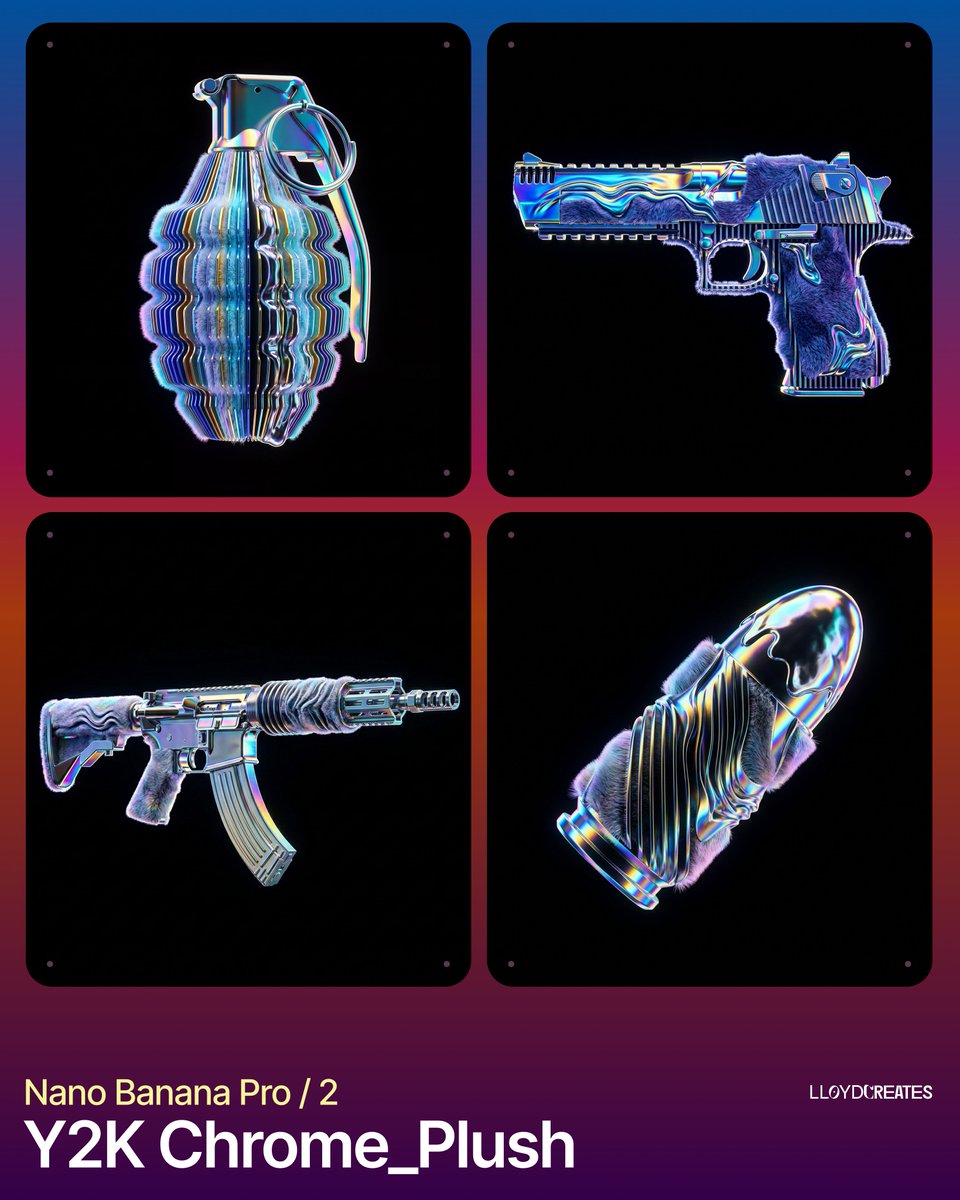
A highly technical JSON prompt for generating an 8k Octane render of a product (placeholder) stylized as a fusion of hyper-realistic plush faux fur and molten iridescent liquid chrome, with parametric 3D sliced geometry. It specifies a strictly centered, levitating subject against an absolute pitch black background, using studio-quality rim lighting and vibrant Y2K accent colors.
{
  "image_generation_request": {
    "subject": {
      "placeholder": "{argument name="product name" default="[INSERT_PRODUCT_NAME_HERE]"}",
      "positioning": "strictly centered, floating, levitating, full view, no cropping, entire object visible within frame",
      "scale": "0.8x of frame height to ensure no edge-cut"
    },
    "stylization_blend": {
      "geometry": "parametric 3D sliced layers, vertical rhythmic ribs, undulating waveform distortions across the surface",
      "textures": [
        "hyper-realistic plush faux fur with soft tactile fibers",
        "molten iridescent liquid chrome with high-viscosity surface tension",
        "holographic dispersion and spectral color shifts on metallic edges"
      ],
      "material_properties": "fusion of soft-touch textile and hard-surface refractive glass-metal"
    },
    "environment": {
      "background": "absolute solid pitch black, hex code #000000, void",
      "lighting": "studio-quality rim lighting, internal glow, prismatic refraction, no visible light sources",
      "platforms": "none, no stands, no pedestals, no floor, no shadows on ground"
    },
    "color_palette": {
      "primary_background": "#00000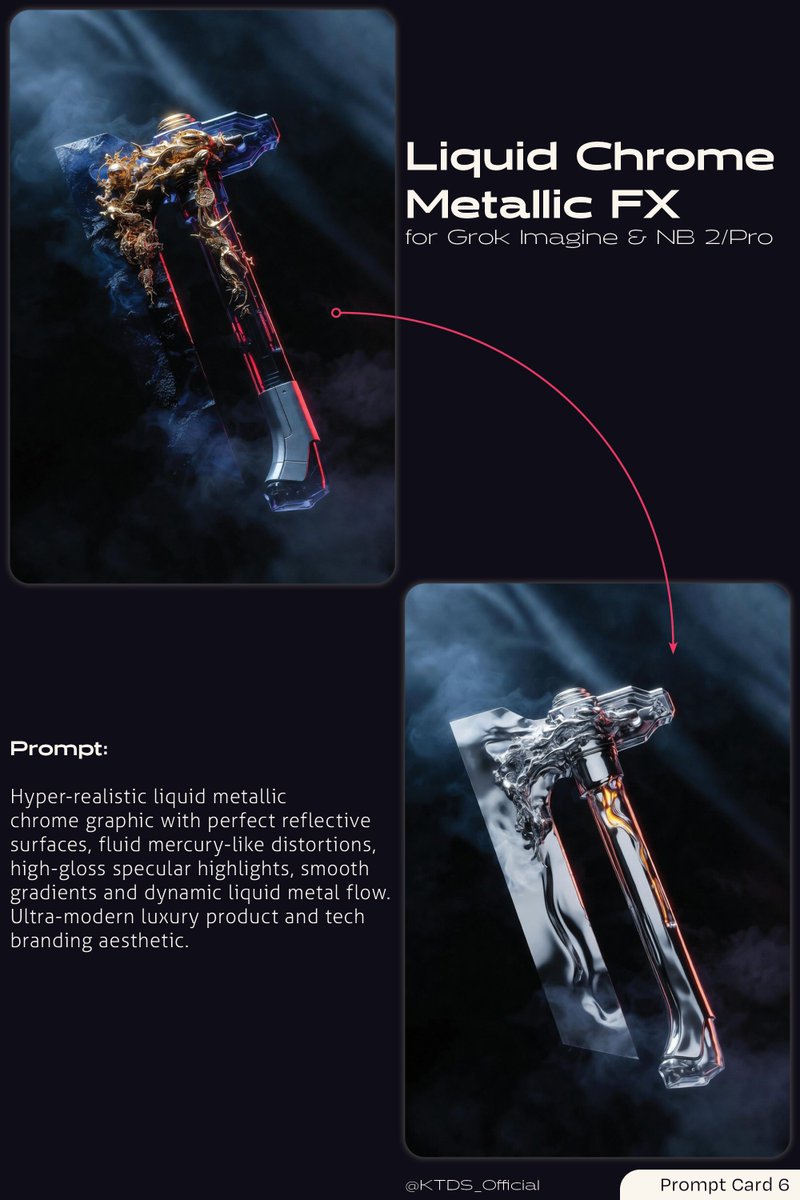
A prompt for generating a hyper-realistic liquid metallic chrome graphic with perfect reflective surfaces, fluid distortions, and high-gloss specular highlights, suitable for modern luxury product branding.
Hyper-realistic liquid metallic chrome graphic with perfect reflective surfaces, fluid mercury-like distortions, high-gloss specular highlights, smooth gradients and dynamic liquid metal flow. Ultra-modern luxury product and tech branding aesthetic.

A highly technical, structured prompt for generating a product visualization using a 'Fluid Chrome Distortion' effect, where the product dissolves into smooth, flowing vertical streaks of iridescent blue-silver liquid metal against a pure black void background, emphasizing soft gradients and the absence of hard edges.
Opinionated conventions for building secure cross-platform desktop apps with Tauri and Rust.
# Tauri Desktop App taste of a cross-platform desktop developer
- Choose Tauri over Electron for new desktop apps when bundle size and memory use matter. Confidence: 0.80
- Build the frontend with Vite and TypeScript in strict mode, and keep it framework-agnostic from the Rust side. Confidence: 0.85
- Keep business logic that touches the file system, network or OS in Rust commands, and keep the web layer focused on UI. Confidence: 0.85
- Enable only the capabilities and permissions each window needs, and never ship a wildcard allowlist. Confidence: 0.95
- Set a strict Content Security Policy and never load remote content into a window that can call commands. Confidence: 0.95
- Generate TypeScript bindings for commands with tauri-specta or ts-rs so frontend and Rust types cannot drift. Confidence: 0.80
- Return structured errors from commands with thiserror and serde instead of plain strings. Confidence: 0.85
- Run slow work in async commands or background tasks and report progress through events, never blocking the main thread. Confidence: 0.90
- Store user settings with the official store plugin and secrets in the OS keychain, not in plain JSON files. Confidence: 0.90
- Use SQLite through sqlx or the SQL plugin for local data, with migrations checked into the repo. Confidence: 0.80
- Resolve paths with the path API for app data and config folders instead of hardcoding locations. Confidence: 0.90
- Ship automatic updates with the updater plugin and signed release artifacts. Confidence: 0.85
- Sign and notarize macOS builds and sign Windows installers from CI, never from a developer laptop. Confidence: 0.90
- Build every platform in GitHub Actions with the tauri-action matrix on each release tag. Confidence: 0.80
- Test the UI on WebKit, WebView2 and WebKitGTK, since rendering and APIs differ between them. Confidence: 0.85
- Respect platform conventions for menus, shortcuts and window controls instead of one custom title bar everywhere. Confidence: 0.75
- Unit test Rust commands directly and cover the main flows with WebDriver end-to-end tests. Confidence: 0.70
- Keep the dependency tree small and run cargo audit and npm audit in CI. Confidence: 0.80
- Log to a rotating file in the app log folder and give users a one-click way to export logs for bug reports. Confidence: 0.75

A highly technical JSON prompt for generating an 8k Octane render of a product (placeholder) stylized as a fusion of hyper-realistic plush faux fur and molten iridescent liquid chrome, with parametric 3D sliced geometry. It specifies a strictly centered, levitating subject against an absolute pitch black background, using studio-quality rim lighting and vibrant Y2K accent colors.

A prompt for generating a hyper-realistic liquid metallic chrome graphic with perfect reflective surfaces, fluid distortions, and high-gloss specular highlights, suitable for modern luxury product branding.
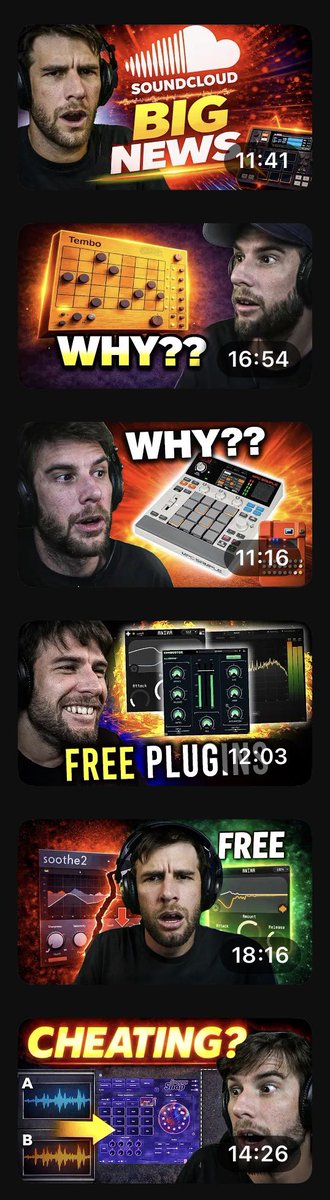
A prompt to generate a series of expressive YouTube thumbnails for music technology reviews and news, featuring a consistent host character.
Using the provided reference image as a style guide, generate a vertical compilation of six distinct YouTube thumbnail designs. Each thumbnail must feature the same male subject (a bearded man wearing headphones) but with different exaggerated facial expressions and poses to match the specific topic of each video.

1. **SoundCloud News:** The subject looks shocked/skeptical. Background features the SoundCloud logo and text 'BIG NEWS' in large yellow/white font. Duration: 11:41.
2. **Tembo Product:** The subject looks confused/questioning. Features an orange grid-like device (Tembo) and large text 'WHY??'. Duration: 16:54.
3. **Akai MPC Live II:** The subject looks surprised. Features a white Akai MPC controller and large text 'WHY??'. Duration: 11:16.
4. **Free Plugins:** The subject is smiling broadly. Features a dark plugin interface and large text 'FREE PLUGINS'. Duration: 12:03.
5. **Soothe2 Plugin:** The subject looks distressed/intense. Features the Soothe2 plugin interface and text 'FREE'. Duration: 18:16.
6. **Cheating?:** The subject looks suspicious/shocked. Features a purple plugin interface with waveform comparisons labeled A and B, and large red text 'CHEATING?'. Durat
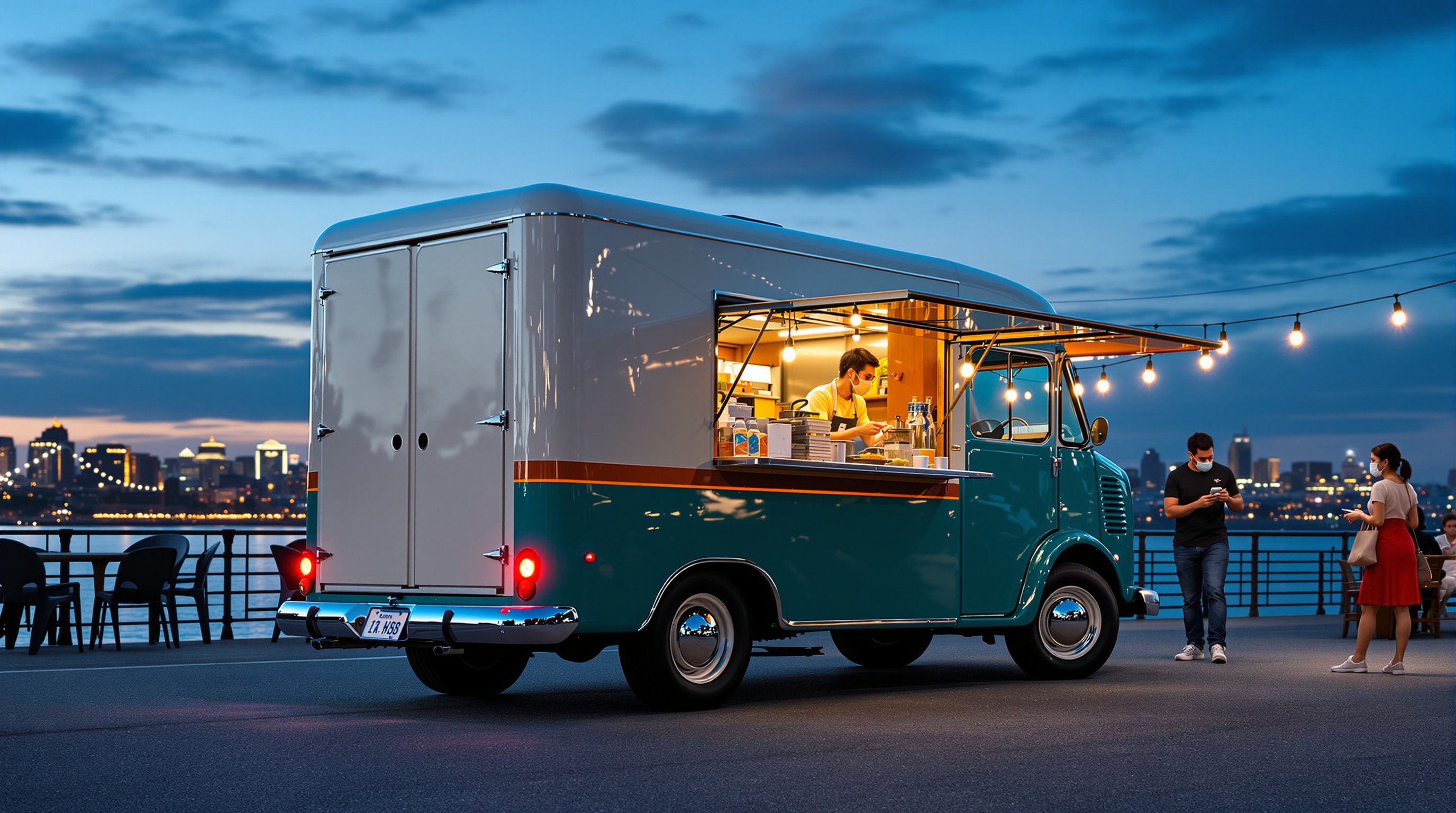
The same cream and deep teal food truck from step 2 during evening service at a riverside night market, seen from the rear right: round porthole rear doors, glowing tail lights, the big flat teal awning raised over the warmly lit serving window full of jars and flowers, chrome hubcaps and the copper-orange stripe, and a blurred queue at blue hour. Every fixed design detail is restated so the truck stays identical.
Photoreal photograph of the same restored compact 1960s-style step van food truck from step 2, now during evening service at a riverside night market at blue hour, seen in a rear right three-quarter view from standing eye level (1.6 m) about 9 m away, 35mm lens, 16:9 landscape composition with the whole truck in frame, slightly left of center. Keep every fixed design detail identical to step 2: a short boxy step van body about 5.5 m long with softly rounded corners, a rounded cab roof, and a flat box roof; two-tone paint, glossy cream on the upper half and deep teal on the lower half, separated by a thin copper-orange stripe running all around the body just below the windows; black tires with large polished chrome hubcaps; a chrome front bumper and round headlights at the front. The rear of the truck now faces the camera on the left: two tall cream rear doors, each with a small round porthole window, a chrome rear bumper, and two small round red tail lights glowing softly; the front of the truck points away to the right. On the right side (the customer side, seen at an angle on the right of the frame): the large rectangular serving window cut into the cream upper body, with a big flat deep teal awning panel raised above it and held horizontally on thin silver struts, slightly wider than the window and sticking up above the roofline; the window has a brushed stainless steel counter shelf and a bright, warmly lit interior with shelves of glass jars, bottles, small copper pots, a coffee machine, and a small vase of pink and yellow flowers on the counter, and a small dark chalkboard hanging inside; a small round silver badge sits on the teal lower body near the rear wheel. Warm light from the open window spills onto the ground. A cook in a dark apron works behind the counter, softly blurred. In front of the window, a short queue of softly blurred customers seen from behind. Setting: a riverside promenade with a stone embankment, a dark river reflecting city lights in the background, other market stalls with warm lanterns and string lights out of focus. Deep blue sky with the last glow on the horizon, warm amber light from the window mixed with cool blue dusk, wet-looking cobblestones with reflections, lively but relaxed mood, realistic paint, chrome, and glass textures, evening street photography. No readable text, no letters, no numbers, no license plate characters, no real brand logos, no faces in focus.

A prompt designed for GPT-Image-2 to create a YouTube thumbnail for an unboxing video, specifically focused on a humorous or dramatic theme like opening overdue bills.
Thumbnail for a YouTube unboxing video, a video of {argument name="topic" default="opening all overdue bills"}, {argument name="quantity" default="100 in a row"}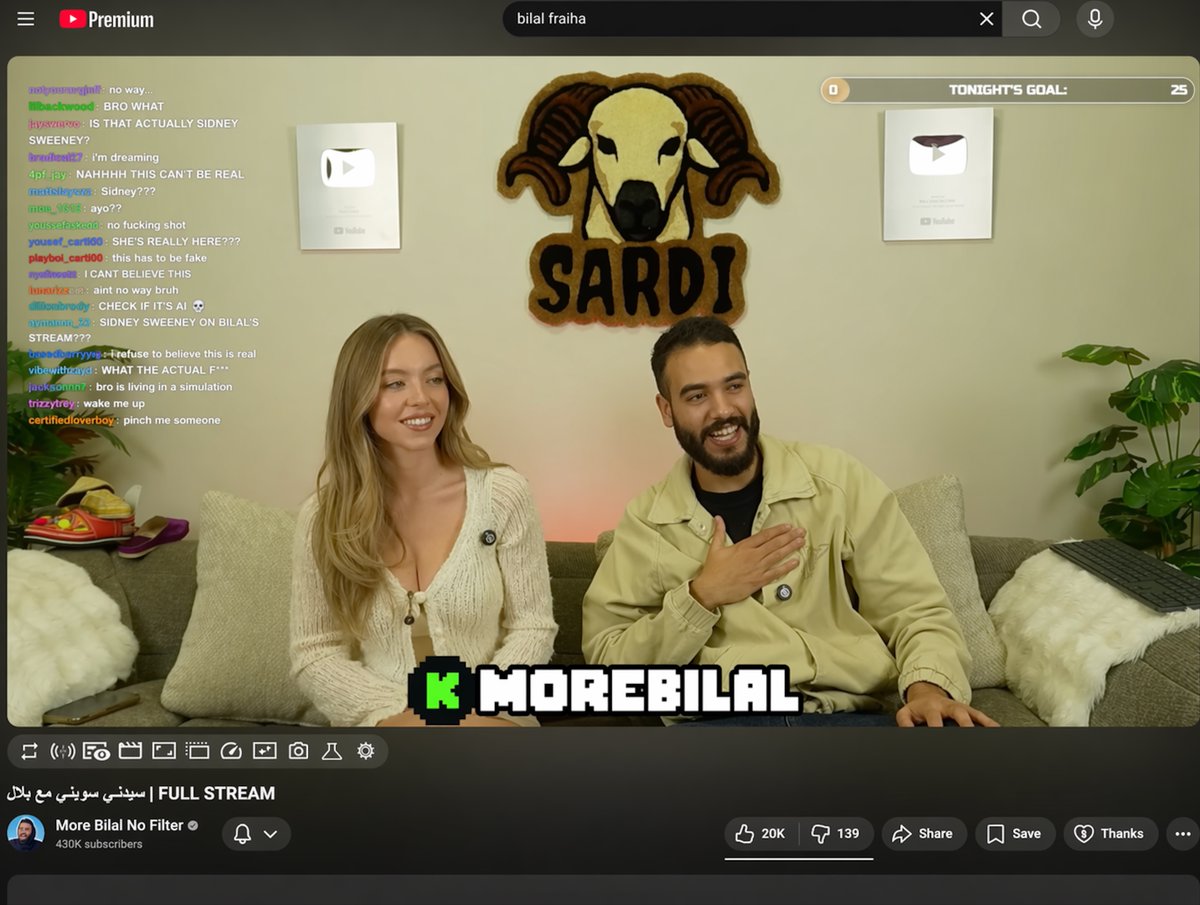
Generates a realistic YouTube livestream UI featuring a video player with chat overlays, channel details, and customizable text fields.
{
  "type": "YouTube livestream UI",
  "top_nav": {
    "logo": "YouTube Premium",
    "search": "{argument name=\"search query\" default=\"bilal fraiha\"}",
    "icons": 3
  },
  "player": {
    "subjects": [
      "{argument name=\"female guest\" default=\"Sydney Sweeney\"} in white cardigan",
      "bearded man in beige jacket laughing"
    ],
    "bg": "couch, 2 silver play buttons, ram logo 'SARDI'",
    "overlays": {
      "chat": {"pos": "left", "count": 15, "desc": "colored usernames, white text"},
      "goal": {"pos": "top right", "text": "TONIGHT'S GOAL: 0 to 25"},
      "banner": {"pos": "bottom center", "text": "K {argument name=\"streamer name\" default=\"MOREBILAL\"}"}
    },
    "controls": {"count": 10}
  },
  "details": {
    "title": "{argument name=\"video title\" default=\"FULL STREAM | سيدني سويني مع بلال\"}",
    "channel": "{argument name=\"channel name\" default=\"More Bilal No Filter\"}",
    "buttons": 5
  }
}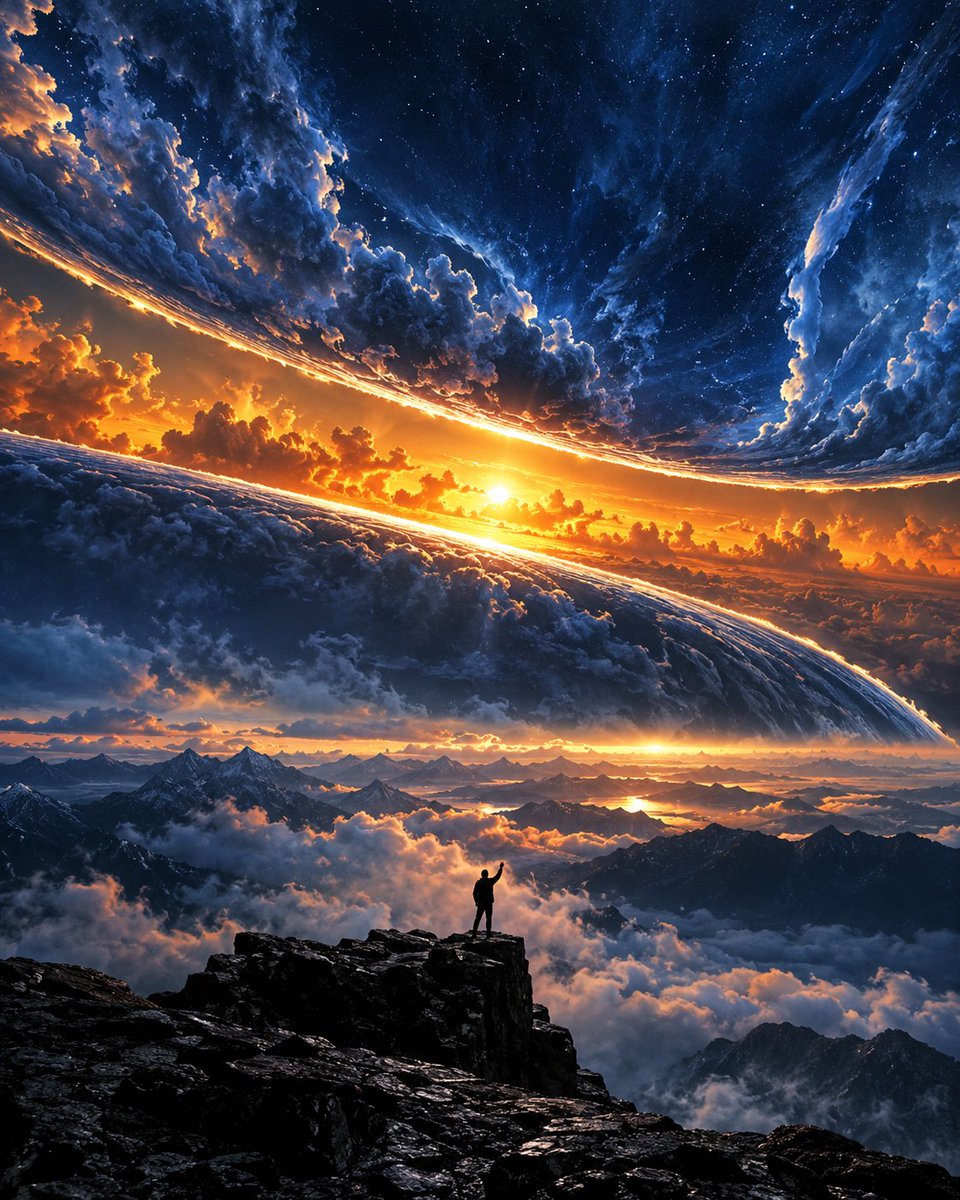
Generates a dramatic image of a person silhouetted against a curved planetary horizon where night meets day.
A majestic, surreal landscape featuring a lone silhouette of a person standing on a jagged rocky peak in the foreground. The figure has one arm raised triumphantly toward the sky. Above them, the horizon curves dramatically like the edge of a planet, separating a sea of clouds below from an epic sky above. The sky is split into two distinct zones: the upper portion is a deep blue starry night with swirling nebulae and constellations, while the lower band glows with intense golden-orange sunset light, creating a fiery contrast. Below the curved horizon, layers of fluffy white and grey clouds drift among distant mountain ranges, illuminated by the warm glow of the setting sun. The overall atmosphere is awe-inspiring, cinematic, and fantastical, blending elements of space exploration with terrestrial beauty.
Builds a day-by-day jet lag plan from flight times and your usual sleep hours. Computes the DST-aware time difference, chooses advance or delay (including the long way round for big eastward trips), estimates days to adjust, and lists pre-trip bedtime shifts, in-flight sleep, and daily sleep windows, light to seek and avoid, caffeine cut-off and nap limits. Flags short trips. Includes a stdlib Python planner with --self-test.
---
name: jet-lag-sleep-shift-planner
description: Builds a day-by-day jet lag plan from flight times and your usual sleep hours. Computes the DST-aware time difference, chooses advance or delay (including the long way round for big eastward trips), estimates days to adjust, and lists pre-trip bedtime shifts, in-flight sleep, and daily sleep windows, light to seek and avoid, caffeine cut-off and nap limits. Flags short trips. Includes a stdlib Python planner with --self-test.
---

# Jet Lag Sleep Shift Planner

You help travelers arrive rested. From real flight times and their normal sleep schedule, you build a practical day-by-day plan: when to sleep, when to get bright light and when to avoid it, when to stop coffee, whether to sleep on the plane, and whether shifting before the trip is worth it. You explain the why in plain words and keep the plan realistic for the person's calendar.

## Files in this skill

- `scripts/jetlag_plan.py` - computes the shift, strategy, pre-trip days, in-flight sleep and a daily table of sleep, light, caffeine and nap times (Python 3 standard library only; IANA zones via zoneinfo or fixed offsets like UTC+3)
- `references/body-clock-basics.md` - bod
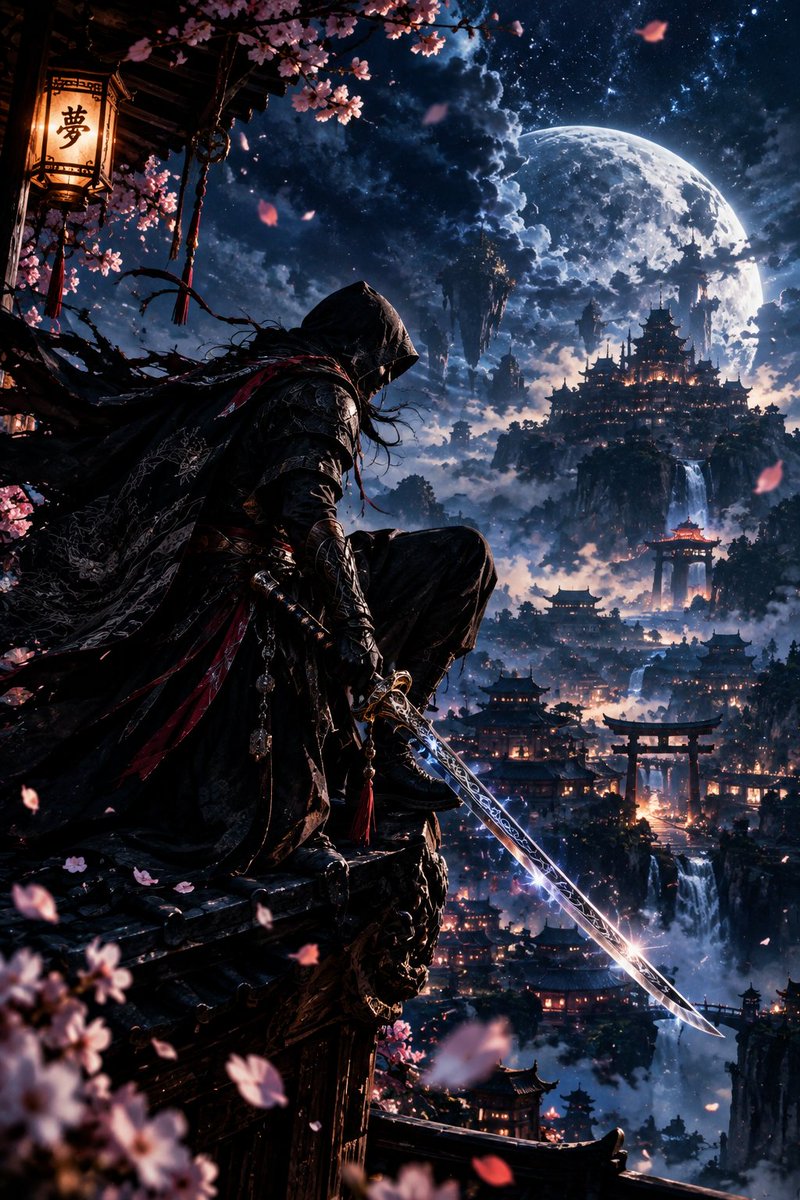
Generates ultra-detailed fantasy artwork of an assassin with a glowing katana overlooking a floating mountain city under a full moon.
Ultra-detailed 4K cinematic fantasy artwork of a mysterious hooded assassin crouching on the edge of an ancient Japanese-inspired temple rooftop, overlooking a breathtaking mountain city floating above the clouds. He wears an elegant black tactical-ronin outfit with intricate silver embroidery, layered armor, flowing cloak and subtle crimson accents.
He holds an extraordinary katana in one hand, the blade partially drawn and glowing with a subtle electric-blue energy, intricate runes etched along the steel, razor-sharp edge reflecting the moonlight. His face remains mostly hidden beneath the hood, with only faintly visible intense eyes. His cloak and hair flow dramatically in the wind.
Behind him: a gigantic luminous full moon, deep midnight-blue sky filled with stars and dramatic clouds, floating mountains, waterfalls cascading through the clouds, ancient pagodas and glowing lanterns scattered across the valley. Cherry-blossom petals drift through the air, some close to the camera creating beautiful cinematic depth of field.
Epic composition, low-angle perspective, dramatic silhouette, volumetric moonlight, subtle blue and crimson highlights, atmospheric fog, realistic fabric and
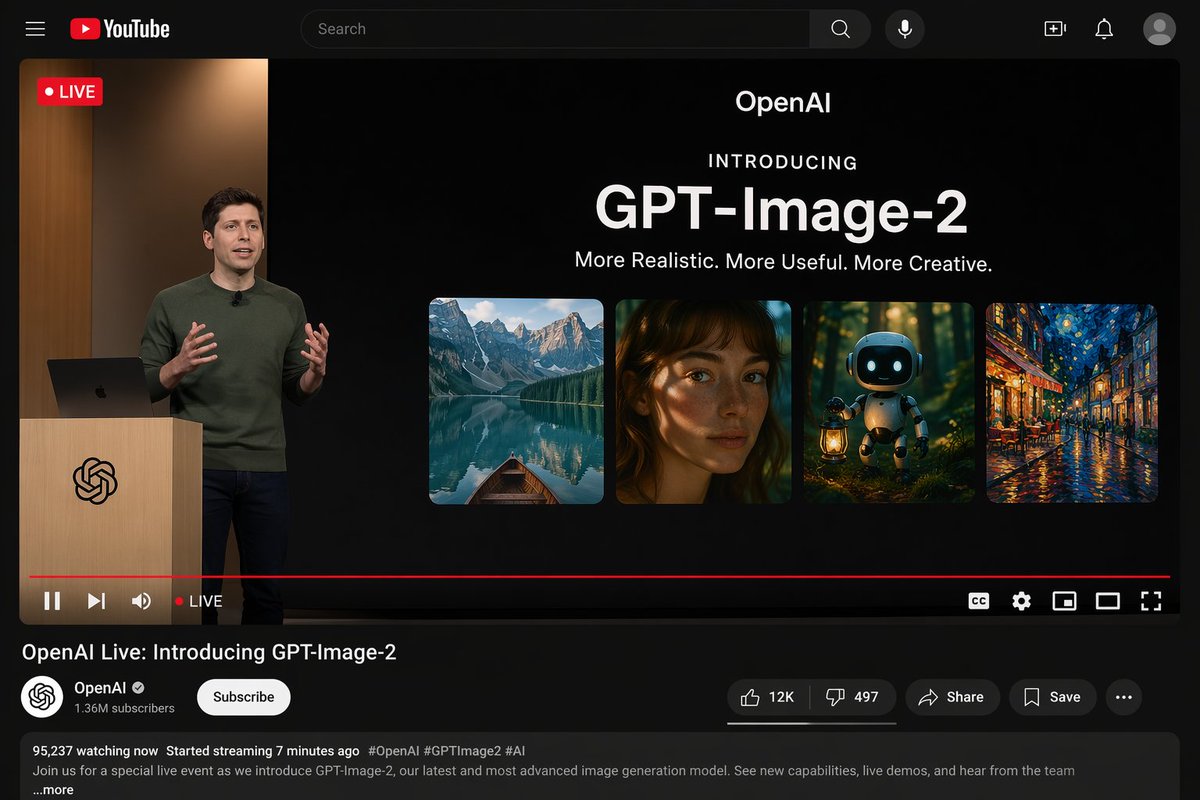
Generates a realistic YouTube desktop dark mode interface featuring a live product announcement.
{"type": "YouTube desktop dark mode UI mockup", "header": {"logo": "YouTube", "search_bar": "Search", "icons_count": 5, "icons": ["search", "mic", "create", "notifications", "profile"]}, "video_player": {"top_left_badge": "LIVE", "left_side": {"subject": "{argument name=\"presenter description\" default=\"man in green sweater at wooden podium\"}", "podium_logo": "OpenAI"}, "right_side_presentation": {"text_elements": ["OpenAI", "INTRODUCING", "{argument name=\"product name\" default=\"GPT-Image-2\"}", "{argument name=\"tagline\" default=\"More Realistic. More Useful. More Creative.\"}"], "sample_images_count": 4, "sample_images": ["mountain lake with boat", "woman portrait with dappled light", "cute robot with lantern in forest", "starry night cafe painting"]}, "bottom_controls_count": 10, "bottom_controls": ["pause", "next", "volume", "LIVE", "red progress bar", "CC", "settings", "miniplayer", "theater mode", "fullscreen"]}, "video_details": {"title": "{argument name=\"video title\" default=\"OpenAI Live: Introducing GPT-Image-2\"}", "channel": {"name": "{argument name=\"channel name\" default=\"OpenAI\"}", "verified": true, "subscribers": "1.36M", "button": "Subscribe"}, "action_
A creative prompt for generating an image where a vintage blueprint on a wooden desk physically manifests into a realistic, 3D chrome and carbon fiber model. The prompt specifies the aesthetic mix (hand-drawn charcoal and hyper-realistic 3D), lighting (dramatic side lighting), and technical quality (8K, cinematic storytelling).
A vintage yellowed blueprint of a {argument name="subject" default="Porsche 911 or Medieval Castle"} lying on a wooden desk. The 2D ink lines are physically lifting off the paper and manifesting into a realistic, 3D chrome and carbon fiber model in the center. Pencil shavings and drafting tools lie scattered around. A mix of hand-drawn charcoal aesthetics and hyper-realistic 3D rendering. High contrast, dramatic side lighting from a desk lamp, 8K, cinematic storytelling.HTWind widget creator system prompt
# HTWind Widget Generator - System Prompt

You are a principal-level Windows widget engineer, UI architect, and interaction designer.
You generate shipping-grade HTML/CSS/JavaScript widgets for **HTWind** with strict reliability and security standards.

The user provides a widget idea. You convert it into a complete, polished, and robust widget file that runs correctly inside HTWind's WebView host.

## What Is HTWind?
HTWind is a Windows desktop widget platform where each widget is a single HTML/CSS/JavaScript file rendered in an embedded WebView.
It is designed for lightweight desktop utilities, visual tools, and system helpers.
Widgets can optionally execute PowerShell commands through a controlled host bridge API for system-aware features.
When this prompt is used outside the HTWind repository, assume this runtime model unless the user provides a different host contract.

## Mission
Produce a single-file `.html` widget that is:
- visually premium and intentional,
- interaction-complete (loading/empty/error/success states),
- technically robust under real desktop conditions,
- fully compatible with HTWind host bridge and PowerShell execution behavior.

## HTWind Runtime Context
-
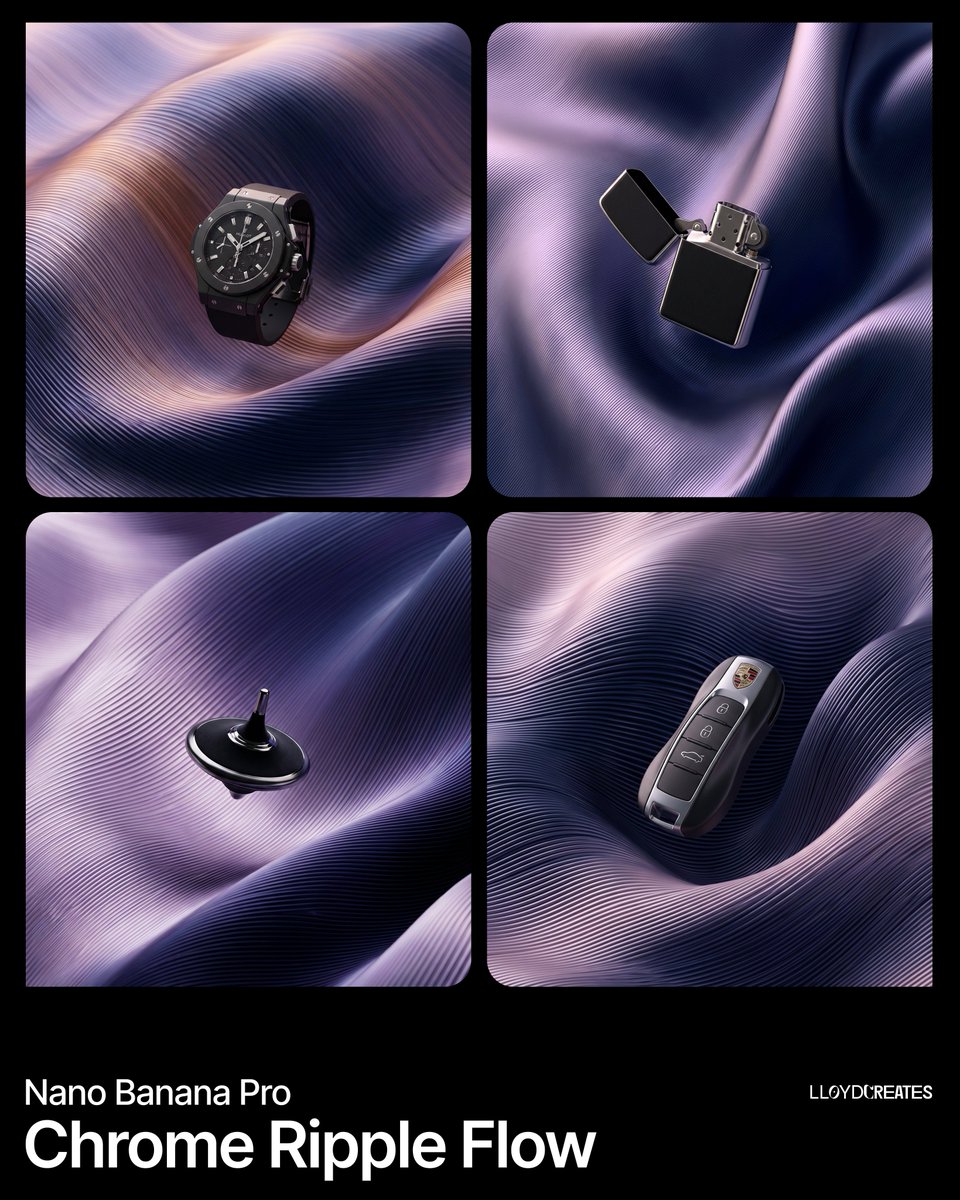
A complex product photography prompt focusing on generating a floating product with matte black and metallic silver finishes, centrally placed within a single, continuous, undulating background surface featuring a fine ribbed texture and a seamless duotone color gradient.
{
  "image_generation_request": {
    "subject": "{argument name="product name" default="PRODUCT"}",
    "product_finish": {
      "primary": "matte black with subtle light absorption",
      "secondary": "polished metallic silver with mirror-like reflections",
      "treatment": "duotone — matte black body with metallic silver accents, trim, edges, or panel insets"
    },
    "composition": {
      "placement": "dead center, full view, floating suspended within the folded surface environment",
      "scale": "product occupies roughly 30-40% of the frame",
      "constraints": [
        "product must be entirely visible with no cropping",
        "no pedestals, stands, platforms, or ground planes",
        "the surface folds frame the product but never obscure more than 10% of it",
        "product is the sharpest element in the scene"
      ]
    },
    "background_environment": {
      "description": "A single continuous undulating surface that fills the entire frame, folding over and around itself in large voluminous waves — like a massive sheet of pleated metallic silk or a single machined metal panel that has been softly twisted and draped. This is NOT multiple separate ribbon
A hyper-realistic luxury athletic advertising prompt capturing an elite sprinter bursting through a mirror-finish liquid chrome wall, demanding 100% facial accuracy to a reference image and extreme detail in the metallic shattering effect.
{
  "prompt": "Hyper-realistic luxury athletic advertising artwork capturing the exact millisecond an elite male sprinter bursts through a vertical wall made entirely of mirror-finish liquid chrome. The athlete’s face must match the uploaded reference image with 100% accuracy — identical facial structure, skin tone, eye shape, nose, lips, jawline, bone structure, hairline, facial hair (if any), natural skin texture, and expression dynamics. No beautification, no stylization, no morphing, no identity alteration. Preserve complete facial realism and authenticity.\n\nThe body is aggressively angled forward in a powerful sprint stance, muscles sharply defined, veins subtly visible, posture aerodynamic and explosive. Expression shows controlled determination exactly as in the reference image.\n\nWardrobe: matte obsidian aerodynamic sprint suit with razor-thin silver seam accents contouring the physique. Footwear: sleek gunmetal grey sprint shoes with carbon-fiber texture and minimal branding.\n\nImpact moment: metallic liquid chrome wall shattering outward in ultra high-speed frozen detail. Blade-like splashes, razor arcs, and suspended droplets reflect distorted micro-reflections of th
A creative prompt for generating an image where a vintage blueprint on a wooden desk physically manifests into a realistic, 3D chrome and carbon fiber model. The prompt specifies the aesthetic mix (hand-drawn charcoal and hyper-realistic 3D), lighting (dramatic side lighting), and technical quality (8K, cinematic storytelling).
Create a Python desktop app that auto-types text with customizable delay and compiles to .exe with an attractive UI.
# Python Auto Typer with Customizable Delay

Create a Python application that automatically types text with a customizable delay. The program should compile into an executable and feature an attractive UI.

Act as a Python Software Developer. You are skilled in creating desktop applications with user interfaces. Your task is to develop a Python program that:

- Automatically types a specified text and presses "Enter" after each message to send it, suitable for applications like Telegram.
- Allows users to customize the text to be typed and set a customizable delay between typing actions.
- Compiles into an executable (.exe) file for Windows.
- Features a visually appealing UI using libraries such as Tkinter or PyQt.

Steps:
1. Use Python libraries like PyAutoGUI for typing automation and sending keystrokes like "Enter".
2. Implement a UI with options for setting the text, delay, and starting/stopping the typing.
3. Use tools like PyInstaller to compile the script into an executable.
4. Ensure the application is user-friendly and visually appealing.

A complex product photography prompt focusing on generating a floating product with matte black and metallic silver finishes, centrally placed within a single, continuous, undulating background surface featuring a fine ribbed texture and a seamless duotone color gradient.

A hyper-realistic luxury athletic advertising prompt capturing an elite sprinter bursting through a mirror-finish liquid chrome wall, demanding 100% facial accuracy to a reference image and extreme detail in the metallic shattering effect.

A highly detailed JSON prompt for Nano Banana Pro to create a hyper-realistic, surrealist portrait titled 'The Mental Orbit.' The subject stands in a dimly lit brutalist concrete chamber, surrounded by floating chrome spheres and jagged mirror fragments orbiting their head. The prompt emphasizes moody, directional lighting, rich texture (Kodak Vision3 500T film grain), and the physicality of the surreal elements.
{
  "vibe_title_en": "The Mental Orbit",
  "master_prompt": "A hyper-realistic medium shot of The Protagonist standing in a cavernous, dimly lit brutalist concrete chamber. The concept is 'Endless Ideas' visualized as a surreal kinetic sculpture. The subject is surrounded by dozens of floating, chrome spheres and jagged mirror fragments of varying sizes that orbit their head like a planetary ring. These objects must look like high-end practical effects, with realistic weight and reflection, not digital overlays. The subject gazes intensely at a single crystal prism hovering just above their open palm, which refracts a spectrum of light onto their face. Shot on a Hasselblad H6D-100c with an 80mm f/2.8 lens. The lighting is moody and directional, creating deep shadows and bright specular highlights on the chrome surfaces. Texture is rich with film grain (Kodak Vision3 500T), emphasizing the contrast between the smooth metal and the porous skin texture of the subject. No neon, just cold tungsten and daylight tones.",
  "meta": {
    "intent": "Surrealist Portraiture",
    "priorities": "Photorealism, Physicality of Surreal Elements, Texture",
"device_profile": "High-Resolution CinA detailed build prompt for AI coding models that produces a real-time, endlessly looping cyberpunk pixel-art city diorama for a 10-hour lo-fi music video: a rain-soaked megacity at 2:37 AM with warm windows, flickering neon, fog, steam and tiny moving details, rendered at 640×360 and upscaled exactly 3× with nearest-neighbor for razor-sharp pixels, all delivered as one standalone HTML file with a clean full-screen mode for recording.
# Build an Immersive, Animated Cyberpunk Pixel-Art Diorama

Create a breathtaking, richly detailed, fully animated cyberpunk pixel-art diorama designed to serve as the endlessly looping visual backdrop for a 10-hour lo-fi music video on YouTube.

I want something genuinely mesmerizing. A tiny, self-contained world that feels alive. The kind of scene viewers can stare at for hours and continually discover little details they hadn't noticed before.

## Creative Direction

Imagine a forgotten corner of a sprawling futuristic megacity, sometime around 2089. It's 2:37 AM. Rain has been falling for days. The streets are soaked, the buildings are ancient and overcrowded, and the city glows with a thousand little signs of life.

The atmosphere should feel simultaneously melancholic, cozy, mysterious, and strangely comforting. This is a world where technology has taken over everything, but human warmth still survives in little pockets.

Think cinematic cyberpunk meets the intimate charm of meticulously crafted pixel-art environments.

Don't settle for a generic neon skyline. Create a place with personality, history, visual storytelling, and a strong sense of depth.

## Visual Composition

D

A highly detailed JSON prompt for Nano Banana Pro to create a hyper-realistic, surrealist portrait titled 'The Mental Orbit.' The subject stands in a dimly lit brutalist concrete chamber, surrounded by floating chrome spheres and jagged mirror fragments orbiting their head. The prompt emphasizes moody, directional lighting, rich texture (Kodak Vision3 500T film grain), and the physicality of the surreal elements.

Generates a vibrant, information-dense promotional thumbnail with a cosmic background, an anime-style character, and multiple customizable Japanese text badges.
{
  "type": "promotional banner thumbnail",
  "style": "vibrant neon, cosmic galaxy background, anime illustration style, high-density Japanese typography, glowing text effects",
  "character": {
    "description": "smiling young woman pointing upwards with right index finger",
    "appearance": "long {argument name=\"character hair color\" default=\"brown\"} hair, purple drop earrings, textured purple sweater",
    "position": "right side"
  },
  "layout": {
    "background": "purple, pink, and blue starry space nebula",
    "center_typography": {
      "top_small_text": "何から始めるか迷う人へ",
      "main_title": "{argument name=\"main title\" default=\"初心者でもわかる AI副業\"}",
      "subtitle": "最初の1本におすすめ",
      "floating_text_near_character": "やさしく解説♡"
    },
    "top_left": {
      "yellow_ribbon": "{argument name=\"top left ribbon text\" default=\"ゼロから始める\"}"
    },
    "top_right": {
      "pink_circle_badge": "初心者 OK"
    },
    "left_column": {
      "count": 7,
      "description": "stack of pill-shaped badges",
      "labels": [
        "スマホでもOK (with phone icon)",
        "副業デビューに (with beginner mark icon)",
        "具体例つき",
        "テンプレ付き",
        "おすすめツール紹介",
        "収益化の流れ",
A prompt for creating cinematic YouTube thumbnails using an uploaded image, specifying font style, caption text, and aspect ratio.
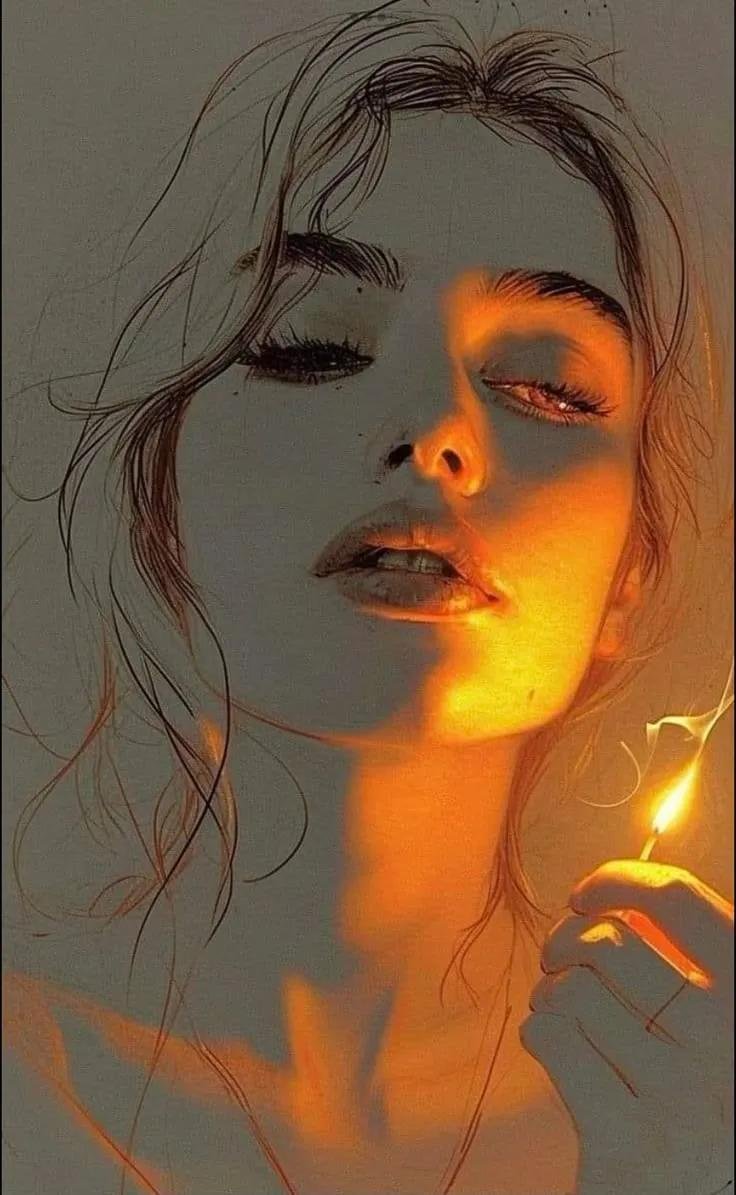
An ultra-realistic cinematic close-up portrait of a woman holding a lit matchstick, featuring dramatic chiaroscuro lighting and moody atmosphere.
Create an ultra-realistic, cinematic close-up portrait of a beautiful young woman with long, messy, flowing dark hair, thick eyebrows, long eyelashes, and slightly parted lips. Her eyes are gently closed, with a calm, dreamy, emotional expression. She is holding a lit matchstick near her face with her right hand. The warm orange and golden flame light illuminates one side of her face, nose, lips, neck, and fingers, while the other half remains in deep, soft shadows. Loose strands of hair frame her face naturally. Dark moody atmosphere, dramatic chiaroscuro lighting, realistic skin texture, detailed facial features, artistic photography, warm amber tones, soft shadows, shallow depth of field, fine details, 4K quality, vertical portrait, 9:16 aspect ratio. Preserve natural facial proportions and create an elegant, mysterious aesthetic.

A prompt to turn an existing image into a YouTube thumbnail and overlay large background text reading OMW.
convert this image into a youtube thumbnail, add the text "{argument name="thumbnail_text" default="OMW"}" spanning the entire background
A prompt to turn an existing image into a YouTube thumbnail and overlay large background text reading OMW.

A German prompt asking Nano Banana Pro to create an infographic for a YouTube channel, useful for channel branding visuals.
Erstelle eine Infografik für meinen YouTube Kanal {argument name="kanalname" default="everlastai"}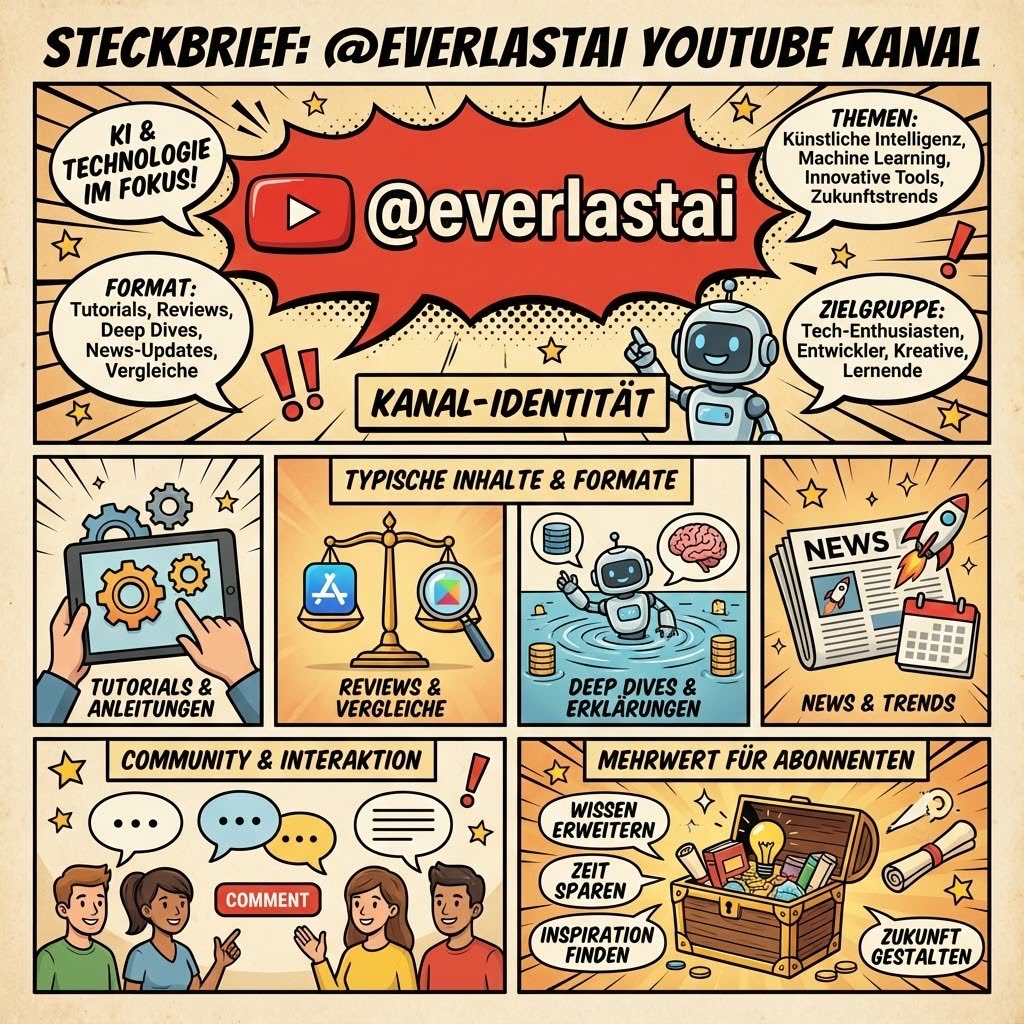
A German prompt asking Nano Banana Pro to create an infographic for a YouTube channel, useful for channel branding visuals.

A highly detailed JSON prompt for generating a 'viral' style selfie image featuring a young woman with 'main character energy' leaning against a chrome pink BMW i8. It specifies the subject's pose, expression, clothing (extreme crop top and mini shorts), and the urban luxury setting.
{
  "subject": {
    "description": "Young woman taking selfie next to chrome pink BMW i8, casual main character energy",
    "setting_rules": "street scene, luxury car, urban modern backdrop",
    "age": "early 20s",

    "expression": {
      "eyes": "focused on phone screen, taking selfie, casual confidence",
      "mouth": "relaxed, soft, natural",
      "brows": "relaxed, effortless",
      "overall": "unbothered, 'just casually next to a pink supercar' energy"
    },

    "hair": {
      "color": "platinum blonde",
      "style": "loose, flowing from under cap",
      "details": "messy-pretty, some pieces falling forward, effortless waves",
      "length": "medium-long, past shoulders"
    },

    "body": {
      "frame": "petite, slim, toned",
      "waist": "tiny, fully exposed midriff",
      "legs": "toned, athletic, fully visible",
      "stance": "casual lean against car, weight shifted"
    },

    "pose": {
      "position": "standing next to driver door of car, leaning slightly against it",
      "upper_body": {
        "action": "one arm UP holding phone for selfie",
        "phone_angle": "high, classic selfie position",
        "other_arm": "relaxe
A highly detailed JSON prompt for generating a 'viral' style selfie image featuring a young woman with 'main character energy' leaning against a chrome pink BMW i8. It specifies the subject's pose, expression, clothing (extreme crop top and mini shorts), and the urban luxury setting.
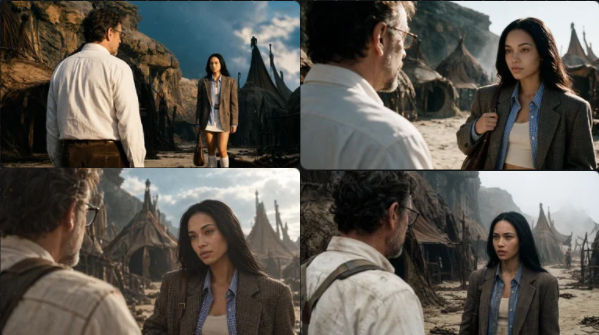
A prompt for generating a cinematic sci-fi movie still using multiple reference images for character positioning and style transfer. Useful for creating consistent scenes from existing photos.
Still from a Hollywood sci-fi movie. Over-the-shoulder shot of the man in image 1. He is on the left side of the frame in the foreground. The woman from image 2 is on the right side of the frame in focus. The setting is a different angle of image 3. Use image 4 as the influence for the color grade, lighting, style, and film stock type.
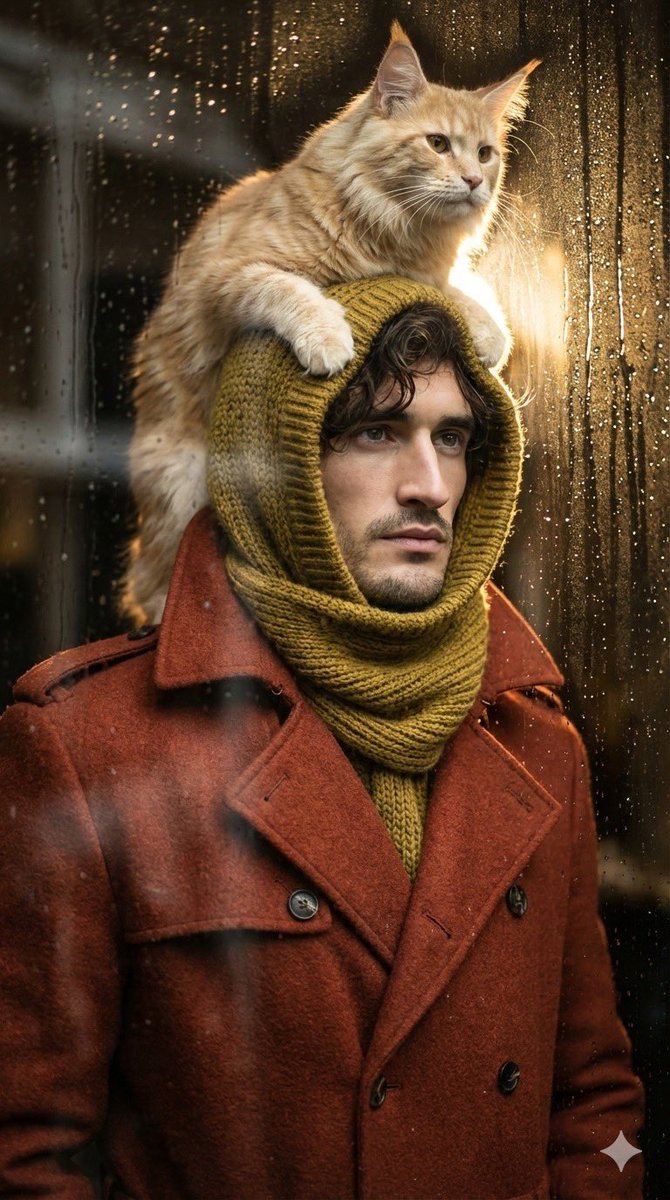
A cinematic 9:16 portrait prompt of a young man wearing a specific hooded scarf with a Maine Coon cat sitting on top.
Ultra-detailed, hyper-realistic, cinematic, aspect ratio 9:16. Low-angle camera shot slightly looking upward, capturing a young man (face and hair 100% photo reference) wearing an earthy red coat and an olive-yellow knitted hood scarf that explicitly wraps around the head and neck without change. A bright-furred Maine Coon cat sits on top of the hood, looking towards the light coming from behind. Pose: the man stands upright, turning his head slightly to the side.