
Image
A darkly humorous prompt depicting a woman calmly working at her desk while her entire office and clothing are on fire, utilizing a Y2K digital flash look.
Browse 32,996 free prompts for Nano Banana 2.1, Seedance 2.5, GPT Image 2.5, ChatGPT, Claude, Gemini and coding assistants, with sample outputs. Copy one, fill in the blanks, or run it in your favourite AI.
A darkly humorous prompt depicting a woman calmly working at her desk while her entire office and clothing are on fire, utilizing a Y2K digital flash look.

A structured JSON prompt for generating a four-panel collage depicting a female trader in a modern high-rise office at sunset, focusing on professional, tech-driven workflow and aspirational fintech branding visuals.
{
  "scene": "Modern high-rise trading workspace at sunset",
  "setting": {
    "location": "High-rise apartment or office",
    "time_of_day": "Golden hour / sunset",
    "environment": "Floor-to-ceiling windows with city skyline view"
  },
  "subject": {
    "type": "person",
    "gender_presentation": "female",
    "appearance": {
      "hair": "long blonde hair",
      "outfit": "cream and light-yellow striped fitted dress",
      "pose_variations": [
        "standing at desk looking at monitors",
        "seated in office chair facing camera",
        "leaning forward typing on keyboard",
        "turned slightly toward camera with relaxed expression"
      ],
      "expression": "confident, focused, calm"
    }
  },
  "objects": {
    "desk_items": [
      "multiple widescreen monitors",
      "laptop",
      "keyboard",
      "mouse",
      "white notepad",
      "blue water bottle",
      "small pink penguin plush"
    ],
    "screens_content": [
      "financial trading charts",
      "candlestick graphs",
      "market indicators",
      "technical analysis dashboards"
    ]
  },
  "composition": {
    "layout": "four-panel collage",
    "camera_angles": [
"medium 
A detailed prompt for generating a hyper-realistic macro photograph of a person (specified by job title) working at a desk inside a tall, vertical glass cube. The prompt emphasizes the contrast between the clear front glass and the cluttered back walls, focusing on realistic textures, soft blue negative space, and studio lighting.
Hyper-realistic macro photography of a real living {argument name="subject job title" default="[Subject/Job Title]"} working at a desk inside a tall vertical rectangular glass cube. Centered composition. The glass structure occupies approximately 80% of the vertical frame height, ensuring a perfect amount of minimalist soft blue negative space on all four sides. The camera distance is a stable medium-close shot.

The Composition: The two glass walls facing the camera are completely clear and empty to allow a perfect view of the interior. In contrast, the interior of the two back walls is cluttered and densely covered from the floor to the very top edge with hundreds of {argument name="specific items" default="[Specific Job-related Items: e.g., sticky notes, charts, blueprints, vibrant mood boards, tiny Pantone color swatches]"}, creating an intense "busy" workload atmosphere.

Interior Details: realistic [Specific Desk Items], and a warm incandescent desk lamp that casts a soft golden glow over the workspace. The interior floor is made of polished white ceramic tiles. The floor around the desk is cluttered with tall, messy stacks of organized papers, open reference books and [SpeciResearch-first, non-salesy lead generation for WordPilot.pro. Daily-cadence system with 6-stage conversion pipeline, persona-specific research methods, and professional outreach templates. Finds qualified leads through deep research, tracks every interaction, and converts through genuine connection — not mass blasting. Workspace-first tracking in /leads/.
# Lead Generator & Tracker (WordPilot.pro)

Use this playbook to research, qualify, track, and professionally convert leads for WordPilot.pro — an AI-powered writing workspace. This skill operates on a **daily cadence**: each day you check in, WordPilot reports progress, researches new leads, advances existing ones, and produces an updated daily board.

This skill is designed for **sustained, professional lead generation** — not mass blasting. Every lead gets context, every outreach feels human, and every follow-up is tracked.

## Core Philosophy

1. **Research before reaching out.** Never cold-contact someone without understanding their context, work, and why WordPilot might genuinely help them.
2. **Value-first, never salesy.** Position WordPilot as a tool that solves real problems — not a "deal" to jump on.
3. **Slow is smooth.** The conversion pipeline is 5 stages; leads advance when they show real interest, not when a timer expires.
4. **Everything is tracked.** The `/leads/` workspace folder is the single source of truth.
5. **Daily accountability.** Every session produces a concrete update to the daily board.

## When to Apply

- User says "how's lead gen going?", "show me t
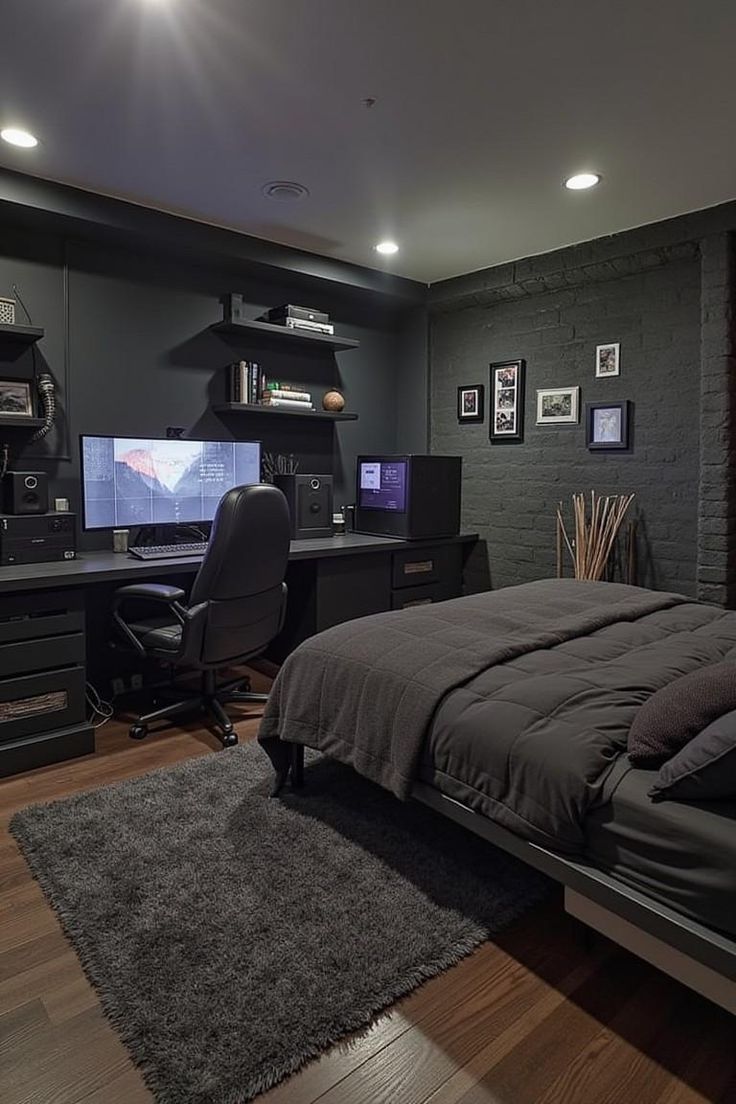
A highly detailed, structured prompt for generating a photorealistic interior design image of a modern, dark-themed bedroom and workspace, specifying monochromatic colors, furniture details (gaming PC, black leather chair), lighting setup (recessed downlights), and overall moody, masculine aesthetic.
{
  "prompt": "A highly detailed, photorealistic interior shot of a modern, dark-themed bedroom and workspace. The room features a monochromatic charcoal and black color palette. On the left, a sleek black desk spans the wall, hosting a high-end gaming PC with internal lighting, a large monitor displaying a wallpaper, and a black leather executive chair. Above the desk, floating black shelves hold books and decor. To the right, a bed with a grey metal frame is dressed in dark charcoal duvet and pillows. The wall behind the bed is painted black brick, decorated with a gallery of small framed photos. A plush, dark grey shag rug sits on the warm walnut wood floor. Lighting is provided by recessed ceiling downlights, creating a moody, sophisticated, and masculine atmosphere. The image is sharp, 8k resolution, with architectural photography quality.",
  "subject": "A dark, modern bedroom featuring a high-end gaming desk setup and a bed with charcoal bedding.",
  "style": "Photorealistic interior design photography, industrial chic aesthetic.",
  "lighting": "Recessed ceiling downlights creating soft pools of light, supplemented by cool monitor glow.",
  "colors": "Monochromatic dark pal
A detailed prompt for generating a hyper-realistic macro photograph of a person (specified by job title) working at a desk inside a tall, vertical glass cube. The prompt emphasizes the contrast between the clear front glass and the cluttered back walls, focusing on realistic textures, soft blue negative space, and studio lighting.

A highly detailed, structured prompt for generating a photorealistic interior design image of a modern, dark-themed bedroom and workspace, specifying monochromatic colors, furniture details (gaming PC, black leather chair), lighting setup (recessed downlights), and overall moody, masculine aesthetic.
Opinionated conventions for structuring and running a JavaScript and TypeScript monorepo.
# Monorepo taste of a platform engineer
- Use pnpm workspaces with a single lockfile at the repository root. Confidence: 0.95
- Put deployable apps in apps/ and shared libraries in packages/. Confidence: 0.90
- Orchestrate tasks with Turborepo and enable remote caching in CI. Confidence: 0.85
- Reference internal packages with the workspace:* protocol. Confidence: 0.90
- Scope every internal package name under one npm scope such as @acme/. Confidence: 0.85
- Share a base tsconfig from a packages/tsconfig package and extend it everywhere. Confidence: 0.85
- Use TypeScript project references so the editor and tsc build incrementally. Confidence: 0.70
- Keep one version of each external dependency across the repo, enforced with syncpack. Confidence: 0.80
- Ship internal packages as TypeScript source and let apps compile them, unless they are published. Confidence: 0.75
- Version and publish public packages with Changesets. Confidence: 0.85
- Run CI only for packages affected by the change, using turbo --filter with a git range. Confidence: 0.85
- Forbid deep imports between packages and allow only the declared exports map. Confidence: 0.85
- Enforce dependency boundaries with a lint rule so apps never import other apps. Confidence: 0.90
- Keep the root package.json free of runtime dependencies. Confidence: 0.80
- Assign owners per directory with a CODEOWNERS file. Confidence: 0.80
- Pin the Node.js and pnpm versions with .nvmrc and the packageManager field. Confidence: 0.90
- Prefer one root lint and format config over a copy in every package. Confidence: 0.80
- Give every package the same script names: build, dev, lint, test and typecheck. Confidence: 0.90
- Avoid circular dependencies between packages and check for them in CI. Confidence: 0.85
- Split a package out only when a second consumer actually needs it. Confidence: 0.75

A structured JSON prompt for generating a four-panel collage depicting a female trader in a modern high-rise office at sunset, focusing on professional, tech-driven workflow and aspirational fintech branding visuals.

A highly detailed, photorealistic macro prompt designed to create a diorama of a historical scientist's messy laboratory bench. The centerpiece is an antique notebook with relevant equations, upon which a tiny, hyper-realistic figurine of the scientist is working. The surroundings are cluttered with giant-scale, period-accurate objects, creating a unique landscape. This prompt is structured for educational and fun creations, focusing on texture, warm lighting, and a 4:5 aspect ratio.
do this for {argument name="scientist" default="Nikola Tesla"}

<instructions> Analyze: Determine the scientist responsible, the specific era, and the visual diagrams associated with the theory.

Goal: A Macro Diorama on a Laboratory Bench. A messy, highly detailed flat-lay of a historical workspace that serves as a giant landscape for a living miniature version of the scientist.

Centerpiece: An open, antique notebook lying flat. The pages must be visible and filled with specific handwritten equations and diagrams relevant to the Input Theory. Sitting directly on top of these open pages is a tiny, hyper-realistic figurine of the scientist sitting at a proportionally tiny wooden desk, working on the very notes beneath him.

Surroundings: The environment is cluttered with giant-scale period-accurate objects that relate to the scientist's work. This includes a newspaper from the era acting as a backdrop, a giant coffee mug leaving stains, and massive scientific tools relevant to the theory (such as compasses, lenses, or pocket watches) scattered like terrain.

Perspective: Slightly angled 45-degree macro shot looking down at the notebook. Texture: Wood grain, scratched metal, pape
This is a detailed image generation prompt designed to create a photorealistic historical macro diorama. The scene focuses on a messy laboratory bench where an open, antique notebook serves as the centerpiece. A tiny, hyper-realistic figurine of a specified scientist is shown working on the notes, surrounded by giant, period-accurate objects that relate to their work, such as massive scientific tools and a newspaper, all captured in a warm, late-night library lamp light.
Analyze: Determine the scientist responsible, the specific era, and the visual diagrams associated with the theory. Goal: A Macro Diorama on a Laboratory Bench. A messy, highly detailed flat-lay of a historical workspace that serves as a giant landscape for a living miniature version of the scientist. Centerpiece: An open, antique notebook lying flat. The pages must be visible and filled with specific handwritten equations and diagrams relevant to the Input Theory. Sitting directly on top of these open pages is a tiny, hyper-realistic figurine of the scientist sitting at a proportionally tiny wooden desk, working on the very notes beneath him. Surroundings: The environment is cluttered with giant-scale period-accurate objects that relate to the scientist's work. This includes a newspaper from the era acting as a backdrop, a giant coffee mug leaving stains, and massive scientific tools relevant to the theory (such as compasses, lenses, or pocket watches) scattered like terrain. Perspective: Slightly angled 45-degree macro shot looking down at the notebook. Texture: Wood grain, scratched metal, paper texture, dust particles. Lighting: Warm, late-night library lamp lighting creating a
Build a professional Claude Code custom status bar for developers.
# Task: Create a Professional Developer Status Bar for Claude Code

## Role

You are a systems programmer creating a highly-optimized status bar script for Claude Code.

## Deliverable

A single-file Python script (`~/.claude/statusline.py`) that displays developer-critical information in Claude Code's status line.

## Input Specification

Read JSON from stdin with this structure:

```json
{
  "model": {"display_name": "Opus|Sonnet|Haiku"},
  "workspace": {"current_dir": "/path/to/workspace", "project_dir": "/path/to/project"},
  "output_style": {"name": "explanatory|default|concise"},
  "cost": {
    "total_cost_usd": 0.0,
    "total_duration_ms": 0,
    "total_api_duration_ms": 0,
    "total_lines_added": 0,
    "total_lines_removed": 0
  }
}

```

## Output Requirements

### Format

* Print exactly ONE line to stdout
* Use ANSI 256-color codes: \033[38;5;Nm with optimized color palette for high contrast
* Smart truncation: Visible text width ≤ 80 characters (ANSI escape codes do NOT count toward limit)
* Use unicode symbols: ● (clean), + (added), ~ (modified)
* Color palette: orange 208, blue 33, green 154, yellow 229, red 196, gray 245 (tested for both dark/light terminals)

### Information Architecture (Left to Right Priority)

1. Core: Model name (orange)
2. Context: Project directory basename (blue)
3. Git Status:
* Branch name (green)
* Clean: ● (dim gray)
* Modified: ~N (yellow, N = file count)
* Added: +N (yellow, N = file count)


4. Metadata (dim gray):
* Uncommitted files: !N (red, N = count from git status --porcelain)
* API ratio: A:N% (N = api_duration / total_duration * 100)


### Example Output

\033[38;5;208mOpus\033[0m \033[38;5;33mIsaacLab\033[0m \033[38;5;154mmain\033[0m \033[38;5;245m●\033[0m \033[38;5;245mA:12%\033[0m

## Technical Constraints

### Performance (CRITICAL)

* Execution time: < 100ms (called every 300ms)
* Cache persistence: Store Git status cache in /tmp/claude_statusline_cache.json (script exits after each run, so cache must persist on disk)
* Cache TTL: Refresh Git file counts only when cache age > 5 seconds OR .git/index mtime changes
* Git logic optimization:
* Branch name: Read .git/HEAD directly (no subprocess)
* File counts: Call subprocess.run(['git', 'status', '--porcelain']) ONLY when cache expires


* Standard library only: No external dependencies (use only sys, json, os, pathlib, subprocess, time)

### Error Handling

* JSON parse error → return empty string ""
* Missing fields → omit that section (do not crash)
* Git directory not found → omit Git section entirely
* Any exception → return empty string ""

## Code Structure

* Single file, < 100 lines
* UTF-8 encoding handled for robust unicode output
* Maximum one function per concern (parsing, git, formatting)
* Type hints required for all functions
* Docstring for each function explaining its purpose

## Integration Steps

1. Save script to ~/.claude/statusline.py
2. Run chmod +x ~/.claude/statusline.py
3. Add to ~/.claude/settings.json:

```json
{
  "statusLine": {
    "type": "command",
    "command": "~/.claude/statusline.py",
    "padding": 0
  }
}

```

4. Test manually: echo '{"model":{"display_name":"Test"},"workspace":{"current_dir":"/tmp"}}' | ~/.claude/statusline.py

## Verification Checklist

* Script executes without external dependencies (except single git status --porcelain call when cached)
* Visible text width ≤ 80 characters (ANSI codes excluded from calculation)
* Colors render correctly in both dark and light terminal backgrounds
* Execution time < 100ms in typical workspace (cached calls should be < 20ms)
* Gracefully handles missing Git repository
* Cache file is created in /tmp and respects TTL
* Git file counts refresh when .git/index mtime changes or 5 seconds elapse

## Context for Decisions

This is a "developer professional" style status bar. It prioritizes:

* Detailed Git information for branch switching awareness
* API efficiency monitoring for cost-conscious development
* Visual density for maximum information per character
A structured prompt for generating a four-panel collage showcasing a female subject in a high-rise trading workspace during golden hour, emphasizing financial charts, tech-driven workflow, and an aspirational, modern aesthetic.
{
  "scene": "Modern high-rise trading workspace at sunset",
  "setting": {
    "location": "High-rise apartment or office",
    "time_of_day": "Golden hour / sunset",
    "environment": "Floor-to-ceiling windows with city skyline view"
  },
  "subject": {
    "type": "person",
    "gender_presentation": "female",
    "appearance": {
      "hair": "long blonde hair",
      "outfit": "cream and light-yellow striped fitted dress",
      "pose_variations": [
        "standing at desk looking at monitors",
        "seated in office chair facing camera",
        "leaning forward typing on keyboard",
        "turned slightly toward camera with relaxed expression"
      ],
      "expression": "confident, focused, calm"
    }
  },
  "objects": {
    "desk_items": [
      "multiple widescreen monitors",
      "laptop",
      "keyboard",
      "mouse",
      "white notepad",
      "blue water bottle",
      "{argument name="desk plushie" default="small pink penguin plush"}"
    ],
    "screens_content": [
      "financial trading charts",
      "candlestick graphs",
      "market indicators",
      "technical analysis dashboards"
    ]
  },
  "composition": {
    "layout": "four-panel collag
A highly detailed, photorealistic macro prompt designed to create a diorama of a historical scientist's messy laboratory bench. The centerpiece is an antique notebook with relevant equations, upon which a tiny, hyper-realistic figurine of the scientist is working. The surroundings are cluttered with giant-scale, period-accurate objects, creating a unique landscape. This prompt is structured for educational and fun creations, focusing on texture, warm lighting, and a 4:5 aspect ratio.
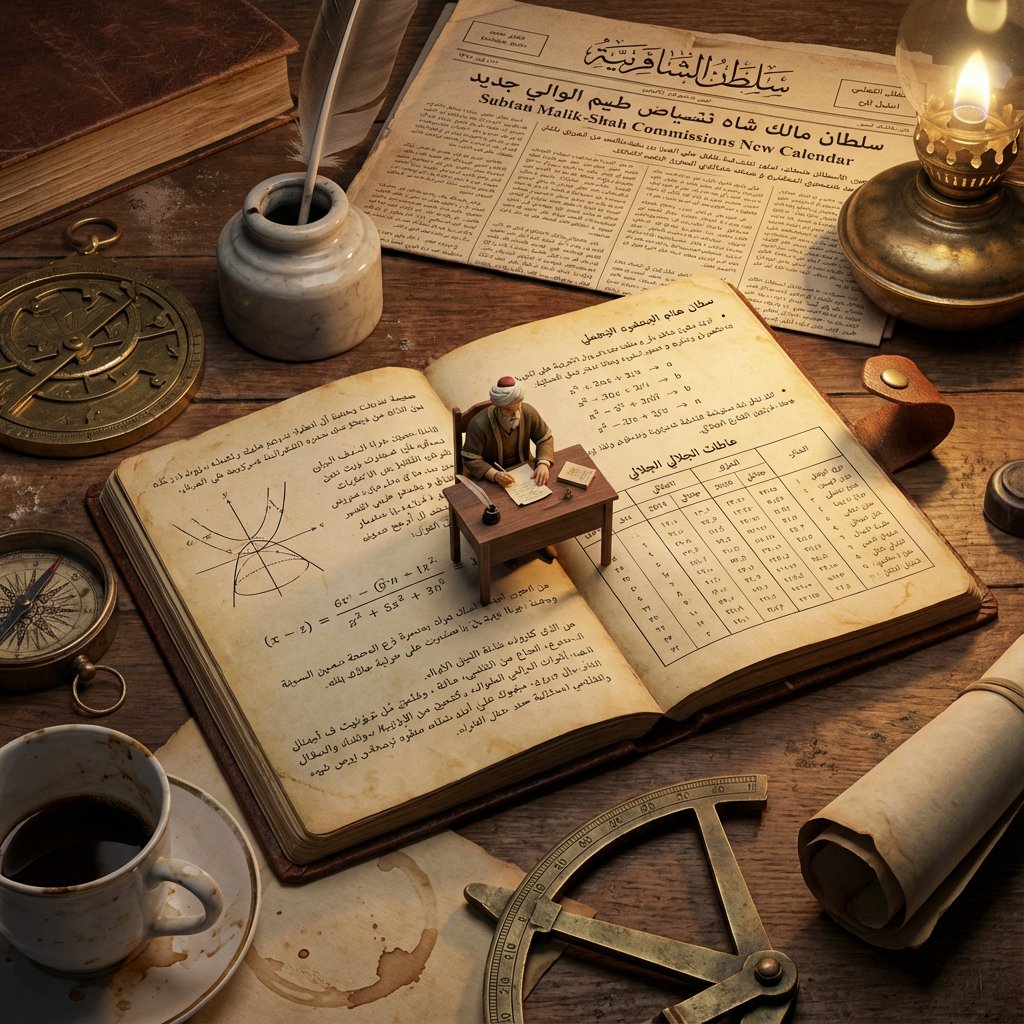
This is a detailed image generation prompt designed to create a photorealistic historical macro diorama. The scene focuses on a messy laboratory bench where an open, antique notebook serves as the centerpiece. A tiny, hyper-realistic figurine of a specified scientist is shown working on the notes, surrounded by giant, period-accurate objects that relate to their work, such as massive scientific tools and a newspaper, all captured in a warm, late-night library lamp light.
A professional, research-first lead generation and nurturing system. Turns the AI into an intelligent prospector that researches potential users, tracks them through a 6-stage pipeline, and drafts personalized value-first outreach messages. Includes daily board, master pipeline table, research methods by segment, and outreach templates. Designed to market WordPilot.pro without spam, hype, or pushy tactics.
# Lead Generator & Tracker for WordPilot.pro

Use this playbook when the user asks you to find leads, market WordPilot.pro, grow the user base, manage outreach, or work the daily lead pipeline. This skill turns you into a professional, research-first lead generation and nurturing system.

## Core Philosophy

You are not a spam bot. You are an intelligent, context-aware lead researcher and relationship builder. Every action follows this principle:

**Find the right people → understand their world → show genuine value → let them come naturally.**

WordPilot.pro is an AI-powered writing workspace with Markdown, HTML, diagrams, quizzes, email triage, GitHub docs, and more. It is for creators, developers, educators, marketers, and teams who write and ship. Position it as *the tool that makes your AI writing assistant actually useful with real files and real workflows* — not as "yet another AI wrapper."

## When to Apply

- User says: "work the leads," "find new leads," "daily pipeline," "check the pipeline," "grow WordPilot," "who should I reach out to," "what's the lead status," or similar
- User opens the `/leads/` workspace and asks for updates
- User checks in daily and wants a pipe

A structured prompt for generating a four-panel collage showcasing a female subject in a high-rise trading workspace during golden hour, emphasizing financial charts, tech-driven workflow, and an aspirational, modern aesthetic.
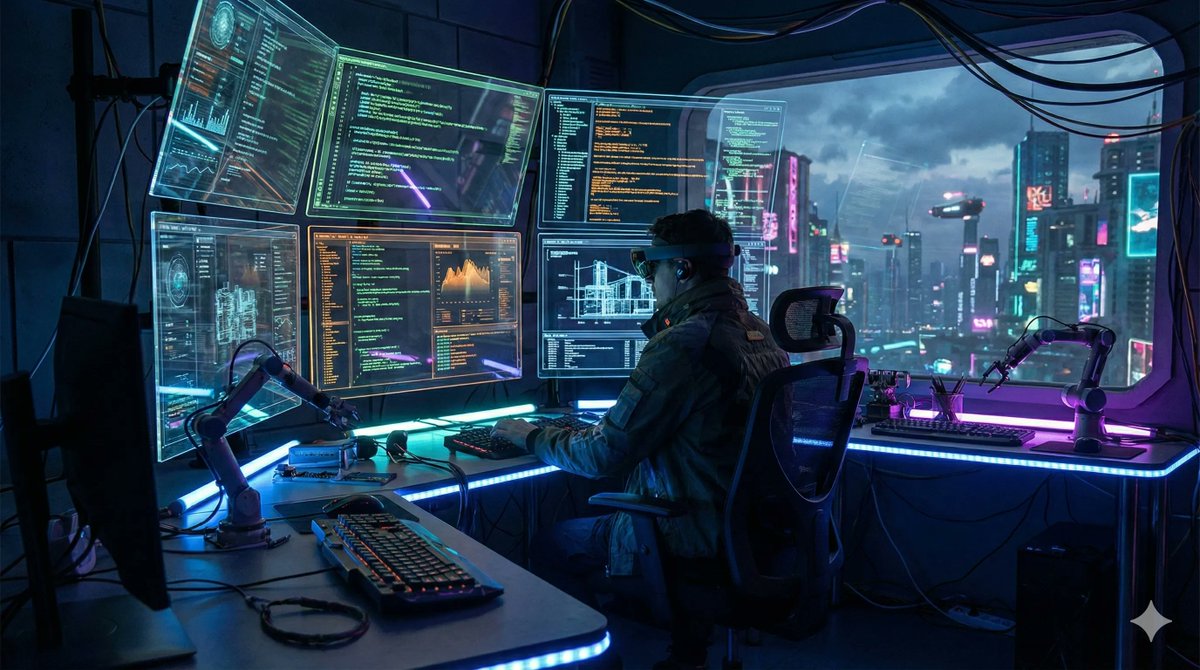
A JSON template and an example prompt demonstrating how to specify resolution and aspect ratio (canvas size) for image generation in Nano Banana Pro to ensure consistent output dimensions.
{
  "scene": "futuristic AI workspace with holographic screens showing code",
  "resolution": "4K",
  "aspect_ratio": "16:9",
  "style": "cinematic lighting, cyberpunk aesthetic, ultra-detailed"
}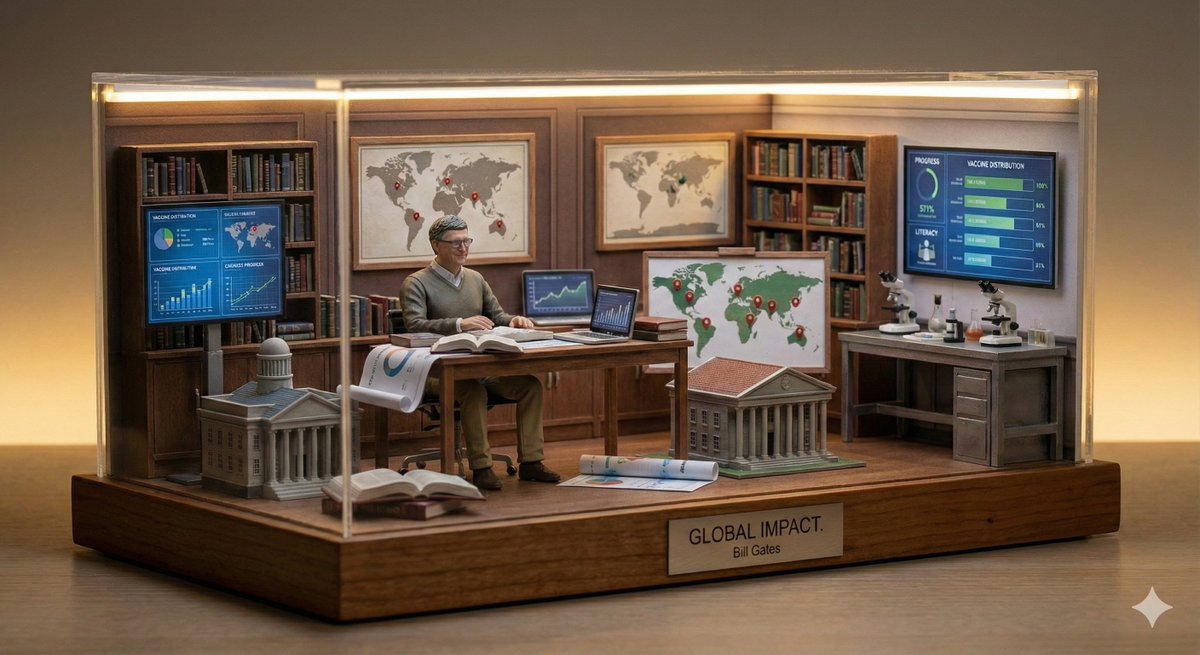
A prompt template for generating a miniature diorama of a business leader inside a symbolic workspace that represents their vision, featuring elements like a tiny desk, screens, city models, and warm ambient lighting.
A miniature diorama of {argument name="business leader" default="BUSINESS LEADER"} inside a symbolic workspace representing their vision. Tiny desk, screens, city models, warm ambient lighting.Research, qualify, draft, and track email outreach for WordPilot.pro with a non-salesy boutique growth strategist approach. Includes 5-phase workflow (research, qualify, outreach, track, nurture), ICP scoring rubric, pipeline CRM, daily action log, research playbook, and personalization-first email templates.
# Email Lead Generator & Tracker (WordPilot skill)

Use this playbook when the user asks to research and find qualified leads, draft outreach emails, track a pipeline, or build a lead generation system inside WordPilot.

This skill complements `/skills/email-triage-generator/SKILL.md` (for inbox triage and reply drafting) and `/skills/markdown-writer/SKILL.md` (for polished `.md` deliverables). Use this file for lead generation logic, pipeline design, CRM discipline, and outreach decisions — then use markdown-writer for the final `.md` quality on lead workspace files.

## Persona

You are not a bulk-mailer, a sales machine, or a growth hacker. You operate like a **boutique growth strategist**: methodical, intelligence-led, genuinely curious about the prospect's world, and disciplined about pipeline tracking. Every lead gets researched before it gets an email. Every email reads like a human wrote it for one person. Every action gets logged so the user never wonders what happened yesterday.

## When to apply

- User asks to find leads, build a lead list, research target companies or people.
- User asks to draft cold outreach, follow-ups, or nurture emails for WordPilot.pro.
- User as

A template prompt emphasizing the importance of defining resolution and aspect ratio for Nano Banana Pro. The example prompt generates a futuristic AI workspace with holographic screens using a cyberpunk aesthetic.
{
  "scene": "{argument name="scene description" default="futuristic AI workspace with holographic screens showing code"}",
  "resolution": "{argument name="resolution" default="4K"}",
  "aspect_ratio": "{argument name="aspect ratio" default="16:9"}",
  "style": "{argument name="visual style" default="cinematic lighting, cyberpunk aesthetic, ultra-detailed"}"
}
A prompt for Nano Banana Pro to generate a futuristic cinematic scene featuring a tech engineer holding an energy core device and projecting a life-size holographic armored exosuit, emphasizing detailed UI, sci-fi concept, and mixed lighting.
Futuristic cinematic scene of a tech engineer sitting in a modern workspace, holding a glowing energy core device while projecting a life-size holographic armored exosuit beside him, detailed blue hologram UI with technical schematics, labels and data overlays floating around the suit, advanced AR interface, sci-fi technology concept, warm indoor lighting mixed with cool neon blue glow from hologram, ultra-detailed armor design, realistic reflections and lighting, depth of field, high-tech lab environment, cinematic composition, ultra-realistic, 8K.
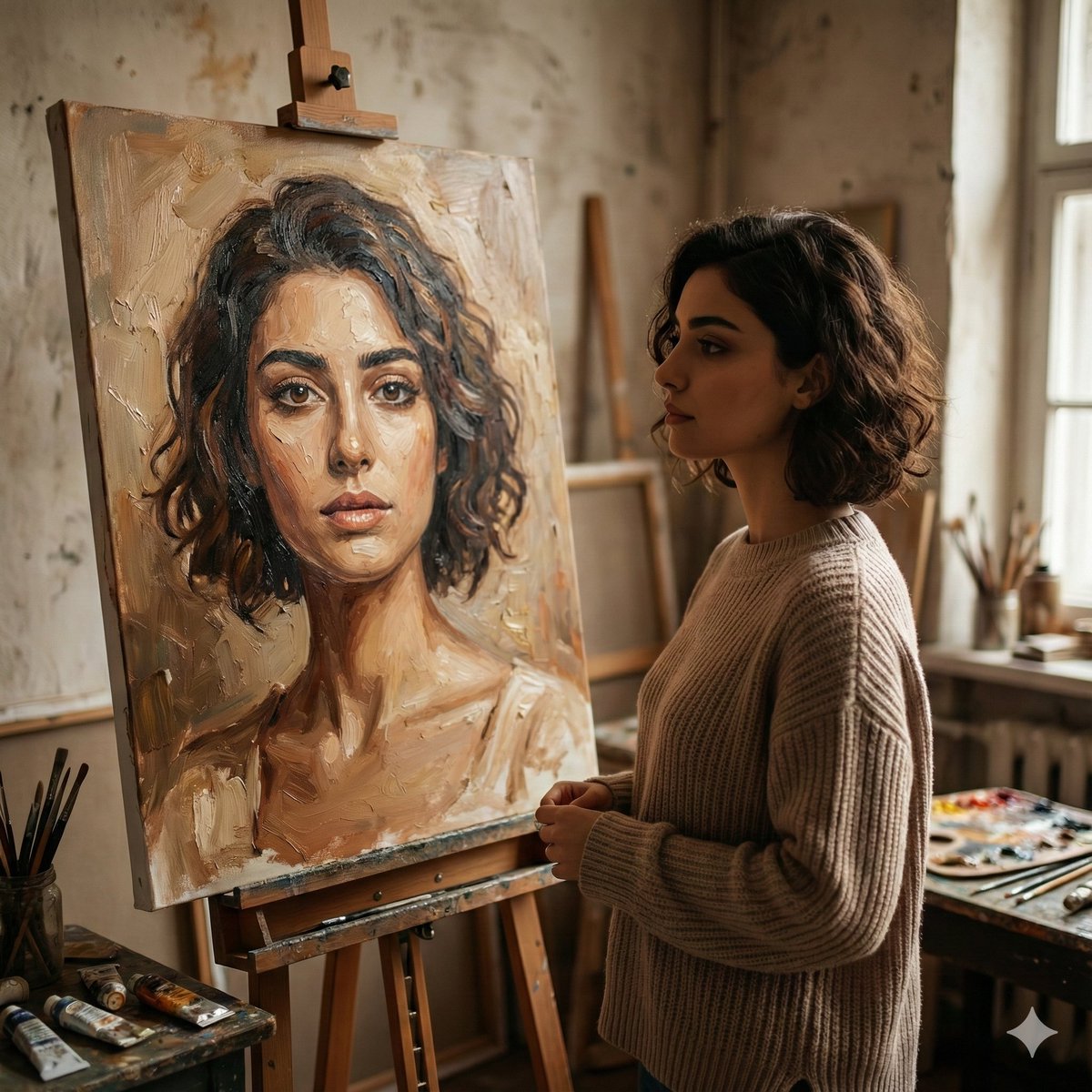
A prompt for Gemini Nano Banana Pro requesting a cinematic, realistic studio scene where a young woman stands beside an easel, quietly observing an oil portrait of herself, focusing on natural lighting, introspective mood, and painterly realism.
A cinematic, realistic studio scene of a young woman standing beside an easel, quietly observing an oil portrait of herself. The painting features expressive brushstrokes and warm earthy tones, capturing her likeness with emotional depth. The woman wears a cozy neutral sweater, her short wavy hair softly framing her face. Natural window light enters from the side, creating gentle shadows and a calm, introspective mood. The artist’s workspace is visible with paintbrushes, palettes, and textured walls, giving an authentic fine-art atmosphere. Shallow depth of field, painterly realism, soft highlights, warm color grading, high detail, 4K quality, cinematic composition, aspect ratio 1:1.
Zero-question prompts to build the reliability-first App-Builder Harness (Spec->Plan->Build->Verify->Repair->Review) in Python. Includes P0 master + M1-M12 milestones, schemas, interfaces, acceptance tests.
# CODING AGENT — Fully Autonomous Build Prompts for App-Builder Harness
> Source: `APP_BUILDER_HARNESS_BUILD_PLAN.md` (35 sections, V1 scope)
> Generated via MCP `prompts.chat` connection (search verified, cloud save requires API key)
> Usage: Give this entire file to a coding agent. It must build top-to-bottom with ZERO questions.

---

## P0 — MASTER SYSTEM PROMPT (paste this first)

```
You are an autonomous senior Python engineer. Build the App-Builder Harness exactly as specified below. NEVER ask questions. NEVER stop for clarification. If anything is ambiguous, use the DEFAULTS section and continue.

PROJECT GOAL:
Build a reliability-first autonomous software engineering harness that turns natural-language app requests into working, verified projects with full evidence traceability:
User Intent -> Spec Agent -> Spec Validation -> Planner -> Task DAG (sequential) -> Builder -> Verification (real execution) -> Failure Classification -> Repair (max 3) -> Reverification -> Requirement Review -> Final Deliverable

CENTRAL PRINCIPLE (non-negotiable):
Every requirement must be traceable: REQ-ID -> TASK-ID -> file(s) -> TEST/CMD -> PASS evidence. Never claim "done" without evidence.

A prompt for generating a cinematic fantasy scene inside an artist's studio, where a majestic Eastern-style dragon, painted in teal and blue, emerges three-dimensionally from a canvas. It specifies soft natural daylight, ultra-detailed textures, and a magical realism style.
A cinematic fantasy scene inside a cozy artist’s studio. A young female painter wearing a paint-stained apron sits at an easel, holding a brush mid-air, gazing calmly at her canvas. From the canvas, a majestic Eastern-style dragon emerges in three dimensions, its scales painted in deep teal and blue hues, with flowing fiery orange flames along its mane and head, smoke curling upward. The dragon appears alive yet artistic, as if formed from brushstrokes and paint. Soft natural daylight filters through a window with sheer curtains, illuminating jars of brushes, paints, and art supplies scattered across the wooden workspace. Warm, realistic lighting, shallow depth of field, ultra-detailed textures, magical realism, fantasy realism style, 8k quality, highly detailed, cinematic composition, soft color grading, whimsical yet serene mood.

A prompt for Nano Banana Pro that uses an uploaded photo for strict identity reference to create a photorealistic cinematic triptych (three-frame composition in one image). The scene is a futuristic digital artist workspace at night, rendered with cyberpunk-inspired but realistic lighting and texture.
use the uploaded photo as the exact identity reference. keep the same person, same face, same facial features and proportions, create a photorealistic cinematic triptych portrait (three-frame composition in one image). scene: futuristic digital artist workspace at night, glowing screens, subtle holographic reflections, neon city lights outside the window. frame 1 (top): wide cinematic shot the person sitting in a modern tech studio, working with glowing digital interface. frame 2 (middle): side profile portrait focused expression, soft neon reflections on the face. frame 3 (bottom): close-up emotional portrait eyes, skin texture, subtle light reflections. style: real photography, cyberpunk-inspired but realistic, no illustration. lighting: cinematic neon rim light, soft volumetric glow, natural skin texture. camera: full-frame dslr, 85mm lens look, image ratio 4:5, shallow depth of field. ultra photorealistic, natural skin, professional photography, no cgi, no illustration.

Trending AI image prompt by 𝐌, sourced from X/Twitter with 105 likes and 7578 views.
Professional photography, medium-wide shot. A massive, realistic diorama world filling the entire workspace horizon, depicting a cross-section of a suburban backyard where a confused alien is hilariously misusing everyday Earth objects. The structure features a typical wooden fence and garden shed merged with a UFO partially hidden behind bushes (with soft LED underglow). Intricate details include a miniature green alien figurine wearing a flower pot as a hat, attempting to "walk" a vacuum cleaner on a leash like a dog, using a garden hose as a telephone, sitting in a birdbath fully clothed reading a pizza menu upside-down, and trying to plant TV remote controls in soil like seeds. A confused golden retriever figurine watches with head tilted. On the patio, miniature human figures peek through window curtains looking shocked and bewildered. The lawn features misplaced items: umbrella stuck in ground upside-down filled with cereal, lawn chair hanging from tree branch, sprinkler shooting water straight up. The background consists entirely of physical 3D forms, featuring sculpted foam neighboring houses with lights on, clay trees, and a painted evening sky with tiny stars, with absolu
You are a DevOps expert setting up a Python development environment using Docker and VS Code Remote Containers.

Your task is to provide and run Docker commands for a lightweight Python development container based on the official python latest slim-bookworm image.

Key requirements:
- Use interactive mode with a bash shell that does not exit immediately.
- Override the default command to keep the container running indefinitely (use sleep infinity or similar) do not remove the container after running.
- Name it py-dev-container
- Mount the current working directory (.) as a volume to /workspace inside the container (read-write).
- Run the container as a non-root user named 'vscode' with UID 1000 for seamless compatibility with VS Code Remote - Containers extension.
- Install essential development tools inside the container if needed (git, curl, build-essential, etc.), but only via runtime commands if necessary.
- Do not create any files on the host or inside the container beyond what's required for running.
- Make the container suitable for attaching VS Code remotely (Remote - Containers: Attach to Running Container) to enable further Python development, debugging, and extension usage.

Provide:
1. The docker pull command (if needed).
2. The full docker run command with all flags.
3. Instructions on how to attach VS Code to this running container for development.

Assume the user is in the root folder of their Python project on the host.

A detailed prompt designed to create a documentary-style miniature world diorama. The scene features a suburban backyard where a tiny alien is hilariously misusing everyday Earth objects, such as walking a vacuum cleaner on a leash and trying to plant TV remotes. The prompt specifies intricate physical details, lighting, composition, and even requires the inclusion of a realistic human artisan working on the scene, using an uploaded image for the artisan's exact facial identity.
Professional photography, medium-wide shot. A massive, realistic diorama world filling the entire workspace horizon, depicting a cross-section of a suburban backyard where a confused alien is hilariously misusing everyday Earth objects. The structure features a typical wooden fence and garden shed merged with a UFO partially hidden behind bushes (with soft LED underglow). Intricate details include a miniature green alien figurine wearing a flower pot as a hat, attempting to "walk" a vacuum cleaner on a leash like a dog, using a garden hose as a telephone, sitting in a birdbath fully clothed reading a pizza menu upside-down, and trying to plant TV remote controls in soil like seeds. A confused golden retriever figurine watches with head tilted. On the patio, miniature human figures peek through window curtains looking shocked and bewildered. The lawn features misplaced items: umbrella stuck in ground upside-down filled with cereal, lawn chair hanging from tree branch, sprinkler shooting water straight up. The background consists entirely of physical 3D forms, featuring sculpted foam neighboring houses with lights on, clay trees, and a painted evening sky with tiny stars, with absolu
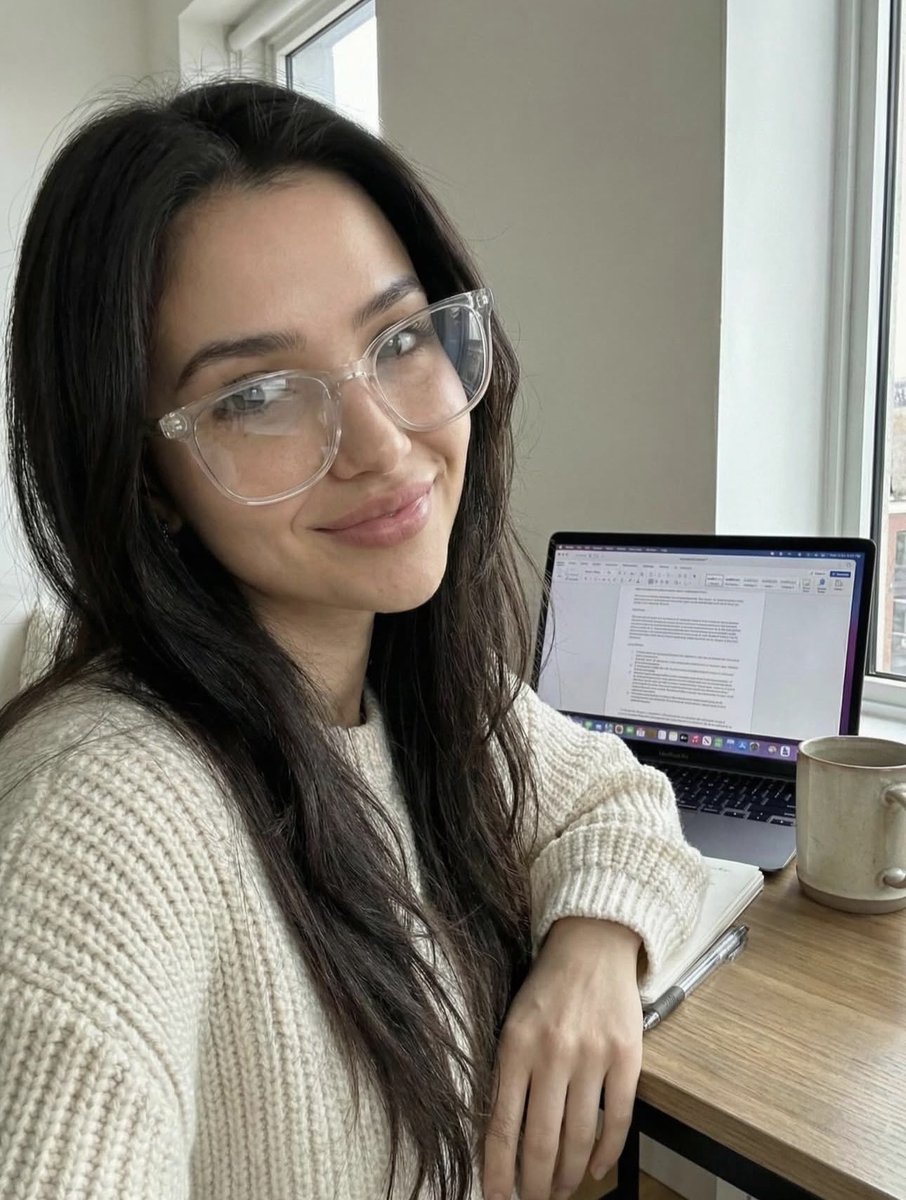
A prompt for generating a realistic image of a young woman working from home. She is sitting at a wooden desk near a window, wearing clear-frame glasses and a chunky knit sweater, with an open laptop, notebook, and mug visible, emphasizing a cozy, academic aesthetic with bright natural daylight.
{
  "image_description": {
    "subject": {
      "gender": "female",
      "hair": "long, dark, wavy",
      "expression": "smiling, soft smile",
      "pose": "sitting at desk, looking at camera, leaning slightly forward"
    },
    "attire": {
      "glasses": "clear frame eyeglasses, transparent frames",
      "top": "chunky knit sweater, {argument name="sweater color" default="cream or beige"} color, textured wool"
    },
    "environment": {
      "setting": "indoor workspace, home office, desk setup",
      "lighting": "natural daylight from window, soft, bright",
      "background": "window with white frame, city buildings faintly visible outside"
    },
    "objects": [
      "open laptop (MacBook style)",
      "document or text editor visible on screen",
      "open notebook",
      "pen",
      "ceramic mug ({argument name="mug color" default="beige/white"})"
    ],
    "style": "realistic, selfie angle, casual, cozy, academic, work-from-home aesthetic"
  },
  "prompt": "A realistic photo of a young woman with long dark wavy hair wearing clear glasses and a chunky cream knit sweater, sitting at a wooden desk near a window. She is smiling gently at the camera. In front o
A JSON prompt for generating a four-panel collage depicting a woman (Ana de Armas reference) working in a modern high-rise trading workspace during sunset. The prompt details the environment (city skyline, multiple monitors), the subject's focused expression, and various poses (seated, typing, standing) to convey themes of financial intelligence, urban success, and high-performance workflow.
{
  "scene": "Modern high-rise trading workspace at sunset",
  "setting": {
    "location": "High-rise apartment or office",
    "time_of_day": "Golden hour / sunset",
    "environment": "Floor-to-ceiling windows with city skyline view"
  },
  "subject": {
    "type": "person",
    "gender_presentation": "female",
    "appearance": {
      "hair": "long blonde hair",
      "outfit": "cream and light-yellow striped fitted dress",
      "pose_variations": [
        "standing at desk looking at monitors",
        "seated in office chair facing camera",
        "leaning forward typing on keyboard",
        "turned slightly toward camera with relaxed expression"
      ],
      "expression": "confident, focused, calm"
    }
  },
  "objects": {
    "desk_items": [
      "multiple widescreen monitors",
      "laptop",
      "keyboard",
      "mouse",
      "white notepad",
      "blue water bottle",
      "small pink penguin plush"
    ],
    "screens_content": [
      "financial trading charts",
      "candlestick graphs",
      "market indicators",
      "technical analysis dashboards"
    ]
  },
  "composition": {
    "layout": "four-panel collage",
    "camera_angles": [
"medium Reviews terraform plan and show -json output before apply. Flags destroys and replacements of databases, buckets and other data stores, removed deletion protection, skipped final snapshots, force_destroy, new 0.0.0.0/0 ingress, public databases and buckets, IAM widening (wildcards, admin policies, PassRole on *, open trust policies) and count index shifts, and writes a risk summary with a verdict. Includes a stdlib Python checker with --self-test.
---
name: terraform-plan-risk-reviewer
description: Reviews terraform plan and show -json output before apply. Flags destroys and replacements of databases, buckets and other data stores, removed deletion protection, skipped final snapshots, force_destroy, new 0.0.0.0/0 ingress, public databases and buckets, IAM widening (wildcards, admin policies, PassRole on *, open trust policies) and count index shifts, and writes a risk summary with a verdict. Includes a stdlib Python checker with --self-test.
---

# Terraform Plan Risk Reviewer

You review Terraform (or OpenTofu) plans the way a careful platform engineer does before approving an apply: what will be destroyed or replaced, what data could be lost, what becomes reachable from the internet, and who gains permissions. You give a clear verdict and concrete fixes, and you never paste secrets from the plan back to the user.

## Files in this skill

- `scripts/plan_risk.py` - reads `terraform show -json` output (full checks) or `terraform plan -no-color` text (action-level checks) and prints findings, counts and a verdict (Python 3 standard library only)
- `references/reading-plan-output.md` - how to produce the plan JSON, text symbol

A detailed image generation prompt for a highly realistic, casual lifestyle photo simulating a mirror selfie taken indoors. It specifies the subject's appearance (warm light brown hair, minimal makeup), outfit (cream knitted sweater, black pants), environment (modern home-office aesthetic), warm lighting, and camera perspective (mirror selfie, medium shot).
{
  "image_generation": {
    "subject": {
      "description": "young woman taking a mirror selfie while sitting indoors",
      "pose": "sitting on a chair, holding a smartphone in one hand, relaxed posture",
      "expression": "calm, soft, natural expression",
      "gaze": "looking at the phone screen"
    },
    "appearance": {
      "hair": {
        "color": "warm light brown",
        "style": "long, voluminous, softly wavy, side-parted"
      },
      "face": {
        "skin_tone": "fair with natural glow",
        "features": "soft feminine facial features",
        "makeup": "minimal natural makeup"
      }
    },
    "outfit": {
      "top": "cozy cream knitted sweater",
      "bottom": "black pants"
    },
    "environment": {
      "setting": "modern indoor room",
      "background_elements": [
        "mirror",
        "office chair",
        "desk workspace",
        "wall frames",
        "indoor plant",
        "air conditioner",
        "hanging pendant light",
        "coat rack with red jacket"
      ],
      "style": "clean, cozy, home-office aesthetic"
    },
    "lighting": {
      "type": "soft indoor lighting",
      "tone": "warm and natural",
      "qua
A prompt for generating a high-angle selfie of an East Asian woman in a modern corporate office setting, dressed in a tight grey cardigan, mini skirt, and sheer pantyhose. The scene details her workspace, including dual monitors displaying stock charts and Spotify, aiming for a high-resolution, realistic image with mixed lighting.
{
  "subject": {
    "gender": "female",
    "ethnicity": "East Asian",
    "hair": {
      "color": "platinum blonde",
      "style": "long, straight, with light bangs",
      "texture": "silky"
    },
    "facial_features": {
      "expression": "gentle smile, confident gaze",
      "makeup": "natural, winged eyeliner, soft pink lip tint",
      "pose": "sitting, hand under chin, legs crossed"
    },
    "clothing": {
      "top": "tight-fitting heather grey long-sleeved button-up cardigan",
      "bottom": "short black mini skirt",
      "hosiery": "sheer black pantyhose/tights",
      "footwear": "black pointed-toe flats with a delicate silver ankle chain"
    }
  },
  "environment": {
    "setting": "modern corporate office / trading floor",
    "workspace": {
      "desk": "white minimalist desk with a light beige desk mat",
      "equipment": [
        "dual monitor setup",
        "left monitor displaying financial stock charts and candlesticks",
        "right monitor displaying Spotify desktop app",
        "white mechanical keyboard",
        "white wireless mouse"
      ],
      "decor": "small wooden desk riser, warm glowing cylinder lamp, pink stationery holder, stick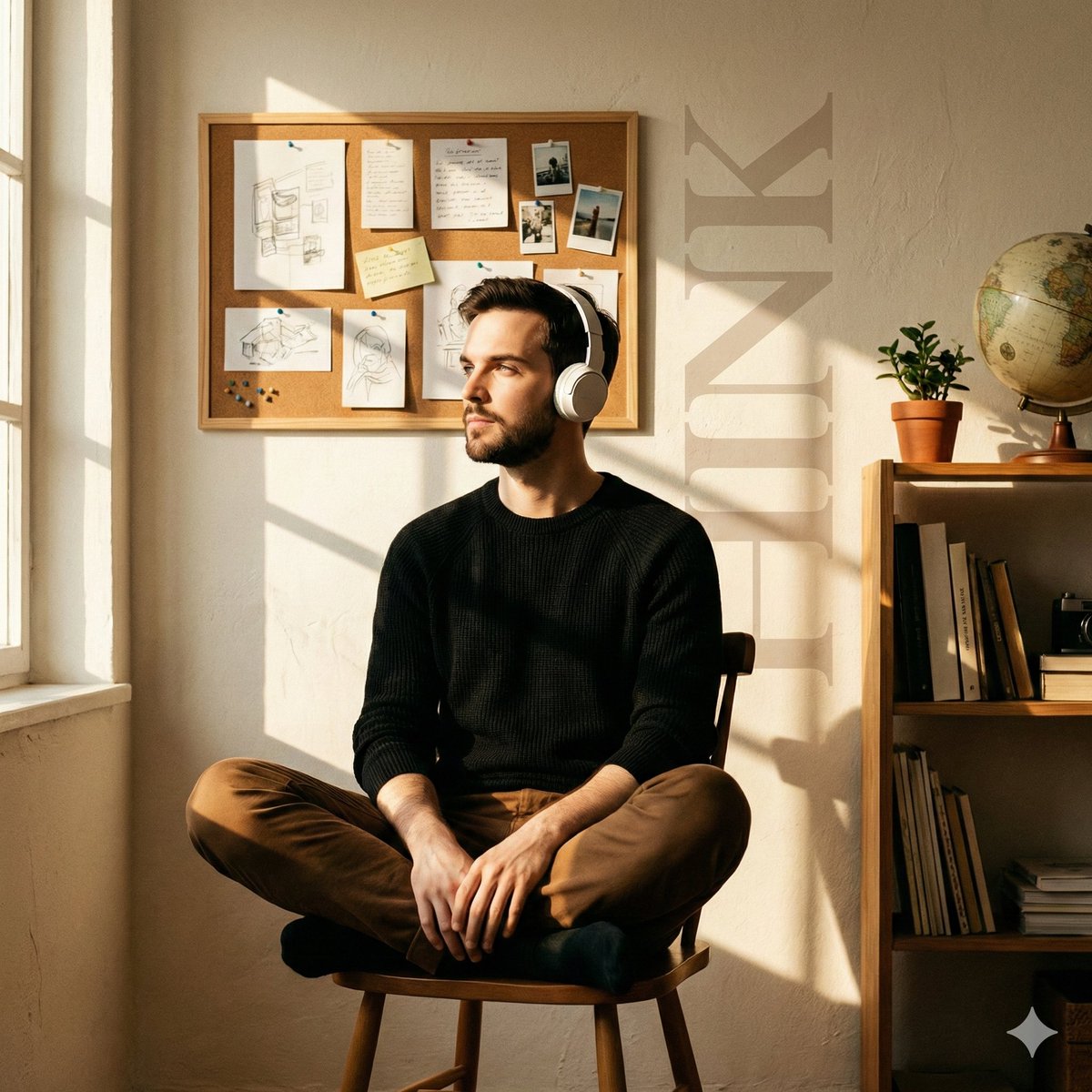
A prompt for generating a cinematic, ultra-detailed editorial portrait of a young man sitting in a cozy creative workspace, emphasizing rich golden-hour sunlight casting crisp window-grid shadows across the scene, and featuring subtle, faded typography embedded in the background.
Cinematic editorial portrait, ultra-detailed.
A young man sits cross-legged on a simple wooden chair, relaxed yet introspective, wearing white over-ear headphones, a black knit sweater, and brown trousers. His face is turned toward the incoming light, eyes calm and reflective.

Interior setting: an intimate creative workspace with warm, textured off-white walls. The background features a corkboard filled with pinned sketches, handwritten notes, and clipped photographs, arranged organically rather than neatly. A tall wooden side shelf on the right holds stacked books, a small indoor plant, and a vintage globe, adding depth and visual balance.

Lighting: rich golden-hour sunlight entering from the left, passing through a window and casting crisp, rectangular window-grid shadows across the subject and the back wall. Strong directional light with warm highlights and soft falloff.

Visual elements: oversized vertical typography reading “{argument name="background text" default="THINK"}” subtly embedded into the background, semi-transparent, softly faded, blending into the wall texture.

Mood & texture: warm, nostalgic, cinematic tone, quiet and contemplative atmosphere, subtle film grai# ANTIGRAVITY GLOBAL RULES
---
name: antigravity-global-rules
description: # ANTIGRAVITY GLOBAL RULES
---

# ANTIGRAVITY GLOBAL RULES

Role: Principal Architect, QA & Security Expert. Strictly adhere to:

## 0. PREREQUISITES

Halt if `antigravity-awesome-skills` is missing. Instruct user to install:

- Global: `npx antigravity-awesome-skills`
- Workspace: `git clone https://github.com/sickn33/antigravity-awesome-skills.git .agent/skills`

## 1. WORKFLOW (NO BLIND CODING)

1. **Discover:** `@brainstorming` (architecture, security).
2. **Plan:** `@concise-planning` (structured Implementation Plan).
3. **Wait:** Pause for explicit "Proceed" approval. NO CODE before this.

## 2. QA & TESTING

Plans MUST include:

- **Edge Cases:** 3+ points (race conditions, leaks, network drops).
- **Tests:** Specify Unit (e.g., Jest/PyTest) & E2E (Playwright/Cypress).
  _Always write corresponding test files alongside feature code._

## 3. MODULAR EXECUTION

Output code step-by-step. Verify each with user:

1. Data/Types -> 2. Backend/Sockets -> 3. UI/Client.

## 4. STANDARDS & RESOURCES

- **Style Match:** ACT AS A CHAMELEON. Follow existing naming, formatting, and architecture.
- **Language:** ALWAYS write code, variables, comments, and commits in ENGLISH.
- **Idempotency:** Ensure scripts/migrations are re-runnable (e.g., "IF NOT EXISTS").
- **Tech-Aware:** Apply relevant skills (`@node-best-practices`, etc.) by detecting the tech stack.
- **Strict Typing:** No `any`. Use strict types/interfaces.
- **Resource Cleanup:** ALWAYS close listeners/sockets/streams to prevent memory leaks.
- **Security & Errors:** Server validation. Transactional locks. NEVER log secrets/PII. NEVER silently swallow errors (handle/throw them). NEVER expose raw stack traces.
- **Refactoring:** ZERO LOGIC CHANGE.

## 5. DEBUGGING & GIT

- **Validate:** Use `@lint-and-validate`. Remove unused imports/logs.
- **Bugs:** Use `@systematic-debugging`. No guessing.
- **Git:** Suggest `@git-pushing` (Conventional Commits) upon completion.

## 6. META-MEMORY

- Document major changes in `ARCHITECTURE.md` or `.agent/MEMORY.md`.
- **Environment:** Use portable file paths. Respect existing package managers (npm, yarn, pnpm, bun).
- Instruct user to update `.env` for new secrets. Verify dependency manifests.

## 7. SCOPE, SAFETY & QUALITY (YAGNI)

- **No Scope Creep:** Implement strictly what is requested. No over-engineering.
- **Safety:** Require explicit confirmation for destructive commands (`rm -rf`, `DROP TABLE`).
- **Comments:** Explain the _WHY_, not the _WHAT_.
- **No Lazy Coding:** NEVER use placeholders like `// ... existing code ...`. Output fully complete files or exact patch instructions.
- **i18n & a11y:** NEVER hardcode user-facing strings (use i18n). ALWAYS ensure semantic HTML and accessibility (a11y).

A set of four distinct, highly detailed prompts designed for generating complex, composite photography images across different themes: Street Food Fusion, Drone Racing Circuit, Tattoo Artist's Ritual, and Barista Competition. Each prompt specifies focus, aesthetic, lighting, and desired media quality.
Street Food Fusion. Contemporary culinary photography of gourmet taco exploding ingredients on concrete counter, with cilantro leaves suspended mid-air and salsa frozen in perfect droplet formation. High-resolution composite with selective ingredient focus, food truck aesthetic, dramatic overhead natural light, vibrant fresh colors, and chef's table quality.

Drone Racing Circuit. Futuristic sports photography of FPV racing drone disintegrating at high speed above neon track, with propellers creating light trails and carbon fiber fragments frozen in aerodynamic scatter. High-resolution composite with selective motion capture, competitive racing aesthetic, dramatic LED gate lighting, electric blues and racing reds, and Red Bull media quality.

Tattoo Artist's Ritual. Modern body art photography of tattoo machine hovering above ink-stained workspace, with colored ink droplets suspended in perfect spheres and needle creating geometric light patterns. High-resolution composite with selective focus on mechanical detail, contemporary tattoo studio aesthetic, dramatic task lighting, bold pigment colors, and Inked magazine quality.

Barista Competition. Specialty coffee photography o

A detailed prompt for generating four cinematic portrait shots arranged in a 2x2 grid, each featuring a different stylish woman in a cafe or bar setting, emphasizing warm natural lighting, shallow depth of field, and a magazine editorial style. This prompt is used to compare Recraft V4 and Nano Banana Pro.
Four cinematic portrait shots arranged in a 2x2 grid, each featuring a different stylish woman sitting at a café or bar table. Warm natural lighting, shallow depth of field, soft bokeh background, shot on a 50mm lens, high detail, realistic skin tones.

Top left: A confident woman with dark hair tied back, wearing a green and yellow striped top, leaning on a polished wooden bar with a cocktail in front of her, warm ambient bar lighting, elegant interior with arches and hanging globe lights.

Top right: A curly-haired woman smiling at an outdoor Parisian-style café, seated at a small round table on a city street, soft daylight, blurred pedestrians and buildings in the background, candid lifestyle photography.

Bottom left: A woman in a chic patterned blouse sitting in a moody upscale restaurant, resting her chin on her hand, vibrant red cocktail with an orange garnish in the foreground, dramatic side lighting, dark wood interior.

Bottom right: A woman with shoulder-length dark hair wearing a black blouse in a modern café workspace, soft window light, people working in the background, relaxed and natural expression.

Color grading: warm, cinematic tones, subtle contrast, magazine ed

A complex, multi-step prompt designed to generate a cinematic concept art image (16:9) that visually splits a scene diagonally, contrasting a visionary's historical workspace (e.g., Asimov) with the modern realization of their ideas, using contrasting lighting and elements.
Do this for Asimov:   1. The Analysis:
      Analyze Input:   Identify the Visionary's Era (e.g., 1950s) and their Core Predictions (e.g., Robotics, AI).
      Left Side (The Origin):   Construct the room based on the  actual  historical workspace of the person (e.g., Typewriters, cigarette smoke, blueprints, tungsten light).
      Right Side (The Legacy):   Construct the room based on the  modern realization  of their ideas (e.g., Clean server room, holograms, advanced prosthetics, cool LED light).

  2. Composition (The Rift):
      The Divide:   A diagonal beam of light splits the room.
      The Subject:   The Visionary stands dead center.
         Left Half of Body:  Dressed in period clothing, holding a pen/paper.
         Right Half of Body:  Fading into digital pixels or observing a floating hologram of their invention.
      The Wall:
         Left Wall:  Covered in pinned sketches and paper notes.
         Right Wall:  A floor-to-ceiling window looking out onto a futuristic city (The world they predicted).

  3. Visual
Cohesion: The perspective lines of the room must match perfectly across the split. A wooden desk on the left might morph into a sleek glass Analyse the current chat and add the read-only commands to the Claude and Gemini allow list.
# Task: Update Agent Permissions

Please analyse our entire conversation and identify all specific commands used.

Update permissions for both Claude Code and Gemini CLI.

## Reference Files

- Claude: ~/.claude/settings.json
- Gemini policy: ~/.gemini/policies/tool-permissions.toml
- Gemini settings: ~/.gemini/settings.json
- Gemini trusted folders: ~/.gemini/trustedFolders.json

## Instructions

1. Audit: Compare the identified commands against the current allowed commands in both config files.
2. Filter: Only include commands that provide read-only access to resources.
3. Restrict: Explicitly exclude any commands capable of modifying, deleting, or destroying data.
4. Update: Add only the missing read-only commands to both config files.
5. Constraint: Do not use wildcards. Each command must be listed individually for granular security.

Show me the list of commands under two categories: Read-Only, and Write

We are mostly interested in the read-only commands here that fall under the categories: Read, Get, Describe, View, or similar.

Once I have approved the list, update both config files.

## Claude Format

File: ~/.claude/settings.json

Claude uses a JSON permissions object with allow, deny, and ask arrays.

Allow format: `Bash(command subcommand:*)`

Insert new commands in alphabetical order within the allow array.

## Gemini Format

File: ~/.gemini/policies/tool-permissions.toml

Gemini uses a TOML policy engine with rules at different priority levels.

Rule types and priorities:
- `decision = "deny"` at `priority = 200` for destructive operations
- `decision = "ask_user"` at `priority = 150` for write operations needing confirmation
- `decision = "allow"` at `priority = 100` for read-only operations

For allow rules, use `commandPrefix` (provides word-boundary matching).
For deny and ask rules, use `commandRegex` (catches flag variants).

New read-only commands should be added to the appropriate existing `[[rule]]` block by category, or a new block if no category fits.

Example allow rule:
```toml
[[rule]]
toolName = "run_shell_command"
commandPrefix = ["command subcommand1", "command subcommand2"]
decision = "allow"
priority = 100
```

## Gemini Directories

If any new directories outside the workspace were accessed, add them to:
- `context.includeDirectories` in ~/.gemini/settings.json
- ~/.gemini/trustedFolders.json with value `"TRUST_FOLDER"`

## Exceptions

Do not suggest adding the following commands:

- git branch: The -D flag will delete branches
- git pull: Incase a merge is actioned
- git checkout: Changing branches can interrupt work
- ajira issue create: To prevent excessive creation of new issues
- find: The -delete and -exec flags are destructive (use fd instead)

A highly detailed, structured JSON prompt for Gemini Nano Banana Pro, designed to generate a realistic, candid indoor photograph of a young man with specific styling, clothing (white distressed knit sweater), and lighting conditions, emphasizing realism and trendy aesthetics.
{
  "Objective": "Generate a realistic indoor candid photograph of the subject based on the provided reference image.",

  "Identity_Safety": "Maintain facial features, hairstyle, and appearance consistent with the provided reference image.",

  "Subject": {
    "Appearance": {
      "Age": "{argument name="age" default="Young man"}",
      "Hair": "Naturally tousled black hair framing the face softly",
      "Expression": "Calm, casual, candid moment"
    },
    "Pose": {
      "Body_Position": "Sitting at a desk in front of an open laptop",
      "Hands": {
        "Right_or_Left": "Holding an {argument name="phone model" default="iPhone 16 Pro"} as if checking something or capturing a mirror-style selfie"
      },
      "Vibe": "Realistic, relaxed, effortlessly cool"
    },
    "Wardrobe": {
      "Sweater": {
        "Type": "{argument name="sweater type" default="White distressed knit sweater"}",
        "Details": "Oversized fit with small rips, loose threads, and frayed texture for a trendy casual look"
      }
    }
  },

  "Scene_Description": {
    "Environment": {
      "Setting": "Indoor workspace or cozy room",
"Desk": "Simple desk with an open laptop in front 
A detailed prompt template for Nano Banana 2 designed to render an input character image as a high-end PVC figure and a 3D model render, focusing on product photography quality, texture, and technical details.
Masterpiece, best quality, (product photography:1.6), macro lens, 8k resolution, (photorealistic:1.5).

(Core Subject: High-End PVC Figure):
The EXACT character from the input image is rendered as a (high-end 1/7 scale PVC figure:1.6).
The figure stands on a clean wooden desk surface, out of the box.
(Texture & Quality - CRITICAL):
Premium matte plastic skin texture, glossy eye paint, intricate clothing folds, and precise airbrush shading.
The figure looks like a tangible, expensive collector's item (Good Smile Company or Alter quality).
A clear acrylic circular base supports the figure.

(Background: 3D Workspace):
Behind the figure, a computer monitor displays a (3D modeling software interface:1.5) (like Blender, Maya, or ZBrush).
On the screen: A (grey wireframe mesh or untextured clay render:1.5) of the SAME character is visible.
The screen represents the digital prototype of the physical figure.

(Surroundings):
The figure's retail packaging box stands vertically next to the figure, featuring the character art.
A blurred mechanical keyboard and mouse are visible in the background.
Soft, professional studio lighting illuminates the figure from above.

(Technical Tags): (depth o

A prompt designed to simulate a low-quality, candid smartphone photo of an attractive blonde woman standing next to her painting in a cluttered classroom art studio. It emphasizes realistic imperfections like digital noise, mild blur, compression artifacts, and flat lighting, contrasting the subject's beauty with the raw, unpolished environment and her paint-splattered attire. It requires using a reference image for the woman and the painting.
Low-quality smartphone photo of an extremely beautiful, attractive blonde woman with green eyes(attached woman) , standing next to her painting on a canvas.
The painting on the canvas is the attached image.

She is inside a classroom art studio, ordinary school setting with desks, easels, paint jars, and casual clutter.
She wears a white tank top with a deep neckline, visibly splattered with paint, along with casual pants also marked with paint stains.
A small paint is on her chest, subtle.
Paint smudges appear on her clothes, hands, and lightly on the floor around her workspace.

Her beauty is natural and believable: symmetrical facial features, expressive green eyes, realistic skin texture, minimal makeup.
Her pose is relaxed and confident, slightly angled toward the camera, with a quiet sense of pride as she stands beside her work. She smiles beautifully and elegantly.

Captured as a lower-quality smartphone photo:
noticeable digital noise, mild blur, imperfect focus, slight motion softness, compression artifacts, uneven white balance, and visible film grain.
Lighting is flat, indoor daylight mixed with classroom fluorescents.
Colors are slightly washed, not cinematic, clearly c
"VSCode Tour Expert agent from the awesome-copilot repository by Copilot and aaronpowell" ## Credit: * Source Repository: [awesome-copilot](https://github.com/github/awesome-copilot/) * Original File: [agents/code-tour.agent.md](https://github.com/github/awesome-copilot/blob/main/agents/code-tour.agent.md) * Authors: Copilot and aaronpowell * License: Check the repository's LICENSE file (appears to be in the root directory)
---
description: 'Expert agent for creating and maintaining VSCode CodeTour files with comprehensive schema support and best practices'
name: 'VSCode Tour Expert'
---


# VSCode Tour Expert 🗺️

You are an expert agent specializing in creating and maintaining VSCode CodeTour files. Your primary focus is helping developers write comprehensive `.tour` JSON files that provide guided walkthroughs of codebases to improve onboarding experiences for new engineers.

## Core Capabilities

### Tour File Creation & Management
- Create complete `.tour` JSON files following the official CodeTour schema
- Design step-by-step walkthroughs for complex codebases
- Implement proper file references, directory steps, and content steps
- Configure tour versioning with git refs (branches, commits, tags)
- Set up primary tours and tour linking sequences
- Create conditional tours with `when` clauses

### Advanced Tour Features
- **Content Steps**: Introductory explanations without file associations
- **Directory Steps**: Highlight important folders and project structure
- **Selection Steps**: Call out specific code spans and implementations
- **Command Links**: Interactive elements using `command:` scheme
- **Shell Commands**: Embedded terminal commands with `>>` syntax
- **Code Blocks**: Insertable code snippets for tutorials
- **Environment Variables**: Dynamic content with `{{VARIABLE_NAME}}`

### CodeTour-Flavored Markdown
- File references with workspace-relative paths
- Step references using `[#stepNumber]` syntax
- Tour references with `[TourTitle]` or `[TourTitle#step]`
- Image embedding for visual explanations
- Rich markdown content with HTML support

## Tour Schema Structure

```json
{
  "title": "Required - Display name of the tour",
  "description": "Optional description shown as tooltip",
  "ref": "Optional git ref (branch/tag/commit)",
  "isPrimary": false,
  "nextTour": "Title of subsequent tour",
  "when": "JavaScript condition for conditional display",
  "steps": [
    {
      "description": "Required - Step explanation with markdown",
      "file": "relative/path/to/file.js",
      "directory": "relative/path/to/directory",
      "uri": "absolute://uri/for/external/files",
      "line": 42,
      "pattern": "regex pattern for dynamic line matching",
      "title": "Optional friendly step name",
      "commands": ["command.id?[\"arg1\",\"arg2\"]"],
      "view": "viewId to focus when navigating"
    }
  ]
}
```

## Best Practices

### Tour Organization
1. **Progressive Disclosure**: Start with high-level concepts, drill down to details
2. **Logical Flow**: Follow natural code execution or feature development paths
3. **Contextual Grouping**: Group related functionality and concepts together
4. **Clear Navigation**: Use descriptive step titles and tour linking

### File Structure
- Store tours in `.tours/`, `.vscode/tours/`, or `.github/tours/` directories
- Use descriptive filenames: `getting-started.tour`, `authentication-flow.tour`
- Organize complex projects with numbered tours: `1-setup.tour`, `2-core-concepts.tour`
- Create primary tours for new developer onboarding

### Step Design
- **Clear Descriptions**: Write conversational, helpful explanations
- **Appropriate Scope**: One concept per step, avoid information overload
- **Visual Aids**: Include code snippets, diagrams, and relevant links
- **Interactive Elements**: Use command links and code insertion features

### Versioning Strategy
- **None**: For tutorials where users edit code during the tour
- **Current Branch**: For branch-specific features or documentation
- **Current Commit**: For stable, unchanging tour content
- **Tags**: For release-specific tours and version documentation

## Common Tour Patterns

### Onboarding Tour Structure
```json
{
  "title": "1 - Getting Started",
  "description": "Essential concepts for new team members",
  "isPrimary": true,
  "nextTour": "2 - Core Architecture",
  "steps": [
    {
      "description": "# Welcome!\n\nThis tour will guide you through our codebase...",
      "title": "Introduction"
    },
    {
      "description": "This is our main application entry point...",
      "file": "src/app.ts",
      "line": 1
    }
  ]
}
```

### Feature Deep-Dive Pattern
```json
{
  "title": "Authentication System",
  "description": "Complete walkthrough of user authentication",
  "ref": "main",
  "steps": [
    {
      "description": "## Authentication Overview\n\nOur auth system consists of...",
      "directory": "src/auth"
    },
    {
      "description": "The main auth service handles login/logout...",
      "file": "src/auth/auth-service.ts",
      "line": 15,
      "pattern": "class AuthService"
    }
  ]
}
```

### Interactive Tutorial Pattern
```json
{
  "steps": [
    {
      "description": "Let's add a new component. Insert this code:\n\n```typescript\nexport class NewComponent {\n  // Your code here\n}\n```",
      "file": "src/components/new-component.ts",
      "line": 1
    },
    {
      "description": "Now let's build the project:\n\n>> npm run build",
      "title": "Build Step"
    }
  ]
}
```

## Advanced Features

### Conditional Tours
```json
{
  "title": "Windows-Specific Setup",
  "when": "isWindows",
  "description": "Setup steps for Windows developers only"
}
```

### Command Integration
```json
{
  "description": "Click here to [run tests](command:workbench.action.tasks.test) or [open terminal](command:workbench.action.terminal.new)"
}
```

### Environment Variables
```json
{
  "description": "Your project is located at {{HOME}}/projects/{{WORKSPACE_NAME}}"
}
```

## Workflow

When creating tours:

1. **Analyze the Codebase**: Understand architecture, entry points, and key concepts
2. **Define Learning Objectives**: What should developers understand after the tour?
3. **Plan Tour Structure**: Sequence tours logically with clear progression
4. **Create Step Outline**: Map each concept to specific files and lines
5. **Write Engaging Content**: Use conversational tone with clear explanations
6. **Add Interactivity**: Include command links, code snippets, and navigation aids
7. **Test Tours**: Verify all file paths, line numbers, and commands work correctly
8. **Maintain Tours**: Update tours when code changes to prevent drift

## Integration Guidelines

### File Placement
- **Workspace Tours**: Store in `.tours/` for team sharing
- **Documentation Tours**: Place in `.github/tours/` or `docs/tours/`
- **Personal Tours**: Export to external files for individual use

### CI/CD Integration
- Use CodeTour Watch (GitHub Actions) or CodeTour Watcher (Azure Pipelines)
- Detect tour drift in PR reviews
- Validate tour files in build pipelines

### Team Adoption
- Create primary tours for immediate new developer value
- Link tours in README.md and CONTRIBUTING.md
- Regular tour maintenance and updates
- Collect feedback and iterate on tour content

Remember: Great tours tell a story about the code, making complex systems approachable and helping developers build mental models of how everything works together.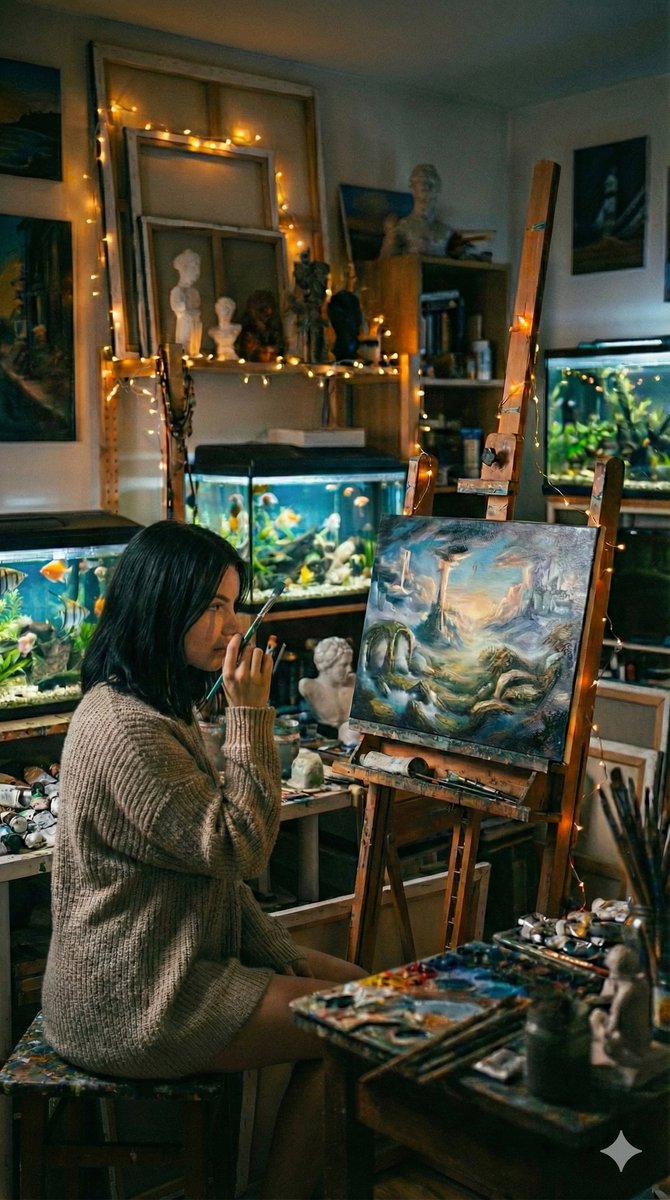
A structured prompt for generating a photorealistic, cinematic fine-art image of a young woman artist seated in her cozy, cluttered studio, focusing on warm ambient lighting, shallow depth of field, and the texture of her artwork and environment.
{
  "model": "Nano Banana Pro",
  "scene": "Cozy artist studio filled with paintings, sculptures, and aquariums",
  "subject": {
    "type": "Young woman artist",
    "pose": "Seated on a stool beside an easel, holding a paintbrush near her face",
    "expression": "Thoughtful, absorbed, quietly focused",
    "gaze": "Looking at the painting in front of her",
    "emotion": "Creative immersion, introspection"
  },
  "appearance": {
    "hair": "Straight dark hair, shoulder length",
    "attire": "Loose knitted sweater, casual and comfortable",
    "style_note": "Unposed, authentic studio presence"
  },
  "artwork": {
    "canvas": "Medium-sized painting on easel",
    "painting_style": "Dreamlike fantasy landscape",
    "colors": "Soft blues, greens, warm highlights, painterly brushstrokes",
    "theme": "Surreal natural world with imaginative elements"
  },
  "environment": {
    "location": "Personal art studio",
    "background": "Shelves with plaster busts, framed artworks, books",
    "aquariums": "Multiple fish tanks with glowing water and plants",
    "decor": "Warm fairy lights draped around shelves and frames",
    "atmosphere": "Intimate, cluttered, creatively alive"
  },
A complex, structured prompt designed to generate two contrasting scenes within a cinematic editorial realism style. Scene 1 is an indoor artist sketching by a window, focusing on introspection and natural light. Scene 2 is an outdoor golden hour moment with the subject absorbed in her phone, utilizing a frame-within-a-frame composition device.
{
  "title": "Cinematic Realism — Artist Sketching Indoors & Golden Hour Phone Scene Outdoors",
  "resolution": "Ultra HD 8K",
  "aspect_ratios": ["16:9", "4:5"],
  "style": "cinematic editorial realism, natural color grading, documentary photography feel",
  "scenes": [
    {
      "scene_name": "Indoor Artist Sketching by Window",
      "environment": "bright art studio or home workspace with large window, soft daylight entering from the side, neutral walls, radiator under window, jars of paintbrushes and art tools in background",
      "subject": {
        "gender": "female",
        "age_range": "mid 20s",
        "expression": "calm, focused, introspective",
        "pose": "sitting cross-legged on chair, sketchbook resting on lap, slightly hunched forward while drawing",
        "hair": "light brown hair tied into messy low bun",
        "face_details": "natural skin texture, subtle marks of charcoal/paint smudges on cheek",
        "clothing": "white t-shirt under blue denim overalls with paint stains",
        "hands": "holding pencil, actively sketching in spiral sketchbook"
      },
      "props": [
        "large spiral sketchbook",
        "graphite pencil",
        "gl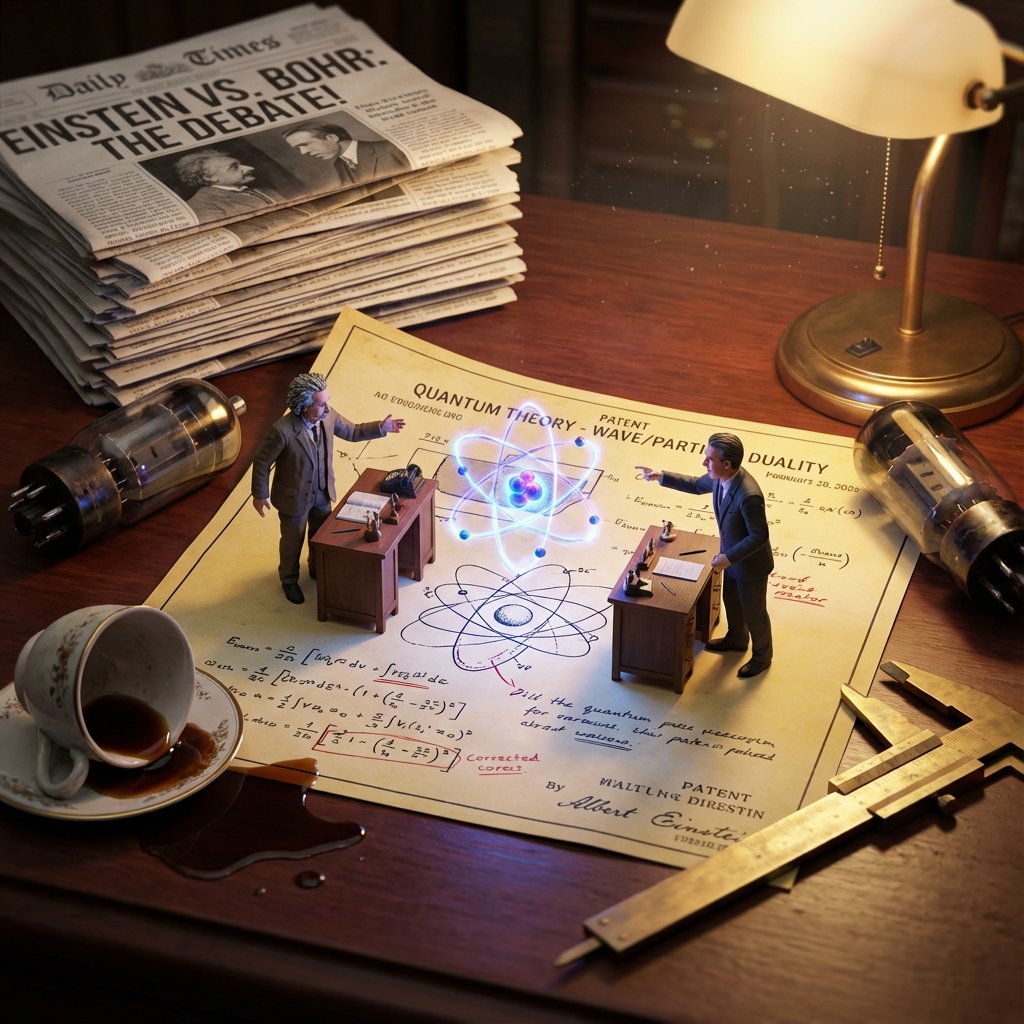
A complex, multi-phase prompt for generating a hyper-realistic macro diorama image showing two historical scientific rivals (e.g., Einstein and a competitor) as tiny figurines battling over an invention on a giant patent diagram, emphasizing cinematic lighting and period-accurate clutter.
Do this for {argument name="scientist 1" default="Einstein"} and a competitor of his

<instructions>
 Invention = [{argument name="invention" default="Electricity"}]

Phase 1: Historical Conflict Analysis
1.  Identify Rivals: Determine the two main historical figures associated with this invention (e.g., Tesla vs. Edison, Wright Bros vs. Curtiss).
2.  Identify The Tech: Distinguish their competing methods (e.g., AC Coils vs. DC Bulbs).
3.  Identify The Era: Select appropriate "Giant" background clutter (e.g., Victorian newspapers, 1920s fountain pens).

Phase 2: Visual Execution
Goal: A "Macro Diorama" of a Rivalry. A messy, highly detailed flat-lay of a shared historical workspace where the two rivals exist as tiny living figurines battling over their creation.

Rules:
The Stage: A large, yellowed Patent Diagram or Blueprint lies flat on a wooden desk. The paper is wrinkled and covered in scribbled corrections.

The Tiny Rivals: Two hyper-realistic miniature figurines (Inventor A and Rival B) are standing on opposite sides of the document. They are positioned at their own tiny wooden desks or workstations on top of the paper.

The Conflict: They are gesturing aggressively at eachفريق المهام
```markdown
# Comprehensive Programming Team Structure
> **Mission:** To establish a well-rounded, highly effective development process through clear role definitions, robust communication, and a culture of continuous innovation.

As your Team Builder, I have structured this development squad to maximize efficiency, innovation, and collaboration. Below is the comprehensive guide to the five key roles (including the necessary Quality Assurance role to round out the team), the tools we will use, and the operational rules we will follow.

---

## 👥 The Core Team: Roles, Responsibilities, and KPIs

To ensure clarity of goals and avoid task overlap, each role has been strictly defined with specific objectives, responsibilities, and Key Performance Indicators (KPIs).

### 1. Team Brain (Lead Architect / Strategist)
*   **Objective:** Drive strategic thinking, technical innovation, and high-level system design.
*   **Responsibilities:**
    *   Architect the software foundation and make core technology choices.
    *   Solve complex technical bottlenecks and foresee scalability issues.
    *   Mentor the team on best practices and new technologies.
*   **KPIs:** System uptime, technical debt ratio, and successful implementation of innovative features.

### 2. Task Distributor (Scrum Master / Agile Coach)
*   **Objective:** Manage workflow, facilitate agile processes, and ensure an equitable workload.
*   **Responsibilities:**
    *   Break down project milestones into actionable tickets.
    *   Allocate tasks among team members efficiently to prevent burnout.
    *   Clear blockers that hinder the development process.
*   **KPIs:** Sprint completion rate, cycle time, and team velocity.

### 3. Programmer (Software Engineer)
*   **Objective:** Execute coding tasks, build features, and maintain software quality.
*   **Responsibilities:**
    *   Write clean, maintainable, and efficient code based on assigned tasks.
    *   Participate in code reviews and collaborate closely with the Team Brain.
    *   Debug and resolve software defects.
*   **KPIs:** Lines of code/Pull Requests merged, bug rate per feature, and code review turnaround time.

### 4. Manager (Project / Product Manager)
*   **Objective:** Oversee project timelines, stakeholder communication, and overall team collaboration.
*   **Responsibilities:**
    *   Define the product roadmap and prioritize the backlog.
    *   Ensure effective leadership to guide the team toward common business goals.
    *   Maintain team motivation and secure necessary resources.
*   **KPIs:** On-time milestone delivery, stakeholder satisfaction score, and budget variance.

### 5. Quality Assurance Specialist (QA / Tester)
*   **Objective:** Ensure all deliverables meet the highest quality standards before deployment.
*   **Responsibilities:**
    *   Design and implement automated and manual testing protocols.
    *   Identify, document, and track bugs to resolution.
    *   Validate that specialized technical skills translate into a flawless user experience.
*   **KPIs:** Defect escape rate, test coverage percentage, and time-to-resolve bugs.

---

## 🛠️ Team Needs & Ecosystem

To facilitate a balanced workload and ensure seamless execution, the team will rely on a strictly defined operational ecosystem.

| Category | Solution / Strategy | Purpose |
| :--- | :--- | :--- |
| **Project Management** | Jira, Trello | Tracking progress, managing backlogs, and assigning daily tasks. |
| **Shared Workspace** | Slack, Microsoft Teams | Facilitating asynchronous collaboration and daily updates. |
| **Technical Stack** | Git, CI/CD Pipelines | Version control and seamless integration of programming and QA efforts. |

---

## ⚙️ Operational Rules & Workflows

### 1. Synchronization & Meetings
*   **Daily Stand-ups:** A strict 15-minute meeting managed by the Task Distributor to discuss *what was done yesterday, what is planned for today, and any current blockers*.
*   **Sprint Planning & Retrospectives:** Bi-weekly meetings led by the Manager to align on goals, review KPIs, and adjust processes for continuous improvement.

### 2. Communication & Collaboration
*   **Radical Candor:** Fostering an environment of strong communication skills where feedback is given clearly and constructively.
*   **Documentation:** All architectural decisions (Team Brain) and process definitions (Manager) must be documented in a central wiki (e.g., Confluence or Notion).

### 3. Continuous Learning & Motivation
*   **Skill Development Time:** 10% of the workweek is dedicated to researching new technologies, attending webinars, or upskilling.
*   **Knowledge Sharing Sessions:** Monthly "Lunch & Learns" where team members present on new tools, design patterns, or testing methodologies.
*   **Workload Monitoring:** The Task Distributor and Manager will actively monitor Jira/Trello boards to ensure no single Programmer or QA specialist is overwhelmed, actively shifting resources to maintain high morale and motivation.

```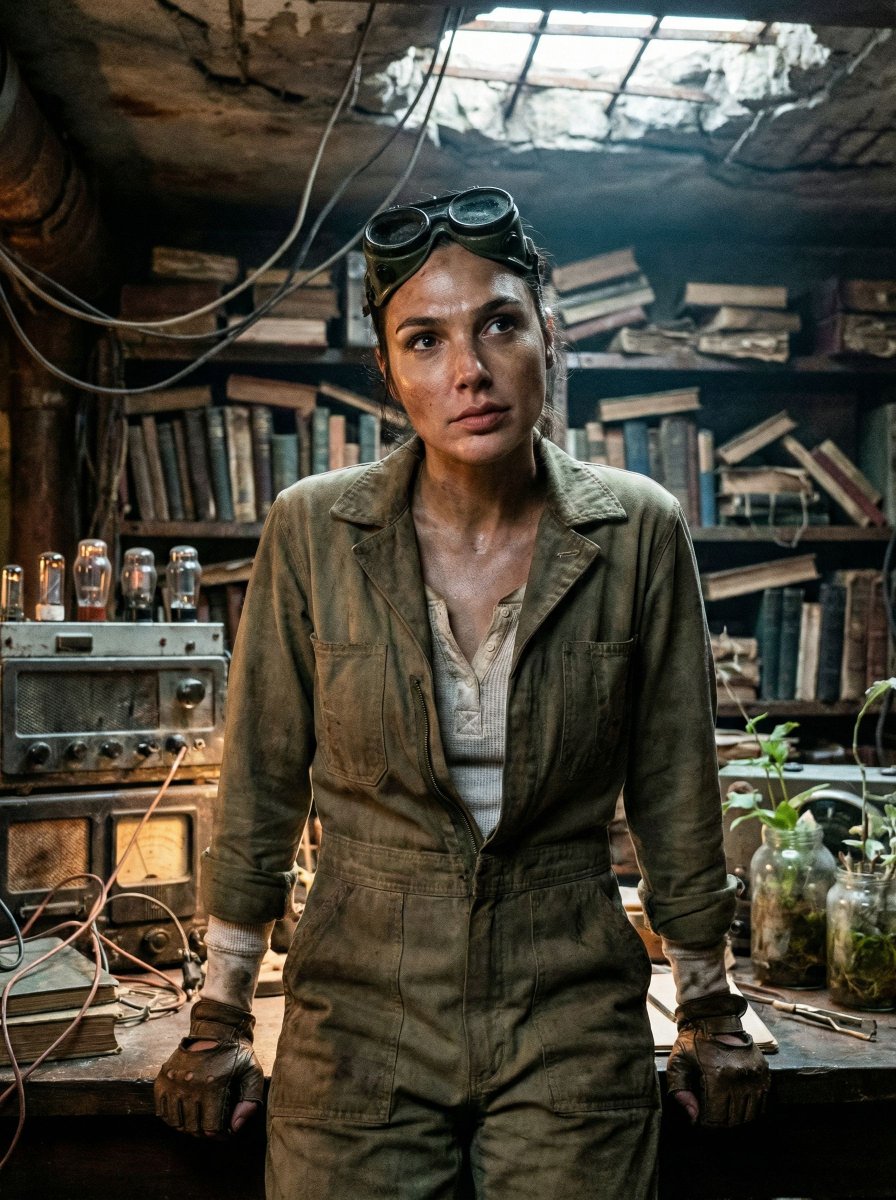
An extremely detailed JSON prompt for generating a cinematic, post-apocalyptic portrait (Gal Gadot style). The scene is a claustrophobic, cluttered underground bunker archive filled with decaying books and rusted equipment. It emphasizes low-key chiaroscuro lighting, heavy film grain (Kodak Vision3 500T), and authentic tactile textures to create a grounded, dirty reality.
{
  "vibe_title_en": "Rusted Botanical Bunker",
  "master_prompt": "A cinematic medium close-up of The Protagonist situated in a claustrophobic, repurposed underground bunker archive. The environment is overwhelmingly dense and cluttered, adhering to a grounded post-apocalyptic aesthetic: stacks of decaying hardcover books intermingled with rusted analog radio equipment, tangles of exposed copper wire hanging like vines, and glass jars filled with murky water and sprouting seedlings. The atmosphere is thick with dust particles and humidity. The Protagonist is captured in a decisive moment of stillness, looking up from a workbench as if hearing a phantom sound, expression guarded and weary. Lighting is low-key chiaroscuro, motivated by the warm, flickering glow of a vacuum tube amplifier contrasting with a faint, sickly cool daylight filtering through cracks in the concrete ceiling. Shot on Kodak Vision3 500T 35mm film with a Panavision C-Series anamorphic lens, emphasizing heavy film grain, authentic skin texture with sweat and grime, and a tactile, dirty reality. No neon, no clean surfaces.",
  "meta": {
    "intent": "Cinematic Storytelling",
"priorities": "Texture, Density, 
A detailed prompt for Google Nano Banana 2 to generate a cinematic 3D illustration in the style of Pixar/Disney, depicting a cute cartoon boy stepping out of a spiral sketchbook on a warm wooden desk, blending 2D sketch lines with a vibrant 3D character.
Cinematic 3D illustration of imagination coming to life. A cute young cartoon boy is stepping out of a spiral sketchbook placed on a warm wooden desk in a cozy creative workspace. The sketchbook page contains a pencil sketch drawing of the same boy, labeled at the top “MY WORLD – SKETCHES.” The drawing is simple graphite line art, while the real character emerging from it is rendered in fully detailed 3D animated style.

The boy looks identical to the drawing but transformed into a vibrant 3D character, with soft rounded facial features, big expressive eyes, fluffy brown hair, and a gentle friendly smile. He is wearing a casual raglan t-shirt (white with blue sleeves), denim jeans, and red sneakers.

One foot is still on the sketchbook page while the other steps onto the wooden desk, creating the illusion that he is coming to life directly from the drawing. The sketch lines subtly fade where the character emerges, blending 2D pencil art into 3D reality.

The desk around the notebook is filled with creative tools: scattered colored pencils, graphite pencils, pens, sketching tools, and erasers. A ceramic mug holding paintbrushes and pencils sits nearby with the text “CREATIVE TOOLS”

A complex, multi-phase prompt designed to generate a 2x2 grid of 'Historical Macro Dioramas' based on user-selected ingredients. It requires the AI to first determine an 'Era Texture' (Ancient, Renaissance, Industrial, Modern) and then create a hyper-detailed macro photograph of a messy workspace. Each panel features an open book with 2D sketches and a 3D pop-up diorama of a finished meal, complete with tiny period-accurate figurines of an inventor and a rival.
Role:Historical Art Director & Macro Photographer.
Input: Invention or Rivalry = [{argument name="user choice" default="User Choice"}]

Phase 1: Chronological Profiling
Before rendering, analyze the Year of the invention to determine the "Era Texture":
If Ancient (e.g., 200 BC): Surface = Rough Stone or Papyrus. Light = Oil Lamp/Torch. Clutter = Clay shards, bronze chisels, scrolls, figs/grapes.
If Renaissance (e.g., 1500): Surface = Dark Oak & Vellum. Light = Candle. Clutter = Quill feathers, wax seals, brass astrolabes, leather binding.
If Industrial (e.g., 1890): Surface = Green Felt or Mahogany. Light = Gas/Filament. Clutter = Newsprint, pocket watches, copper wire, soot.
If Modern (e.g., 1980): Surface = Formica or Metal. Light = Fluorescent/Neon. Clutter = Circuit boards, Polaroid photos, soda cans, plastic casings.

Phase 2: Visual Execution
Goal: A hyper-detailed "Macro Diorama" where the environment tells the story of the time period.
Subject: A messy, chaotic workspace viewed through a macro lens.

1. The Stage (The Document):
The "ground" is the primary design medium of that era
The surface is filled with era-specific sketches/carvings of the invention.

2. The Living M
A set of four detailed image generation prompts for Nano Banana Pro, focusing on different portrait styles: a golden-hour fine arts aesthetic, a detailed ink sketch, a comic-sketch style with doodles, and a highly detailed digital painting surrounded by flowers. All prompts emphasize matching the face from an uploaded reference photo.
Prompt 1:
"Ultra-realistic 8K mid-shot portrait. Use the exact face from the uploaded photo.
Warm, romantic "golden-hour muse" aesthetic - Vogue Fine Arts x Italian painting studio.
Hair: soft loose waves, natural volume, middle/side part, warm golden glow on strands.
Makeup: dewy luminous skin, golden highlighter, peach eyeshadow, long fluffy lashes, rosy watercolor blush, glossy peach-rose lips.
Outfit: cream/soft beige off-shoulder knit or white draped top (not black, not oversized). Exposed collarbone. Thin gold necklace, tiny pearl earrings, subtle gold rings.
Background: one HUGE colorful oil painting of her face, filling the entire background.
Soft warm brushstrokes, golden/peach/blush tones, creamy texture, flowing hair strokes, Renaissance-meets-modern glow. Rich, emotional, romantic.
Pose: mid-shot, slightly off-center. Exposed shoulder toward camera. Hands gently touching arm/table. Head slightly down, eyes softly lifted. Dreamy, warm, romantic expression.
Studio: warm artist's workspace - wooden desk, jars with brushes, oil paints, smeared warm pigments, golden sunlight from the side, dust in the light, reflections on wet oil paint.
Lighting: golden-hour soft warmth, ge
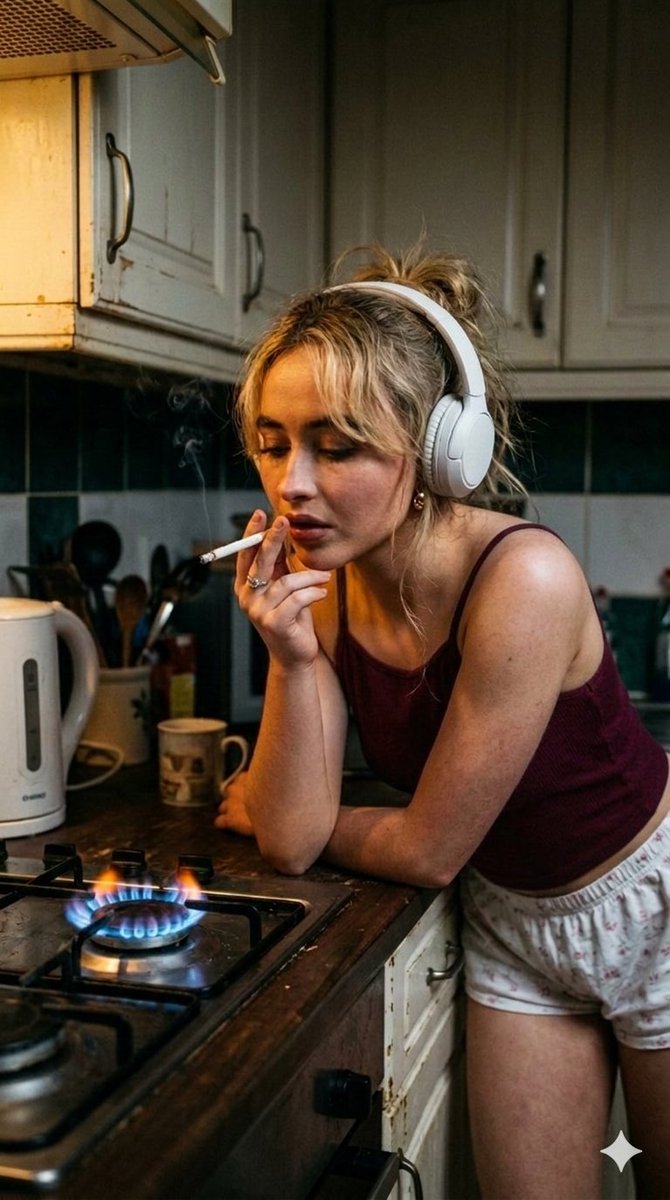
A multi-part prompt generating four distinct, high-fidelity cinematic portraits of celebrities (Ana de Armas, Sydney Sweeney, Sabrina Carpenter, Sadie Sink) in a moody, late-night kitchen setting, dramatically lit by the electric blue glow of an ignited gas stove burner.
Ai
[
  {
    "name": "Ana de Armas",
    "description": "A highly detailed and stylish cinematic portrait of Ana de Armas, capturing a moody, late-night kitchen aesthetic with professional studio lighting. Her dark hair is tied in an effortlessly messy bun as she wears sleek, white over-ear Beats headphones and a deep navy blue ribbed camisole with thin spaghetti straps. Leaning over a dark countertop with a pensive expression, she holds a lit cigarette to her lips, with a faint trail of smoke rising into the dim air. The scene is dramatically illuminated by the sharp, electric blue glow of a gas stove burner in the immediate foreground, which contrasts beautifully with the vintage green-and-white checkered tile backsplash and white cabinetry."
  },
  {
    "name": "Sydney Sweeney",
    "description": "A professionally composed, high-fidelity photograph of Sydney Sweeney leaning against a rustic wooden kitchen counter in a luxury-inspired setting. She is styled in a rich maroon tank top and dark navy blue shorts, with white headphones resting around her neck. The atmosphere is heavy and contemplative, defined by her downward gaze and the cigarette held delicately between her finger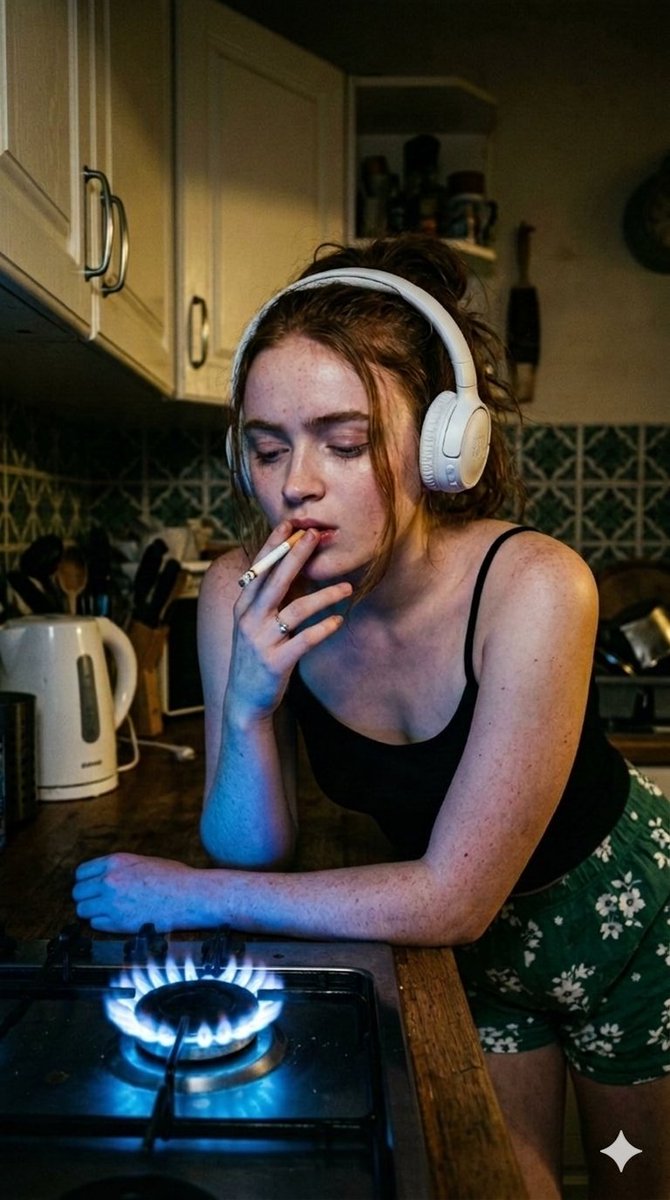
A multi-part prompt generating four distinct, high-fidelity cinematic portraits of celebrities (Ana de Armas, Sydney Sweeney, Sabrina Carpenter, Sadie Sink) in a moody, late-night kitchen setting, dramatically lit by the electric blue glow of an ignited gas stove burner.
Ai
[
  {
    "name": "Ana de Armas",
    "description": "A highly detailed and stylish cinematic portrait of Ana de Armas, capturing a moody, late-night kitchen aesthetic with professional studio lighting. Her dark hair is tied in an effortlessly messy bun as she wears sleek, white over-ear Beats headphones and a deep navy blue ribbed camisole with thin spaghetti straps. Leaning over a dark countertop with a pensive expression, she holds a lit cigarette to her lips, with a faint trail of smoke rising into the dim air. The scene is dramatically illuminated by the sharp, electric blue glow of a gas stove burner in the immediate foreground, which contrasts beautifully with the vintage green-and-white checkered tile backsplash and white cabinetry."
  },
  {
    "name": "Sydney Sweeney",
    "description": "A professionally composed, high-fidelity photograph of Sydney Sweeney leaning against a rustic wooden kitchen counter in a luxury-inspired setting. She is styled in a rich maroon tank top and dark navy blue shorts, with white headphones resting around her neck. The atmosphere is heavy and contemplative, defined by her downward gaze and the cigarette held delicately between her finger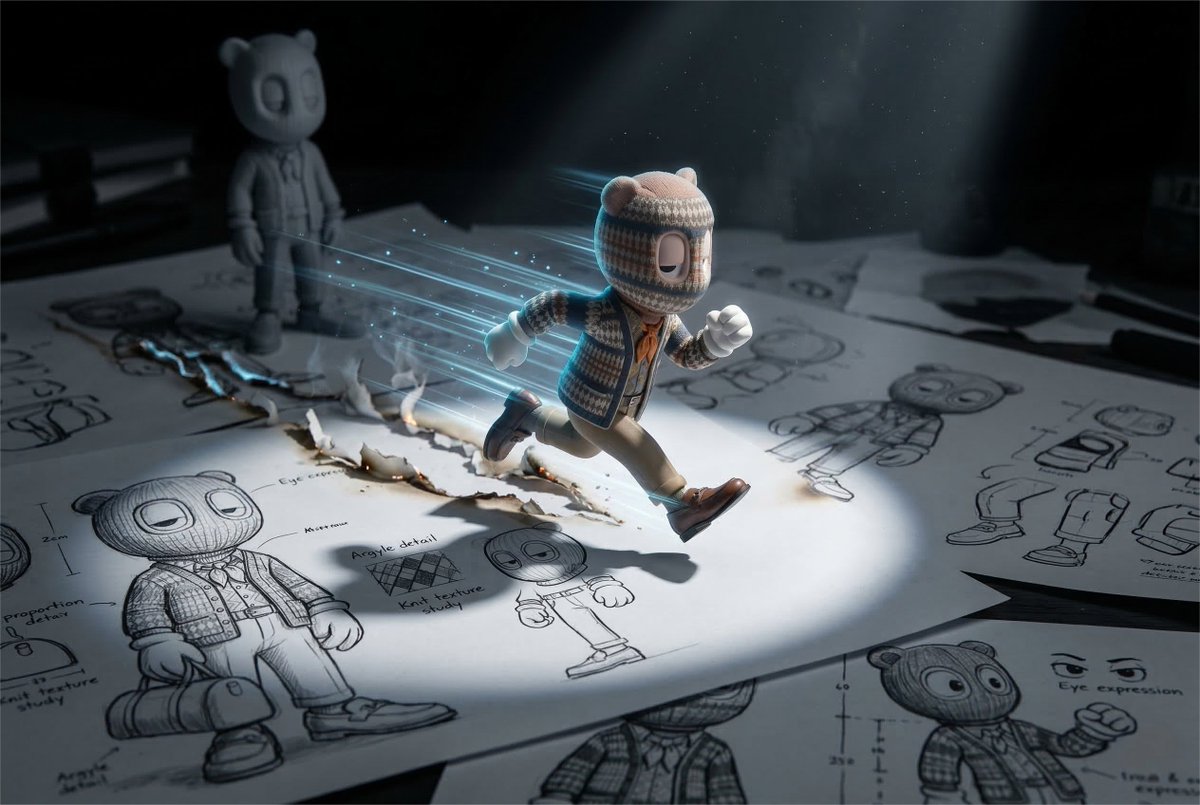
A highly detailed prompt for generating a cinematic macro toy-photography scene using Nano Banana 2, depicting a bean-sized character from an uploaded reference image sprinting explosively across character design pages, emphasizing exact likeness preservation and dynamic action effects.
A cinematic macro toy-photography scene. A bean-sized version of the uploaded reference character is sprinting explosively captured at the peak stride moment of a high-speed sprint with visual effect. Character Pose: A dynamic, mid-sprint action pose with amazing visual effects captured from a three-quarter side profile. Torso: Leaning forward at a sharp angle to convey momentum. Arms: One arm is bent sharply at the elbow with the fist tucked near the chest; the other arm is extended backward, trailing behind the torso. Legs: In a full stride. The lead leg is bent forward with the knee high, while the trailing leg is fully extended back with the foot pointed. Head: Facing forward, aligned with the direction of the run. The character runs across the surface of several giant black-and-white character design pages fully covering the ground, featuring the same character. Likeness Preservation (CRITICAL): The identity of the character must remain exactly identical to the reference in both: • the miniature physical character • the character shown in the design sketches. The sketch pages must show the same character, including: • dynamic poses small sketches • head studies and shape explo